使用微信支付收款
本指南介绍如何让用户通过微信支付为您的 Casdoor 产品付款。Casdoor 支持带二维码的 Native 支付 以及微信应用内的 JSAPI 支付。
学习目标
- 从微信支付获取 API 密钥、证书、ID 和微信支付公钥。
- 添加微信支付作为支付提供商,并将其添加到产品中。
- 启用微信应用内支付。
所需条件
获取凭证
-
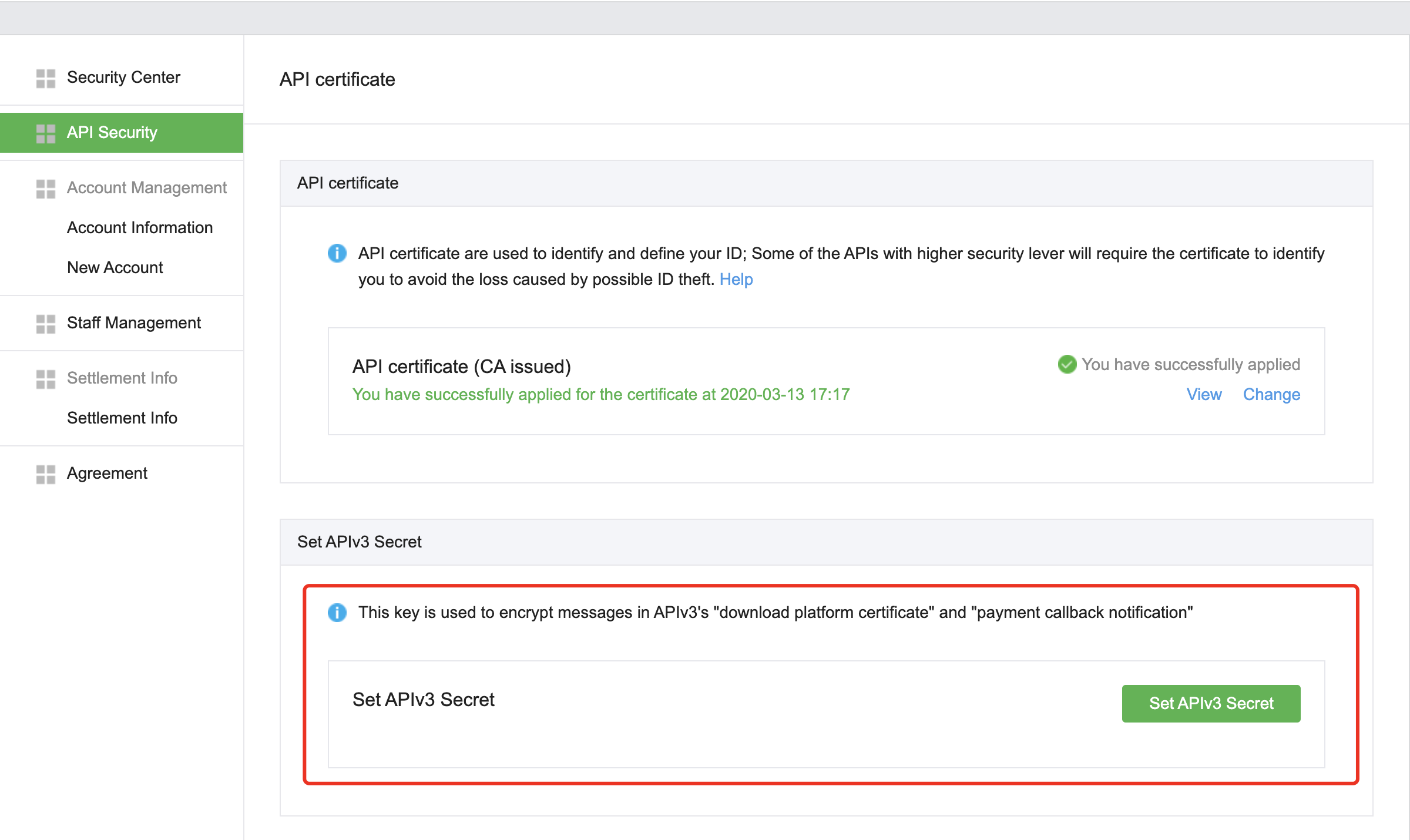
在微信支付商户平台,前往 Account Settings > API Security > Set APIv3 Secret 并复制 APIv3 密钥。请参阅 APIv3 密钥设置。
-
前往 Account Settings > API Security > API Certificate 并下载商户 API 证书。下载内容包含证书
apiclient_cert.pem及其私钥apiclient_key.pem。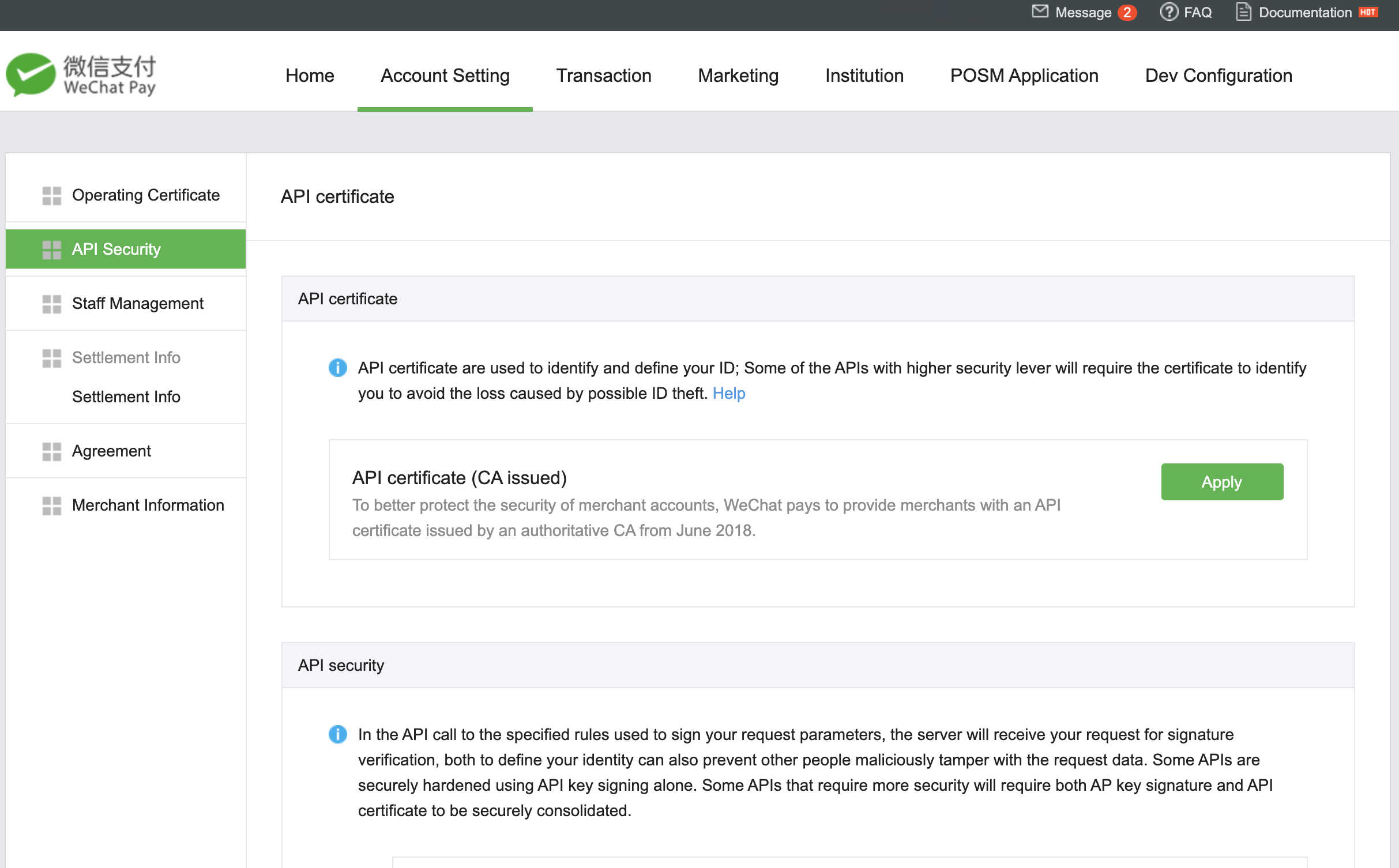
-
在 Casdoor 的 Certs 页面添加一个证书。将
apiclient_cert.pem的内容粘贴到 Certificate 中,将apiclient_key.pem的内容粘贴到 Private key 中。Casdoor 会从证书中读取序列号。你也可以直接将序列号放入 Certificate。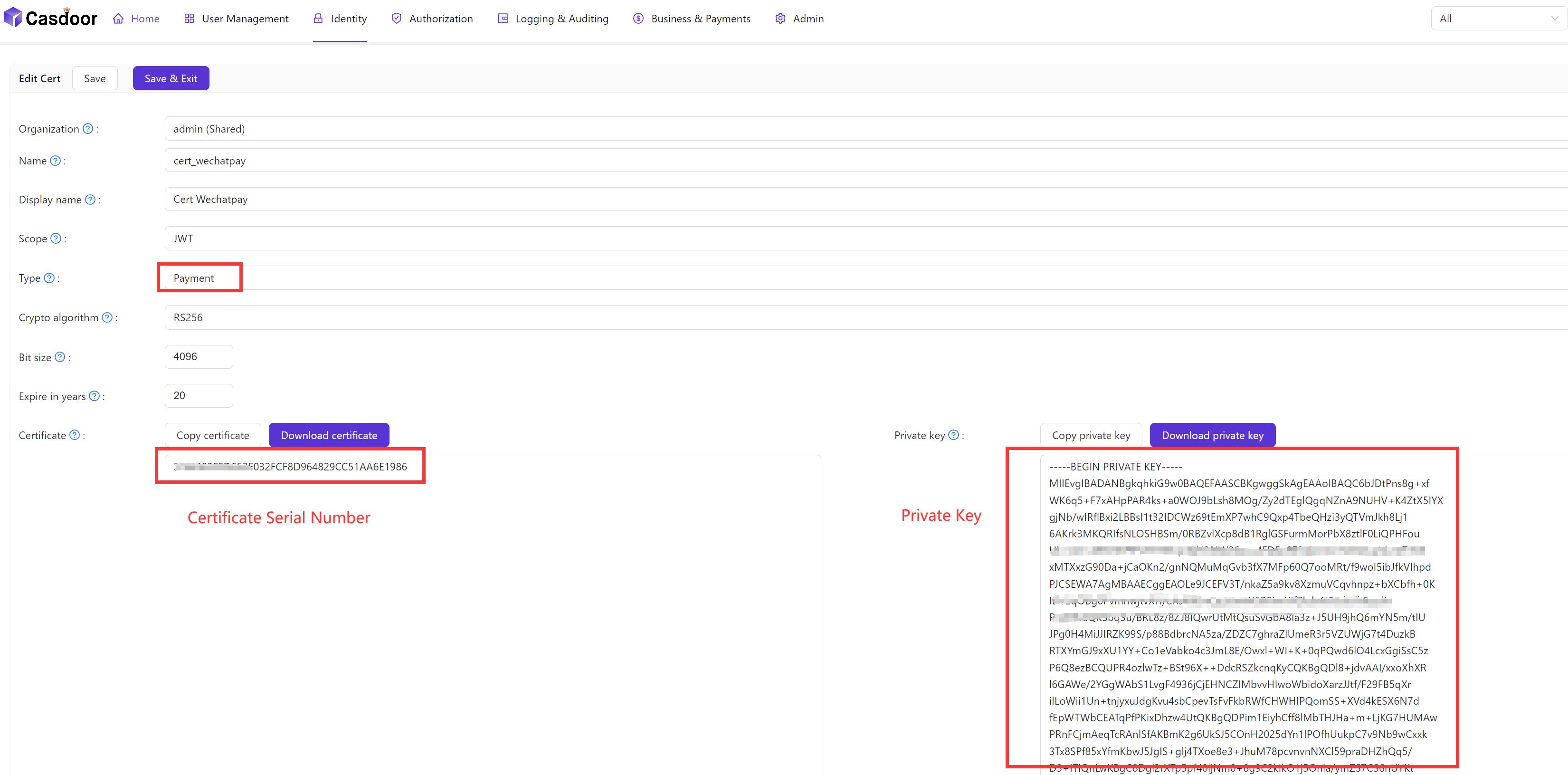
-
了解微信支付如何为你的商户账户签署响应。前往 Account Settings > API Security:
- 如果页面中有 WeChat Pay public key(微信支付公钥)部分,则你的账户使用公钥模式。新的商户账户使用此模式。下载公钥文件
pub_key.pem并复制以PUB_KEY_ID_开头的公钥 ID。 - 如果页面中有 Platform certificate(平台证书)部分且没有公钥,则你的账户使用平台证书模式。你不需要其他任何东西:Casdoor 会使用你的商户证书下载平台证书。
- 如果页面中有 WeChat Pay public key(微信支付公钥)部分,则你的账户使用公钥模式。新的商户账户使用此模式。下载公钥文件
在 Casdoor 中添加提供商
-
在 Casdoor 管理控制台中,前往 Identity > Providers 并添加一个提供商。
-
将 Category 设置为
Payment,将 Type 设置为WeChat Pay。 -
填写以下字段:
字段 Public key mode Platform certificate mode Client ID 商户ID Merchant ID Client secret API密钥v3 API Key v3 App ID 应用ID App ID Public key ID The ID that starts with PUB_KEY_ID_Empty Cert The cert above The cert above Public key The content of pub_key.pemEmpty 当同时设置了 Public key ID 和 Public key 时,Casdoor 会使用此公钥验证微信支付的响应。否则它会下载平台证书,这对于处于公钥模式的账户会失败并报错
RESOURCE_NOT_EXISTS。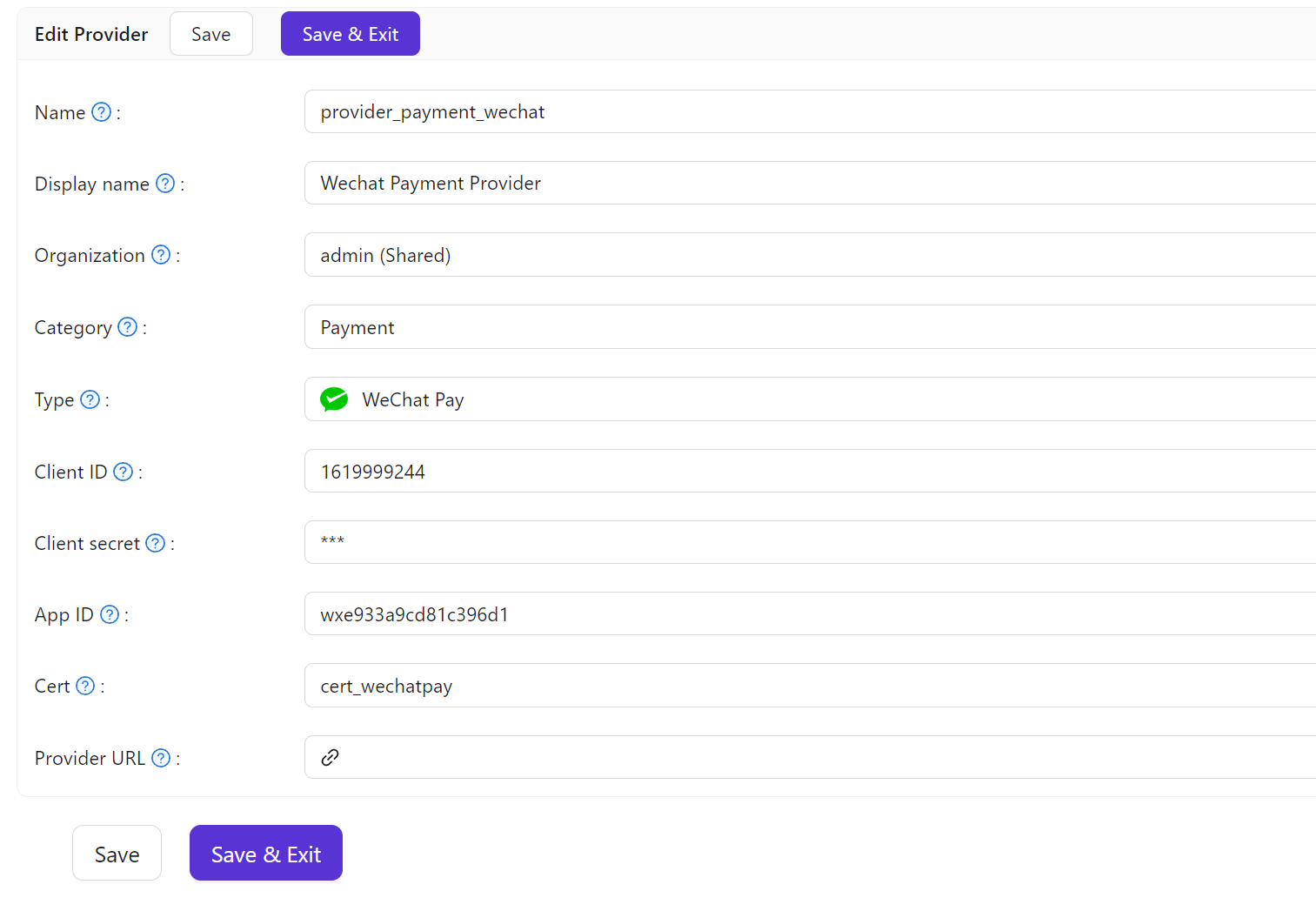
-
保存提供商.
将提供商添加到产品
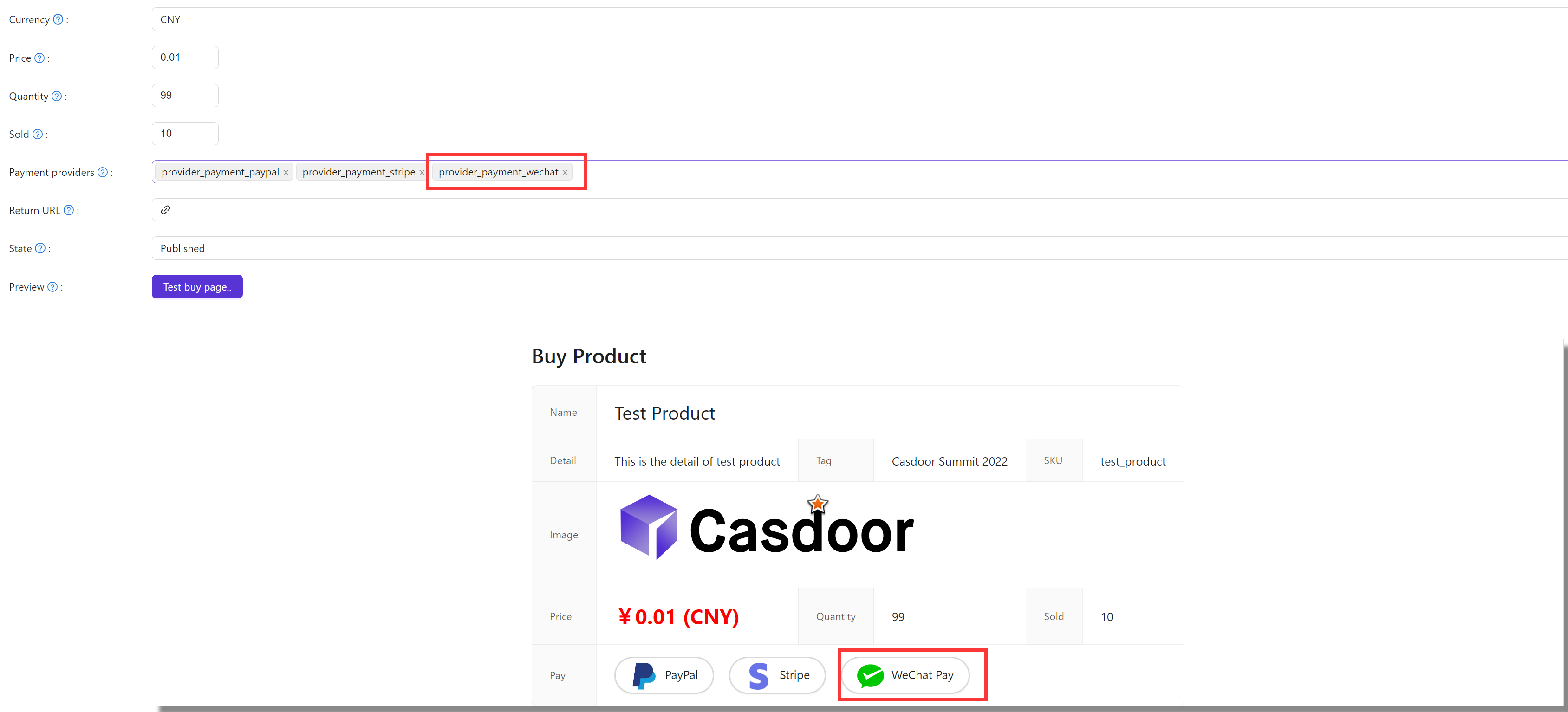
将该提供商添加到产品的 Payment providers 中并保存。
在微信应用内支付
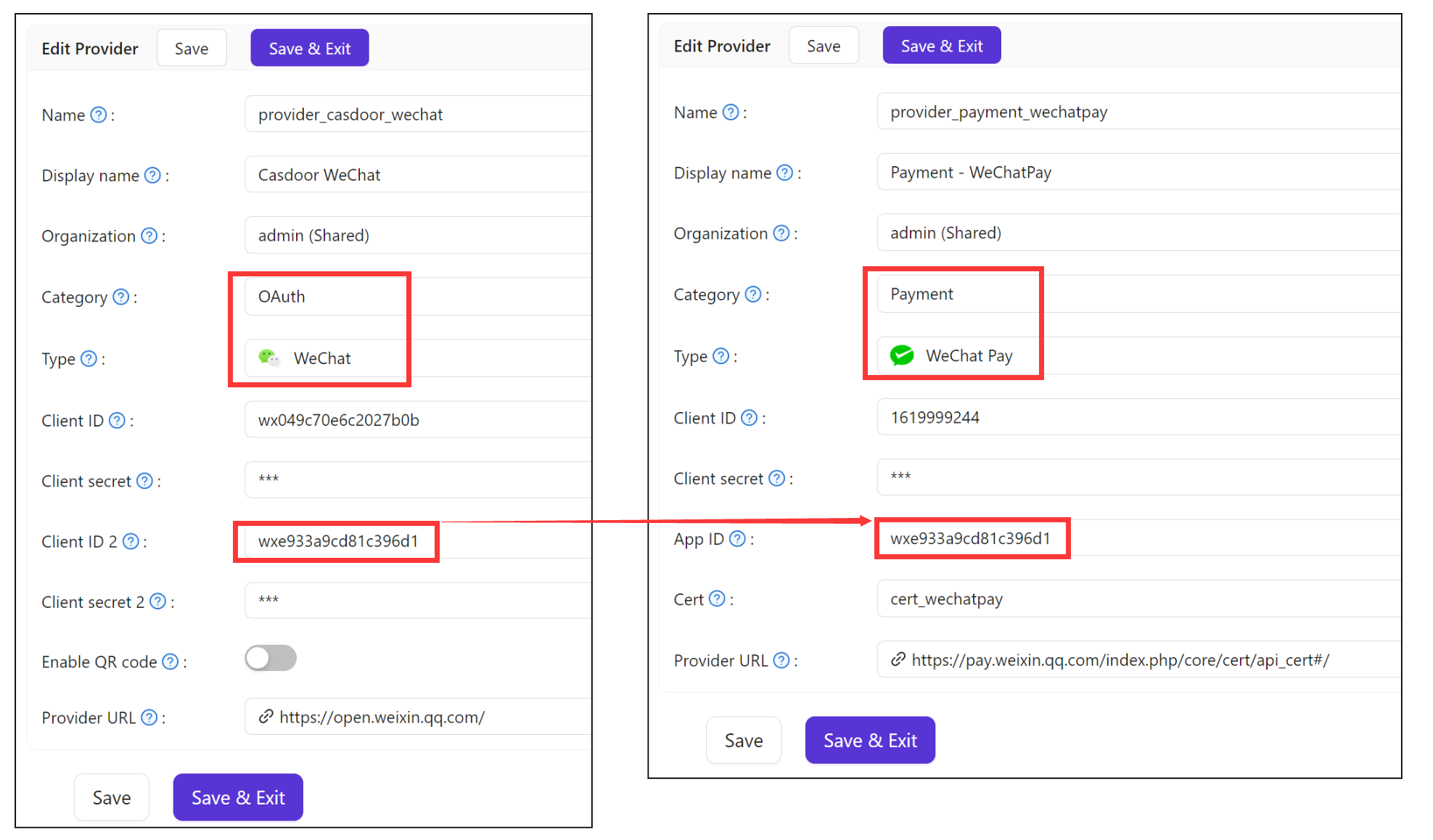
对于 JSAPI 支付,用户在微信应用的内置浏览器中使用微信登录,然后在那里支付。为与支付提供商相同的公众号配置一个 WeChat OAuth 提供商,并将两者都添加到应用中。
故障排除
| Error | Cause and fix |
|---|---|
RESOURCE_NOT_EXISTS when paying | The merchant account uses the public key mode and has no platform certificate. Fill in Public key ID and Public key. |
invalid header field value for Authorization | 较旧版本的 Casdoor 会将 Certificate 读取为序列号,导致 PEM 格式破坏请求头。升级 Casdoor,或将商户证书的序列号放入 Certificate。 |
SIGN_ERROR | The private key, the serial number, or the merchant ID don't belong together. Check that the cert holds the certificate and private key of this merchant. |