支付提供商
支付提供商允许用户为您在 Casdoor 中销售的产品付款。您可以为一个产品添加一个或多个支付提供商,用户在结账时选择其中之一。
支持的类型
| Type | Service |
|---|---|
Stripe | See Stripe |
PayPal | See PayPal |
Alipay | See Alipay |
WeChat Pay | See WeChat Pay |
AirWallex | See AirWallex |
Adyen | See Adyen |
Paddle | See Paddle |
Polar | See Polar |
FastSpring | See FastSpring |
Lemon Squeezy | See Lemon Squeezy |
Balance | Pays from the account balance of the user. See Balance |
Dummy | Simulates payments for tests. See Dummy |
添加支付提供商
-
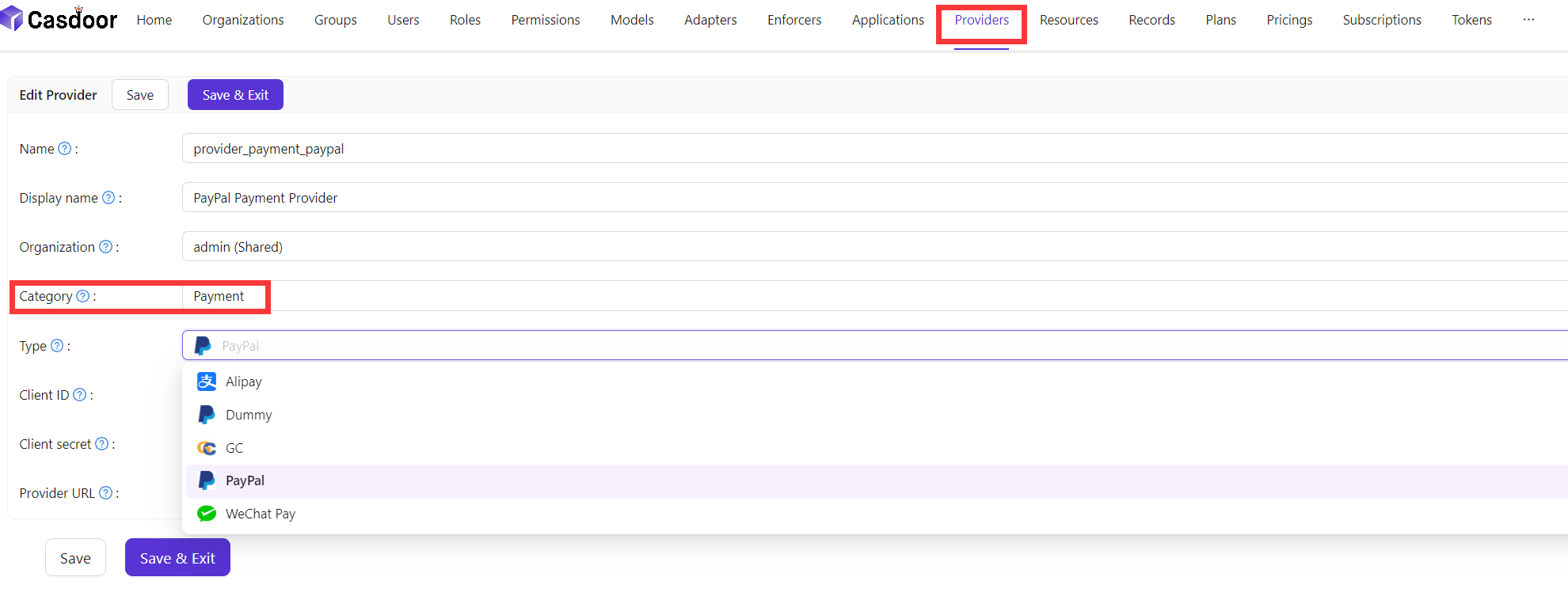
在 Casdoor 管理控制台中,前往 Identity > Providers 并添加一个提供商。
-
将 Category 设置为
Payment并选择 Type。 -
填写服务的凭证。每个服务的页面都列出了相应的字段。
-
保存提供商.
-
打开产品并将提供商添加到其 Payment providers 中。
-
保存产品。