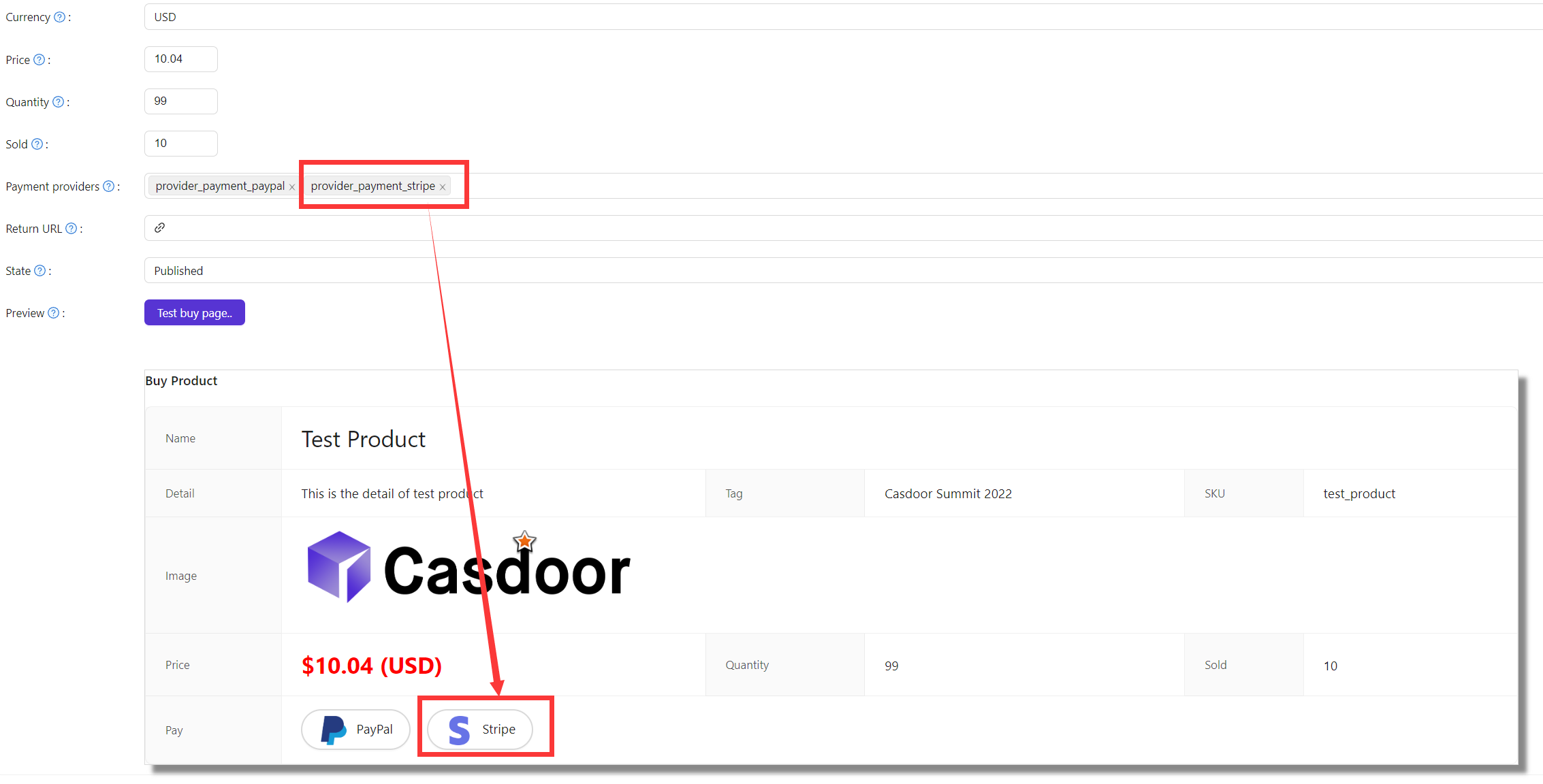
使用 Stripe 收款
本指南介绍如何让用户通过 Stripe 为您的 Casdoor 产品付款。
学习目标
- 从 Stripe 获取 API 密钥。
- 添加 Stripe 作为支付提供商,并将其添加到产品中。
所需条件
获取 API 密钥
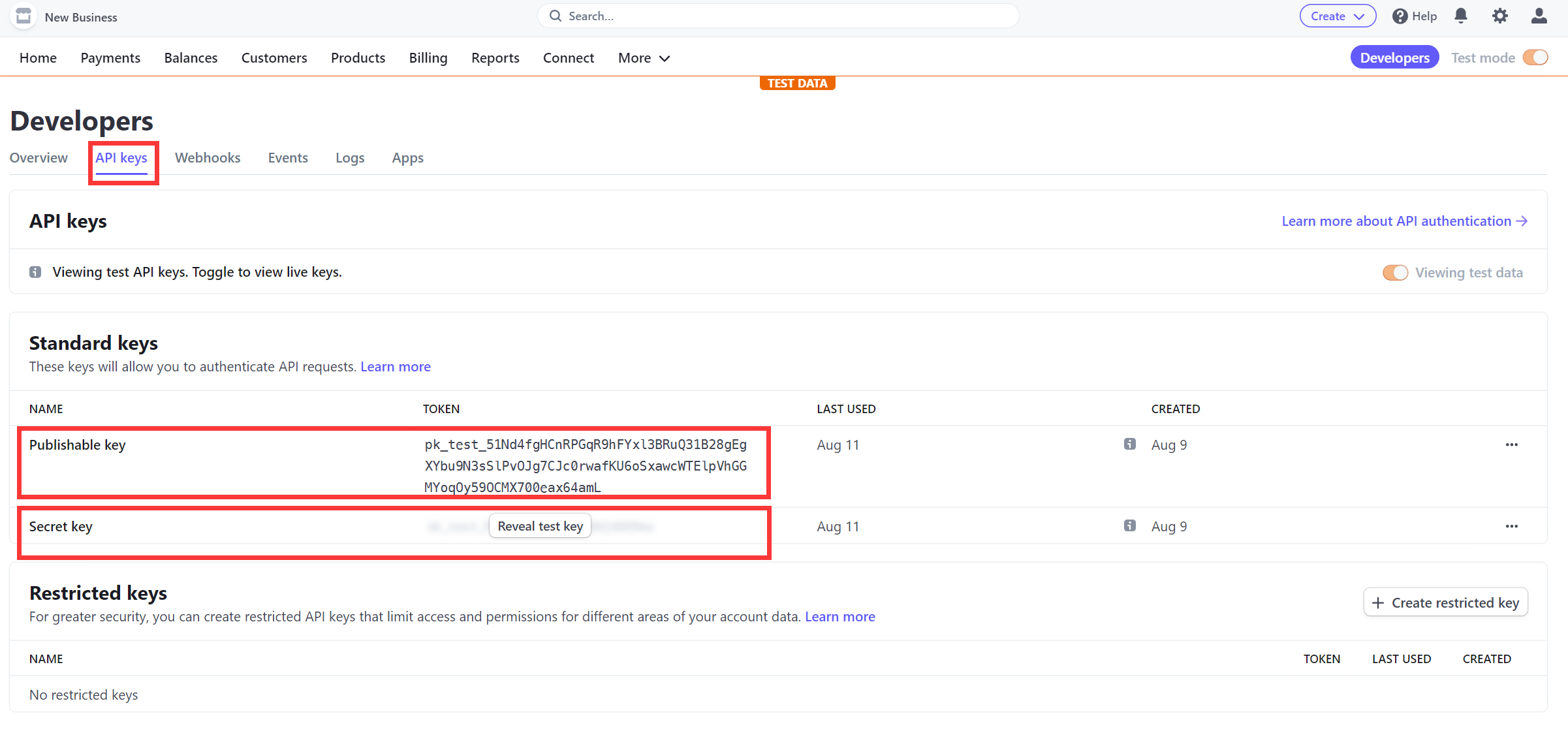
在 Stripe 仪表盘中,在 API keys 下,复制 Publishable key 和 Secret key。
在 Casdoor 中添加提供商
-
在 Casdoor 管理控制台中,转到 Identity > Providers 并添加一个提供商。
-
将 Category 设置为
Payment,将 Type 设置为Stripe。 -
填写以下字段:
字段 值 Client ID Publishable key Client secret 密钥 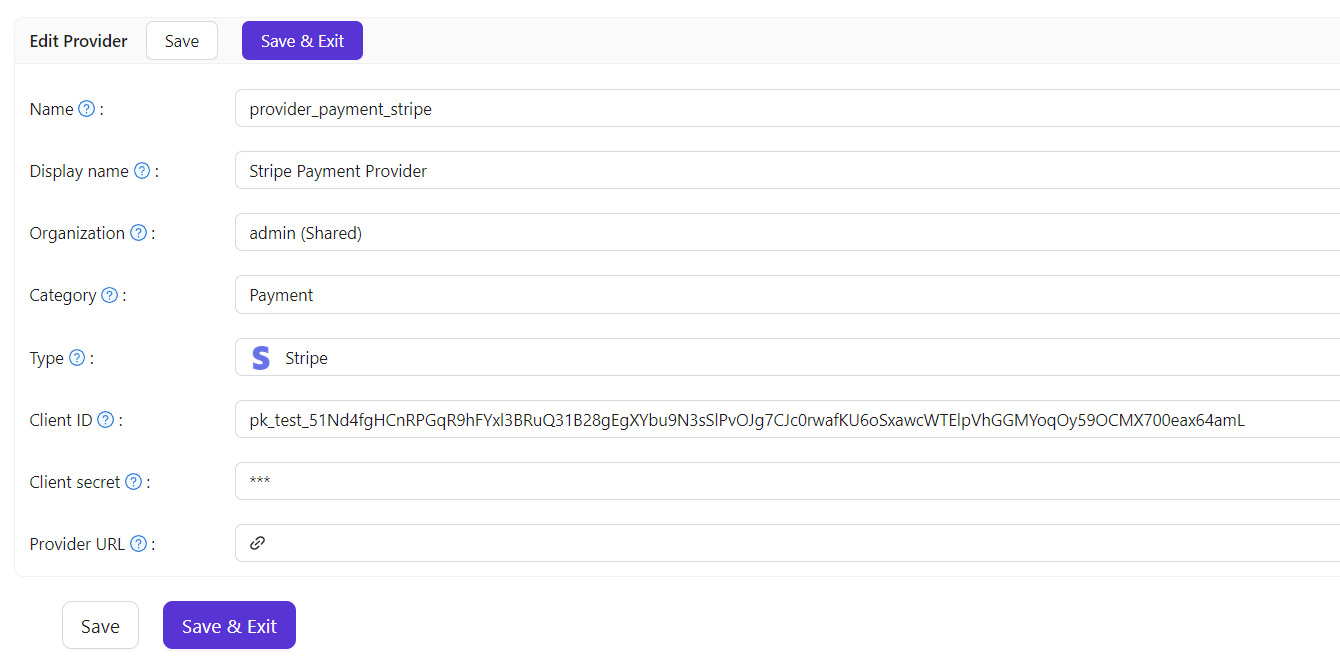
-
保存提供商.
将提供商添加到产品
将该提供商添加到产品的 Payment providers 中并保存。