Store files in Azure Blob Storage
This guide explains how to store the uploaded files of Casdoor, such as avatars, in Azure Blob Storage.
Learning outcomes
- Find the values of your storage account.
- Add Azure Blob as a storage provider in Casdoor.
What you need
- An Azure storage account with a container
- Administrator access to the Casdoor admin console
Find the values in Azure
| Value | Where to find it |
|---|---|
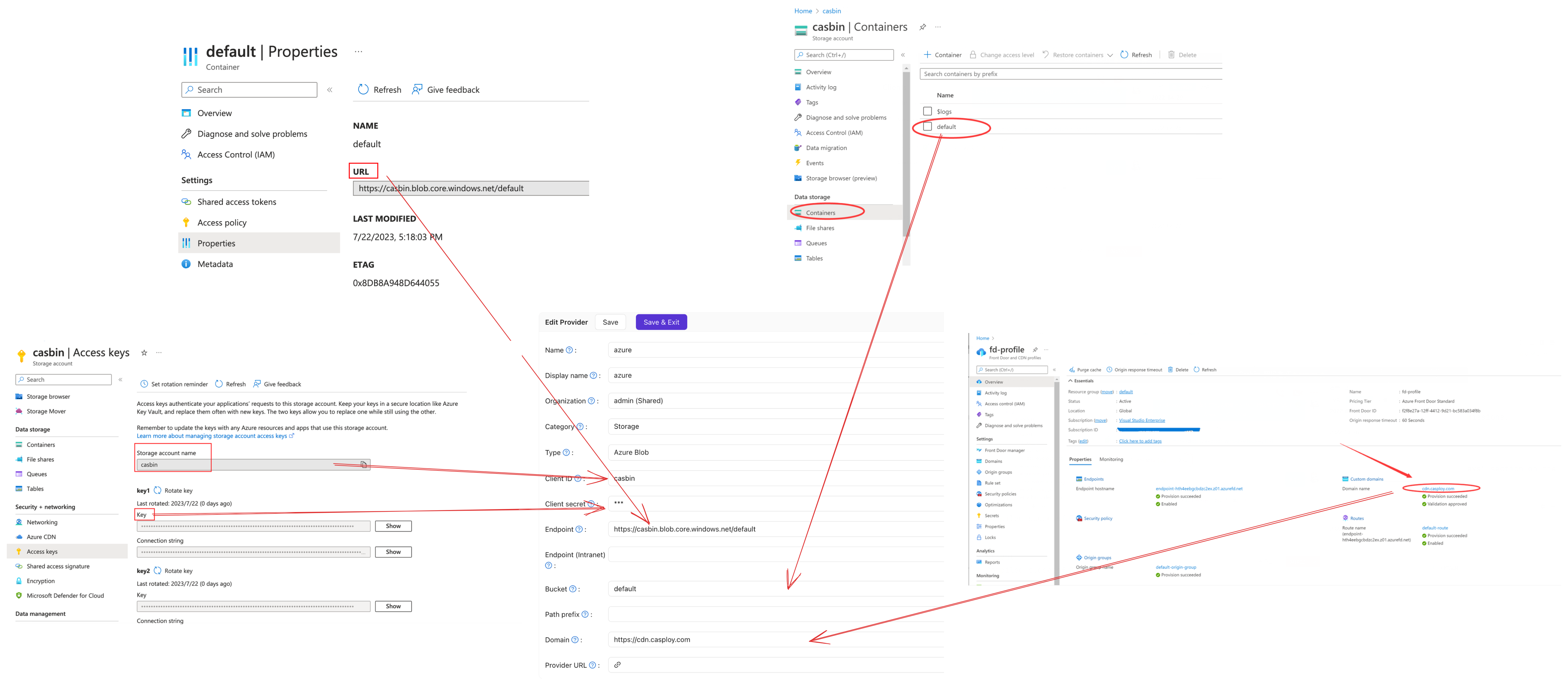
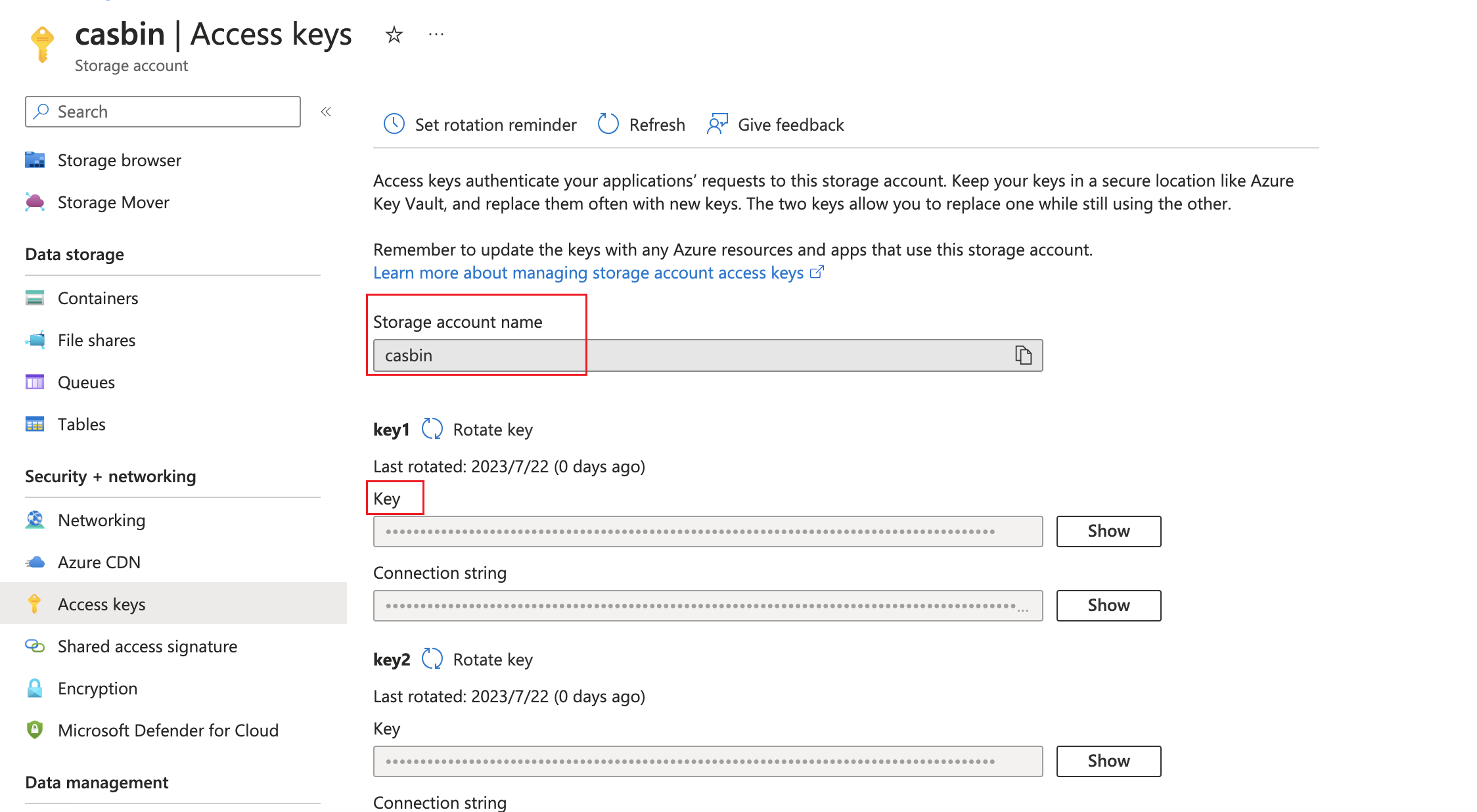
| AccountName | The name of the storage account |
| AccountKey | The storage account, Access keys |
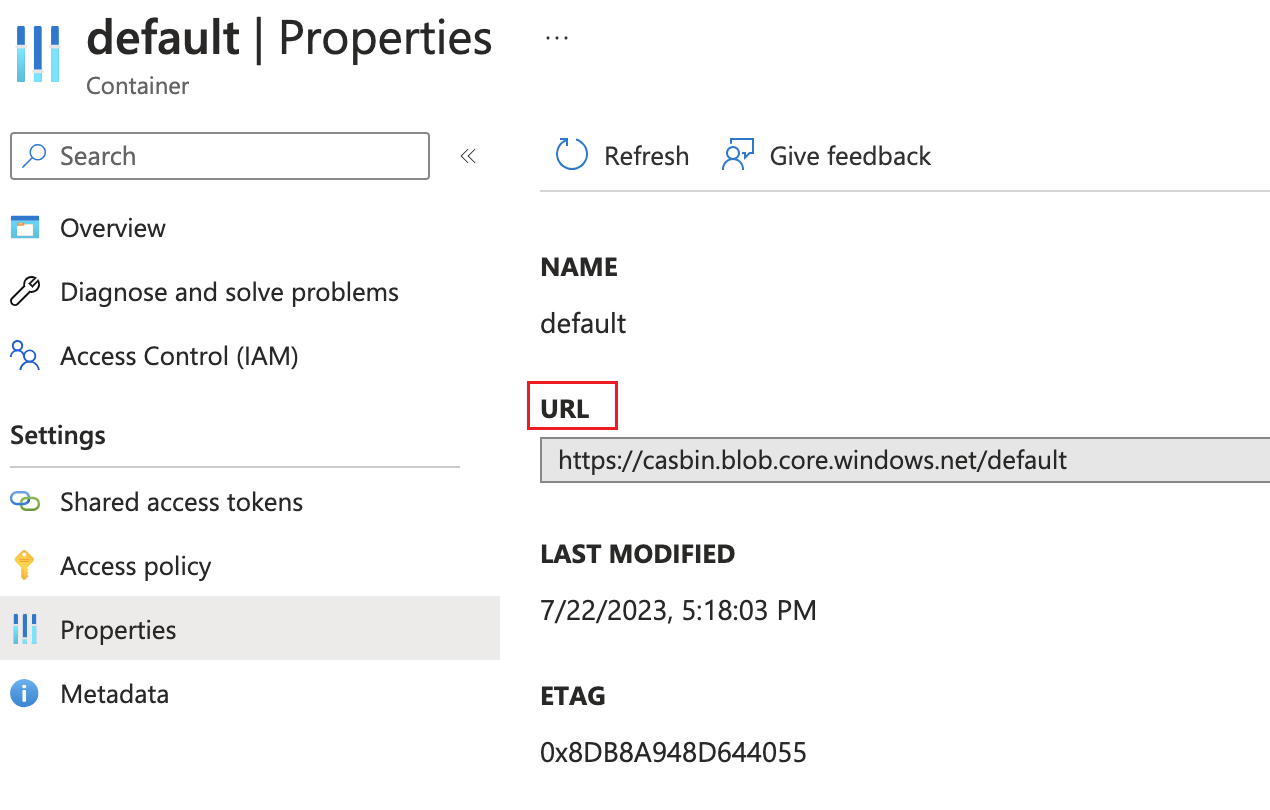
| ContainerUrl | The properties of the container |
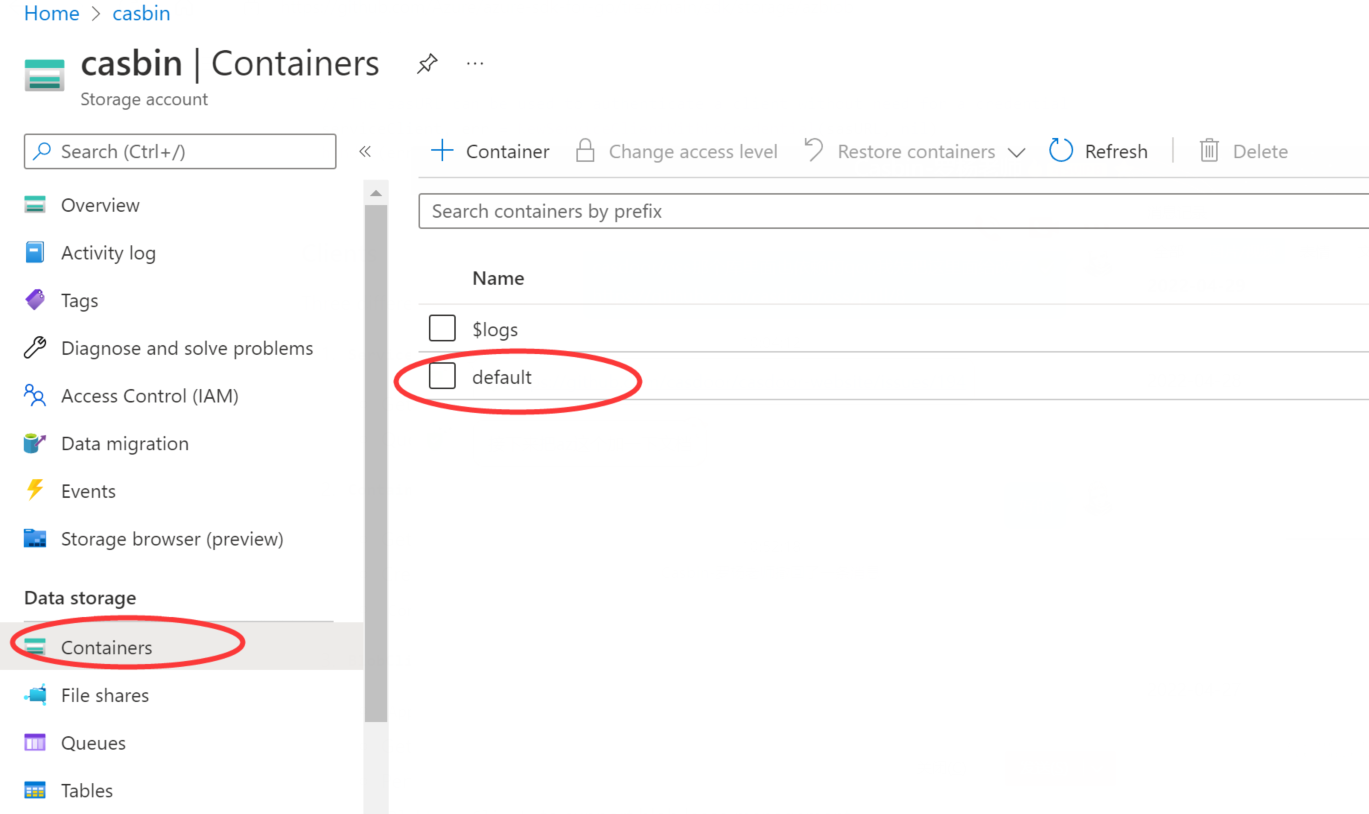
| ContainerName | The name of the container, for example default |
| PrivateEndpoint | Optional. A private endpoint of the account |
| Domain | Optional. A custom domain, such as one of Azure CDN |
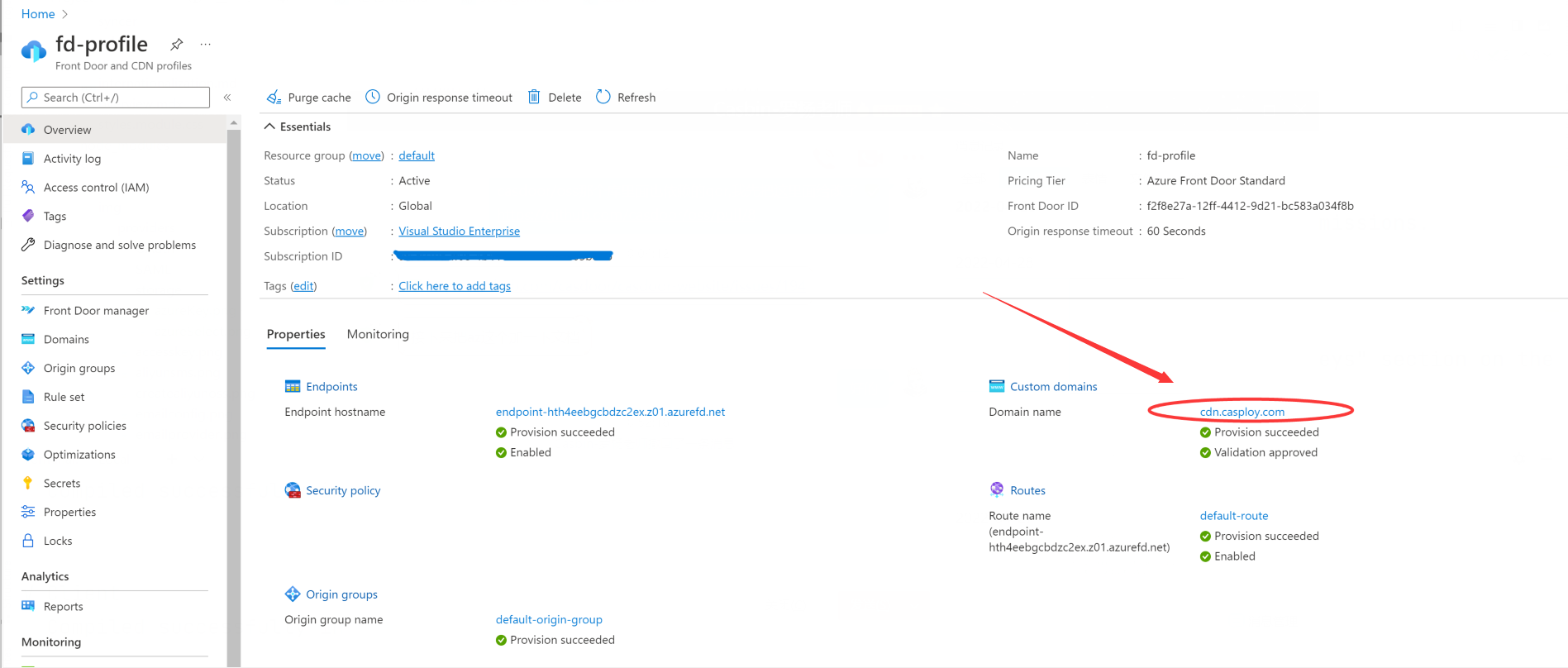
Add the provider in Casdoor
-
In the Casdoor admin console, go to Identity > Providers and add a provider.
-
Set Category to
Storageand Type toAzure Blob.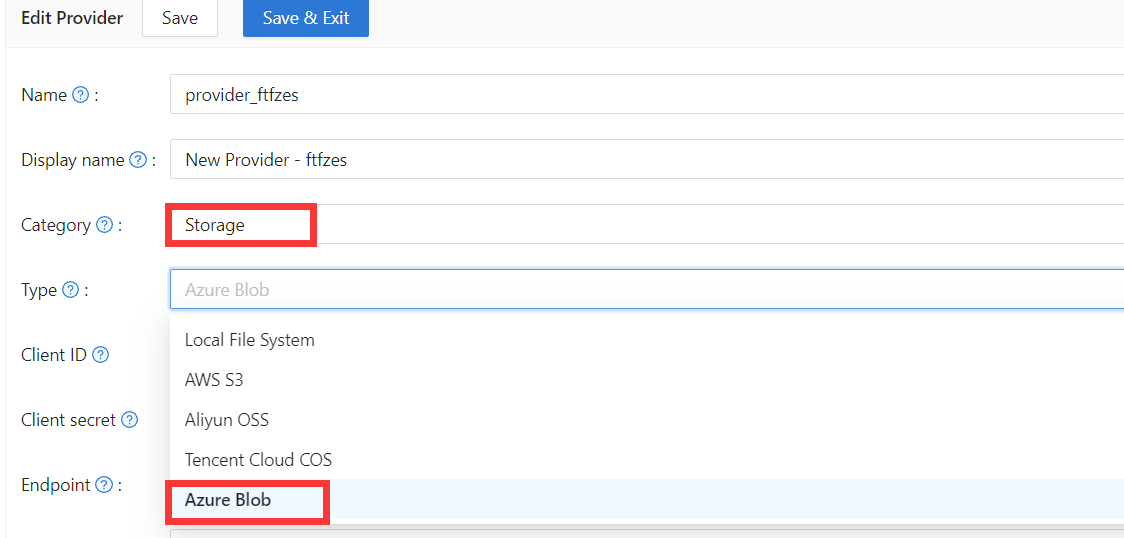
-
Fill in the fields:
字段 Azure 对应项 / 含义 必需的 Client ID AccountName 是 Client secret AccountKey 是 Endpoint ContainerUrl 是 Endpoint (Intranet) PrivateEndpoint 不 Bucket ContainerName 是 Path prefix 路径前缀 不 Domain 自定义域名(例如 CDN) 不 -
保存提供商.