Store files in MinIO
This guide explains how to store the uploaded files of Casdoor, such as avatars, in MinIO, an S3-compatible object store.
Learning outcomes
- Prepare MinIO with an access key and a bucket.
- Add MinIO as a storage provider in Casdoor.
What you need
- A MinIO deployment with TLS
- Administrator access to the Casdoor admin console
Prepare MinIO
-
Deploy MinIO with TLS and note its API address.
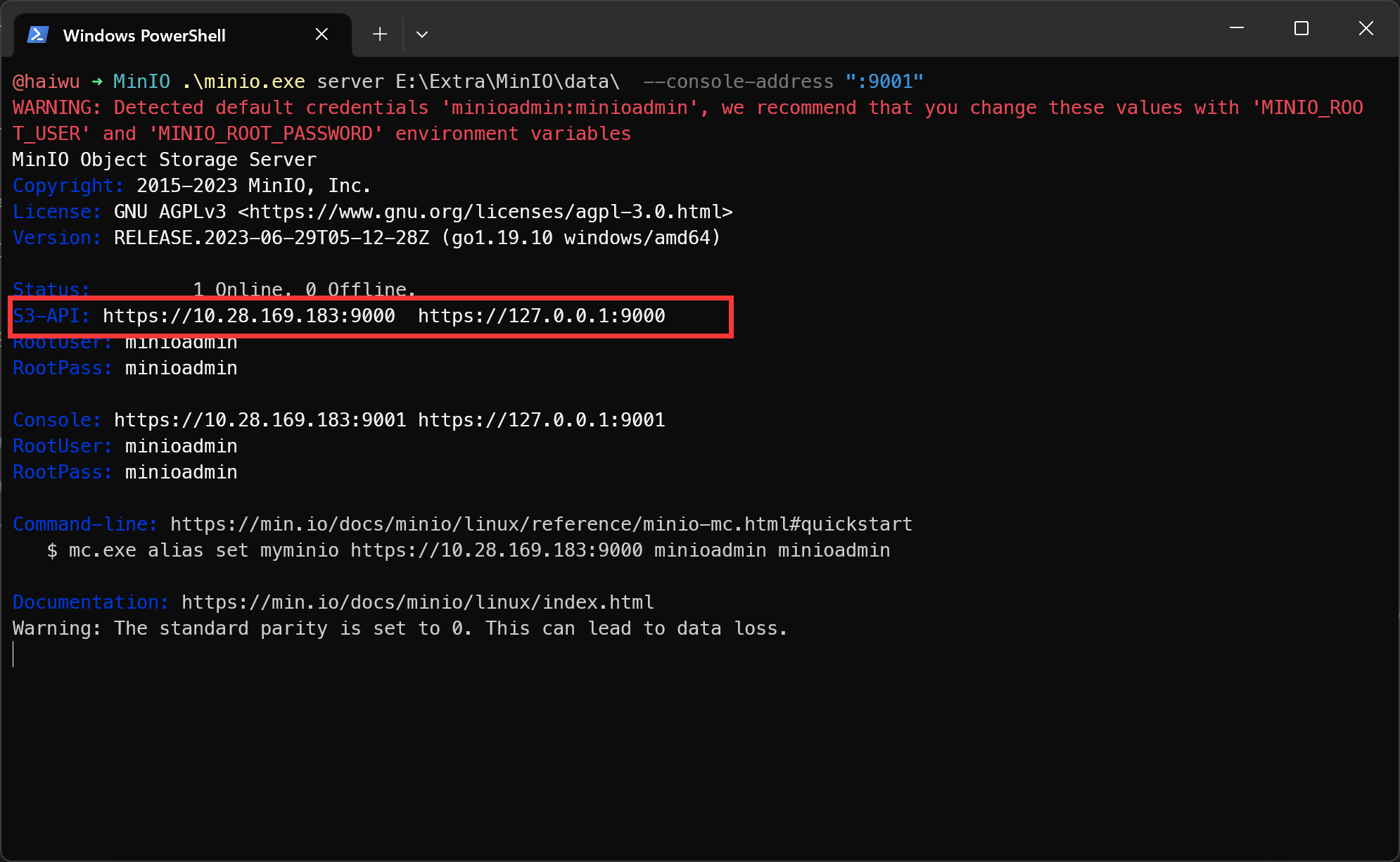
-
In the MinIO console, create an access key and a secret key.
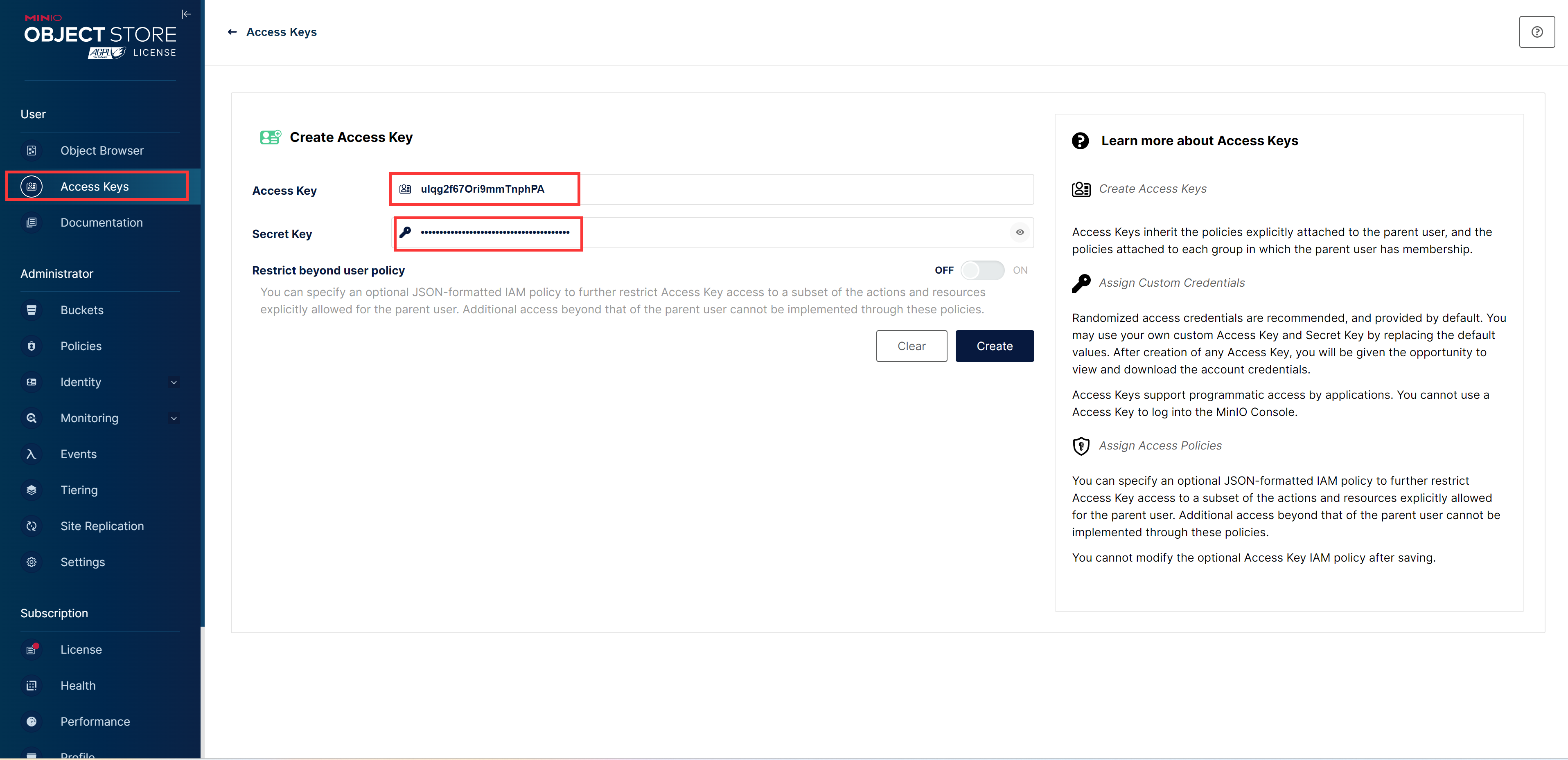
-
Create a bucket.
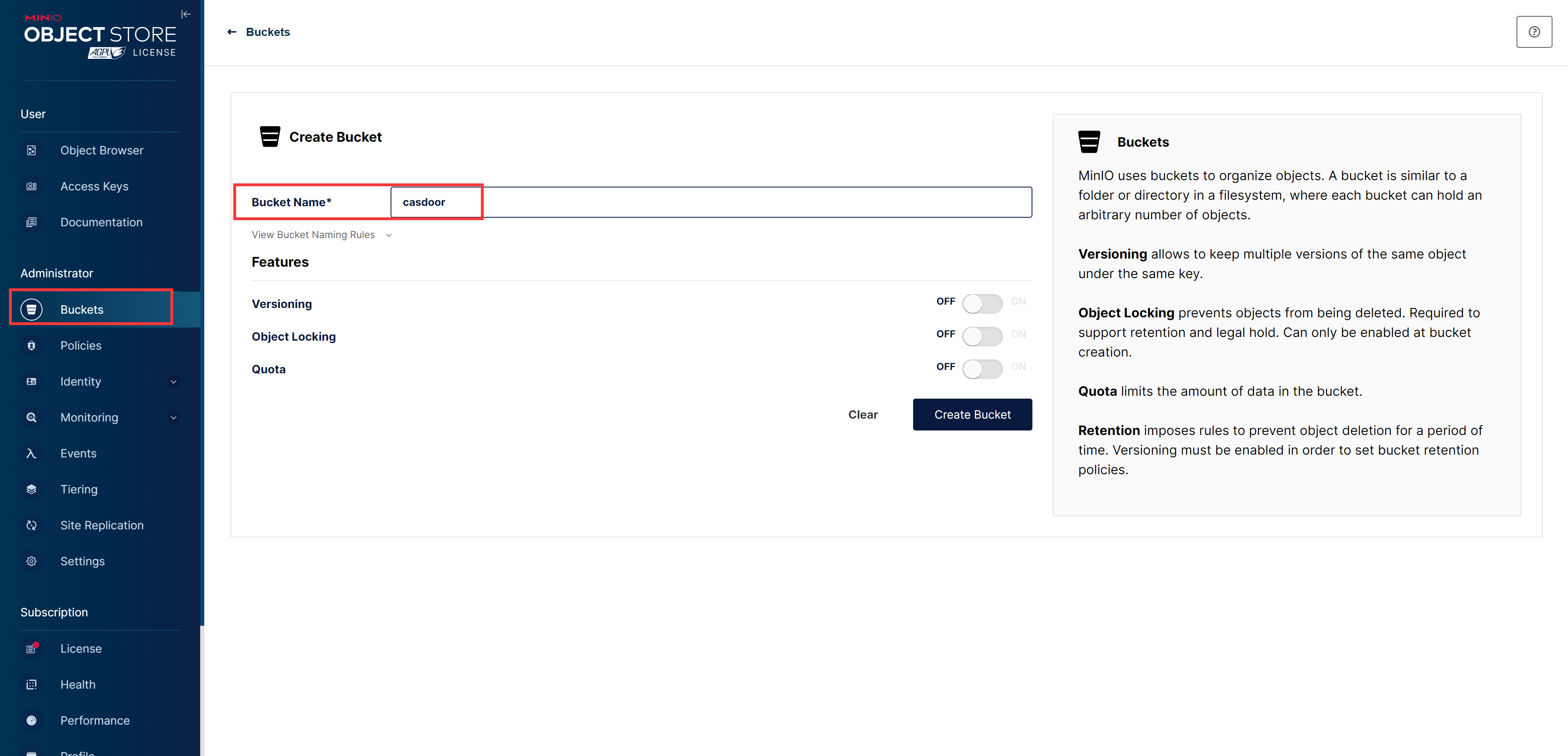
在 Casdoor 中添加提供商
-
In the Casdoor admin console, go to Identity > Providers and add a provider.
-
Set Category to
Storageand Type toMinIO. -
Fill in the fields:
字段 MinIO 中的值 Client ID Access Key Client secret 密钥 Endpoint API 地址 Bucket 存储桶名称 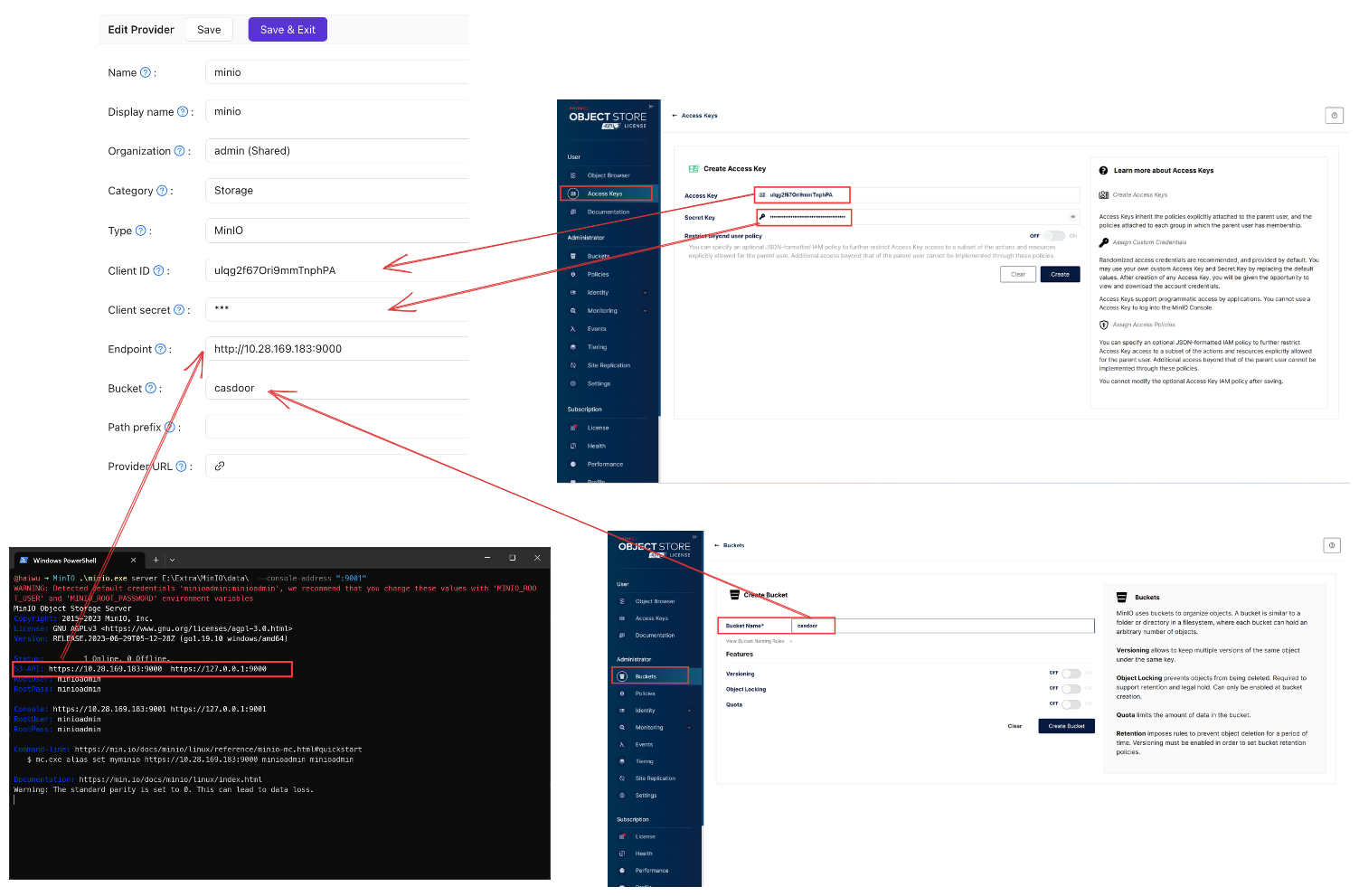
-
Save the provider.
Verify the result
Add the provider to your application and upload a file, for example an avatar. The file appears in the MinIO bucket.
See also
- Storage providers
- MinIO integration: Sign users in to MinIO with Casdoor.