Custom HTTP notification
The Custom HTTP provider sends notification payloads to a URL you specify (GET or POST).
Configure the provider
Providers → Add. Set Category to Notification, Type to Custom HTTP. Fill in:
| Field | Description |
|---|---|
| Method | GET or POST |
| Parameter name | Query (GET) or body (POST) parameter name for the message |
| Content | Message content or template |
| Endpoint | Full HTTP(S) URL to call |
| Chat ID | Optional identifier |
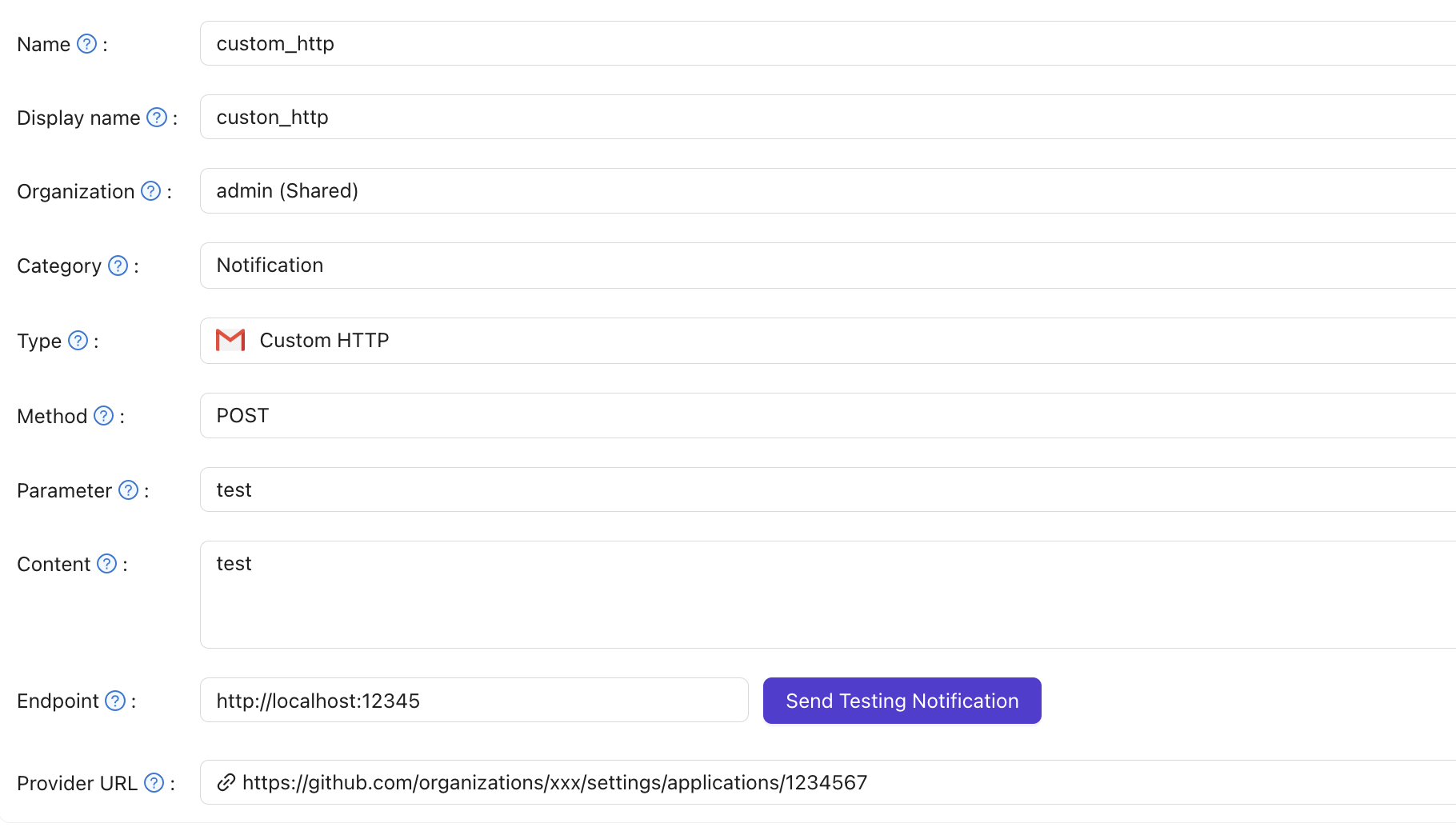
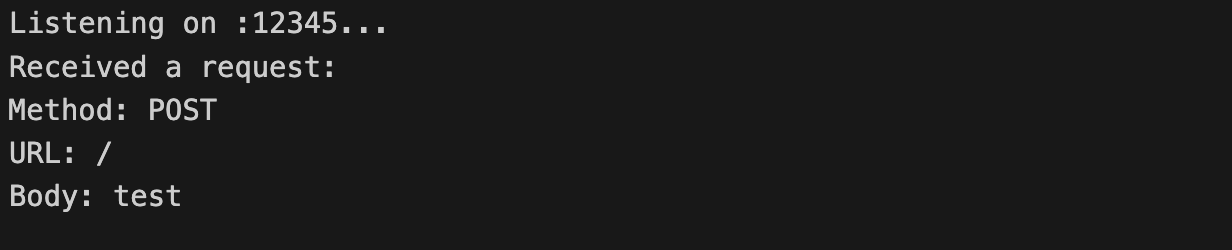
When you use Send Notification Message, Casdoor sends a request to Endpoint with the message in the chosen parameter. Example:
Recipient forwarding
The send-notification API accepts an optional recipient field in its request body:
{
  "content": "Your message",
  "recipient": "user@example.com"
}
When a recipient is provided, the Custom HTTP provider forwards it to your Endpoint as an additional recipient request parameter — a query parameter for GET, or a form field for POST — alongside the message in your configured Parameter name. The recipient parameter is only sent when it is non-empty, so requests without a recipient are unchanged.
Notification providers that do not support recipient-aware sending simply ignore the recipient value, so their behavior is unchanged.