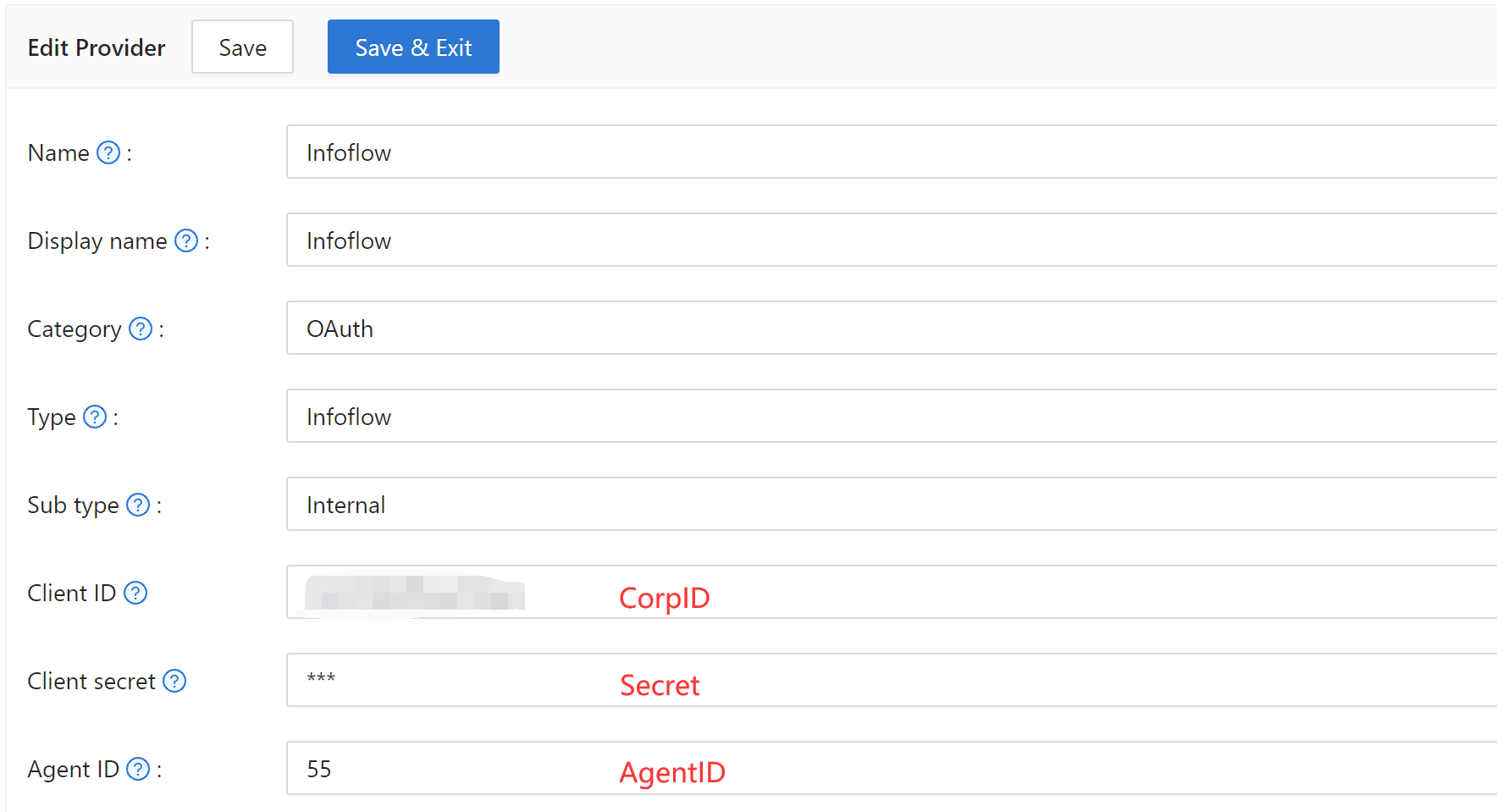
Infoflow OAuth
-
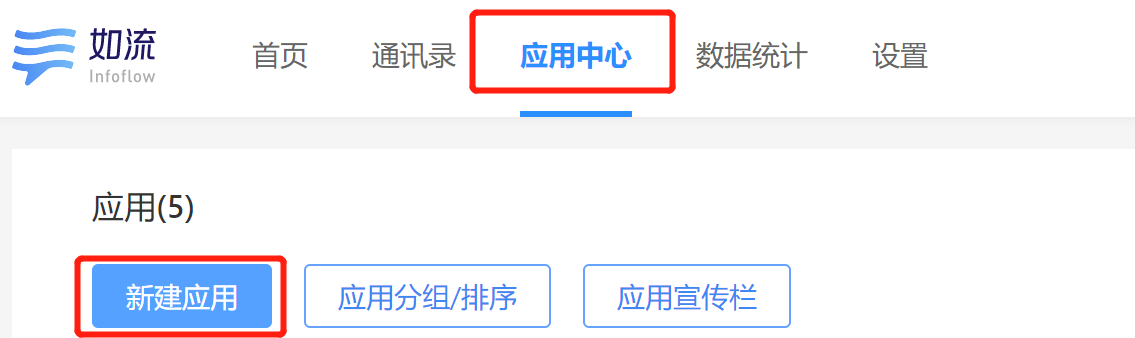
Log in at Infoflow and open Infoflow applications.
-
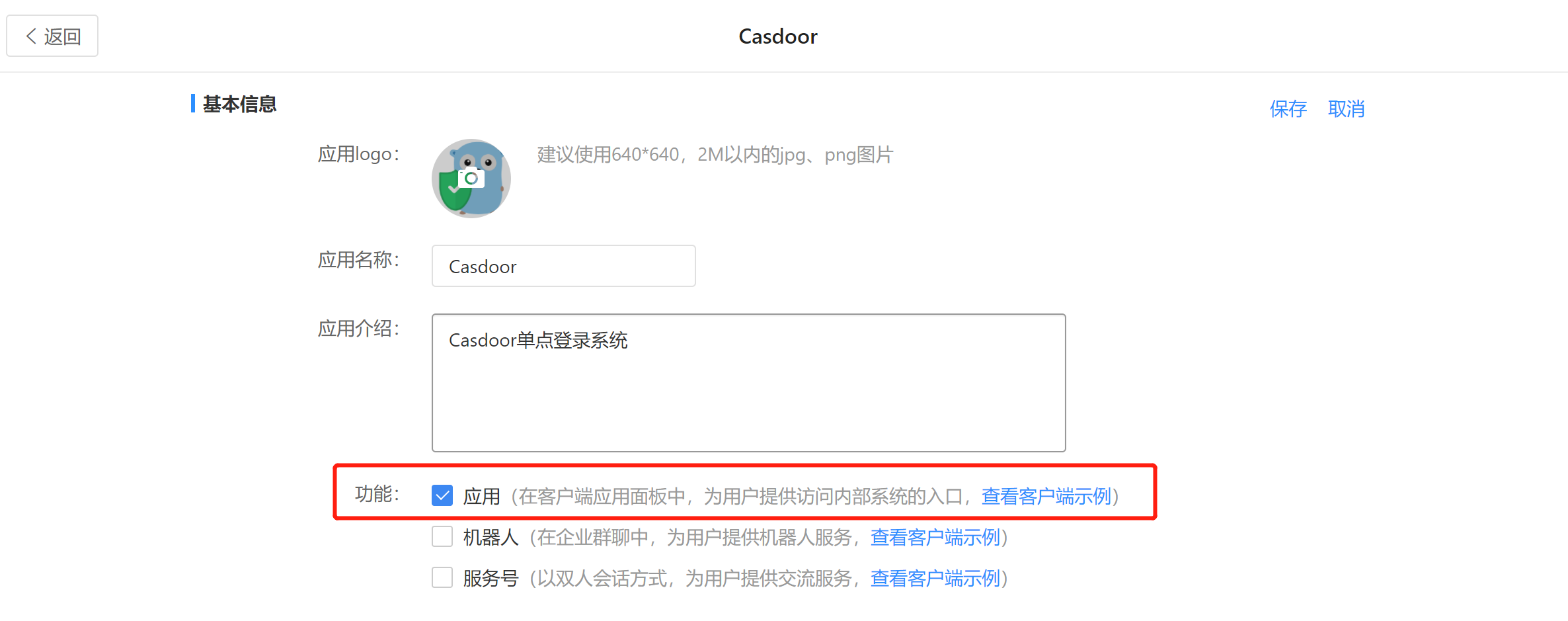
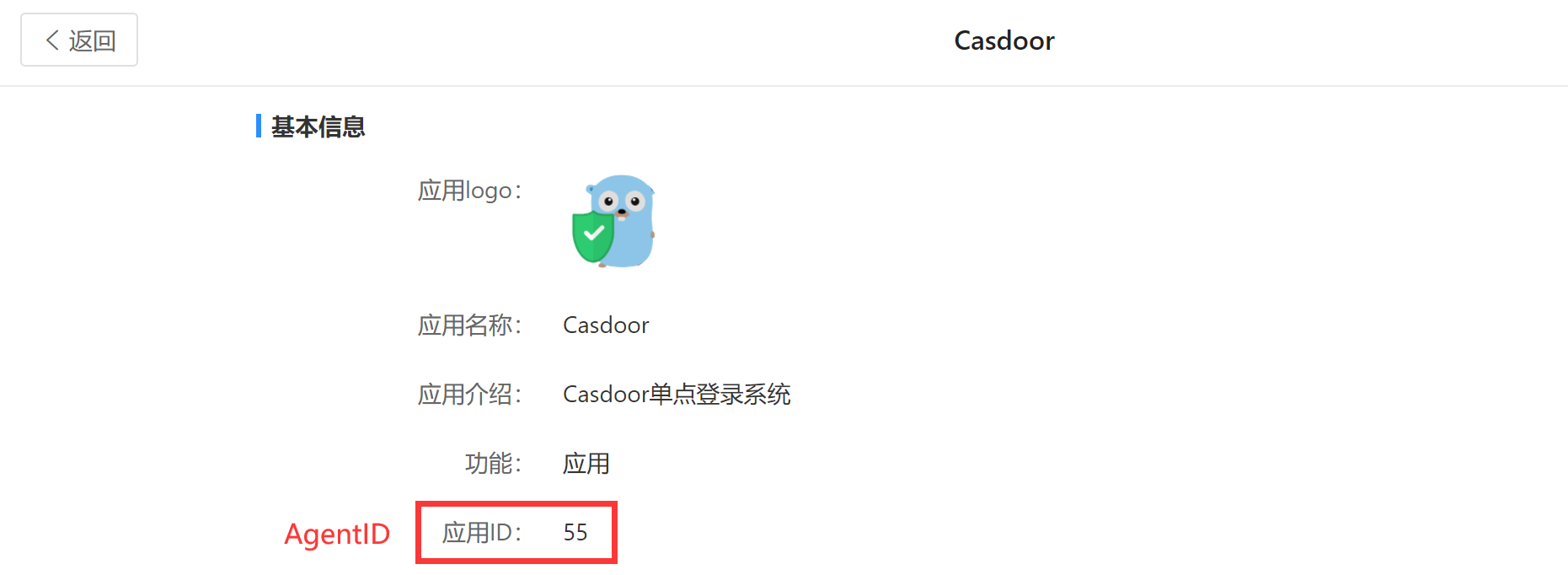
Register an application and note the AgentID.
-
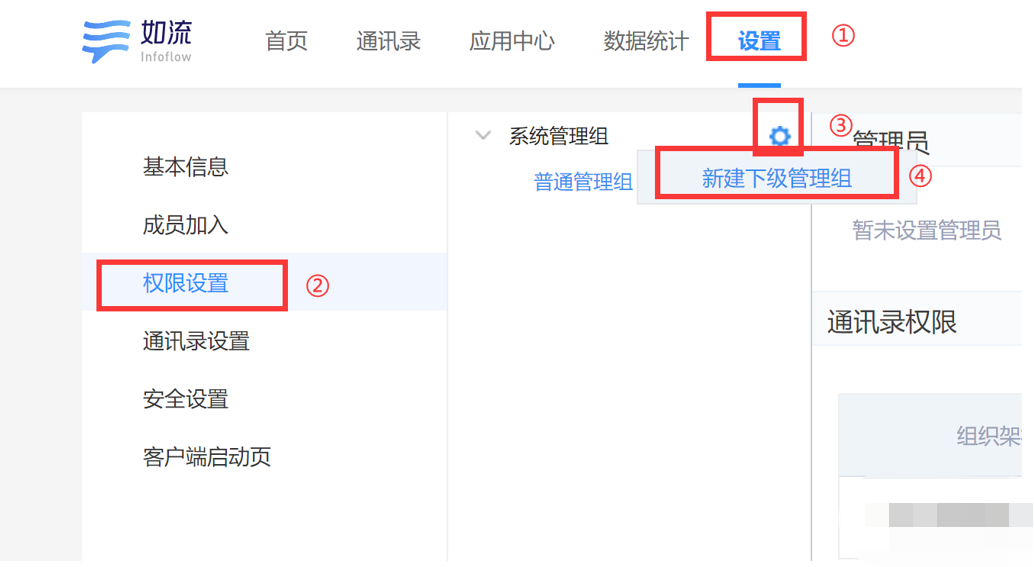
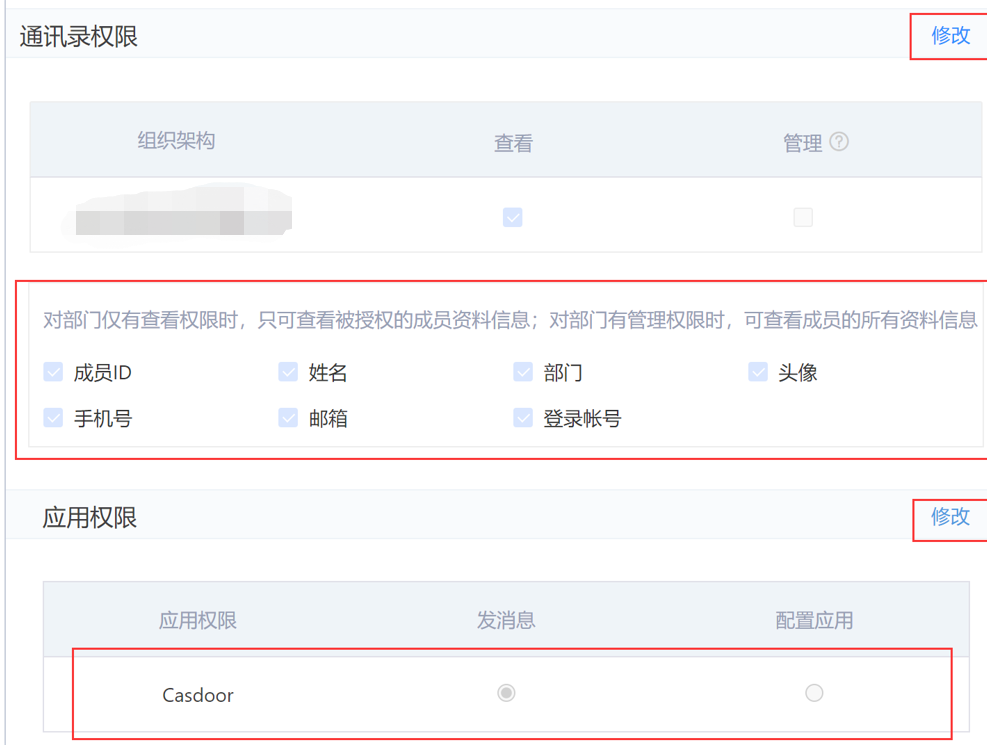
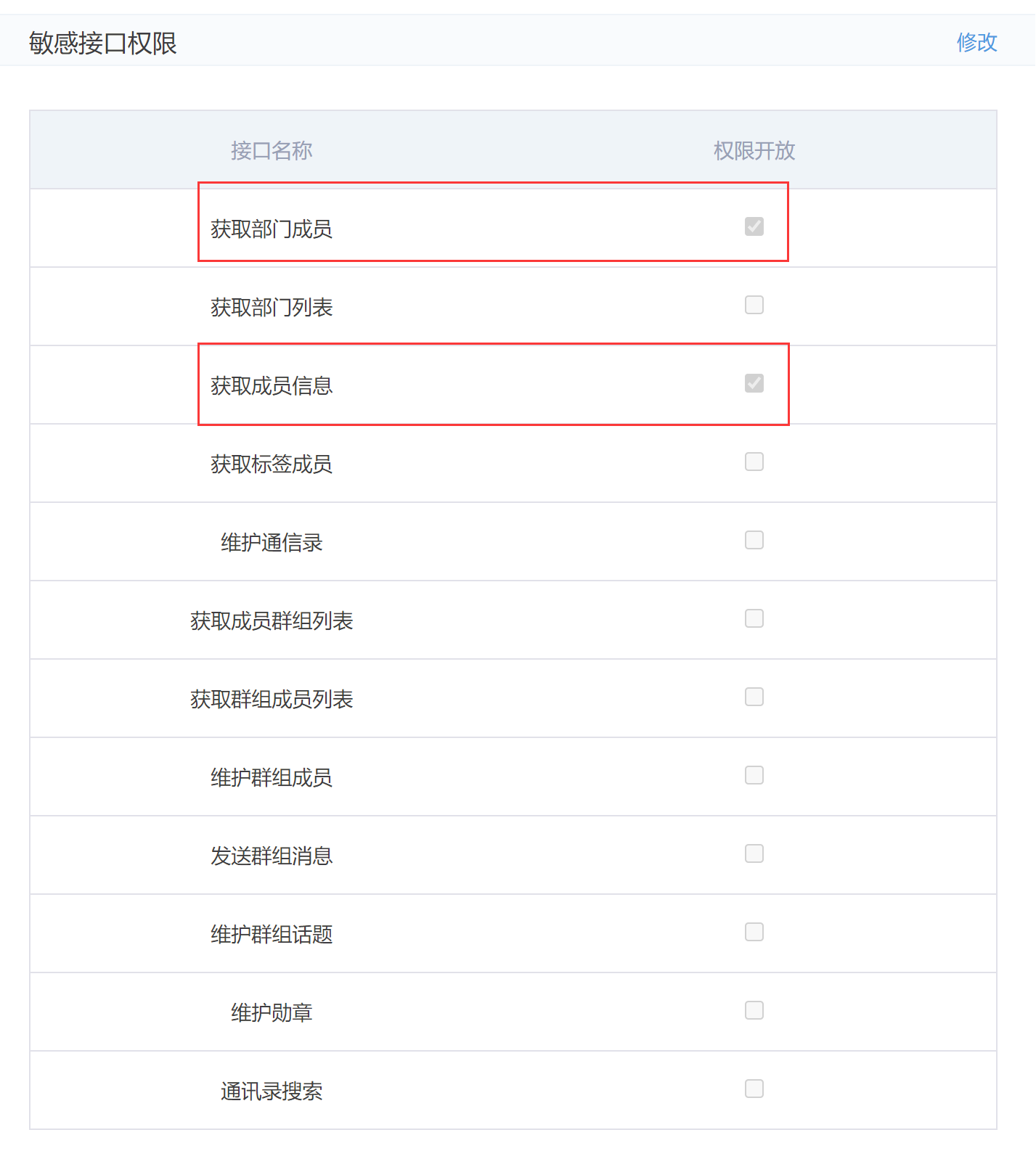
In the Setting tab, create a management group. In address book permissions, add your structure and grant the app the needed permissions; add the app to the specified location. Add the required sensitive interface permissions.
-
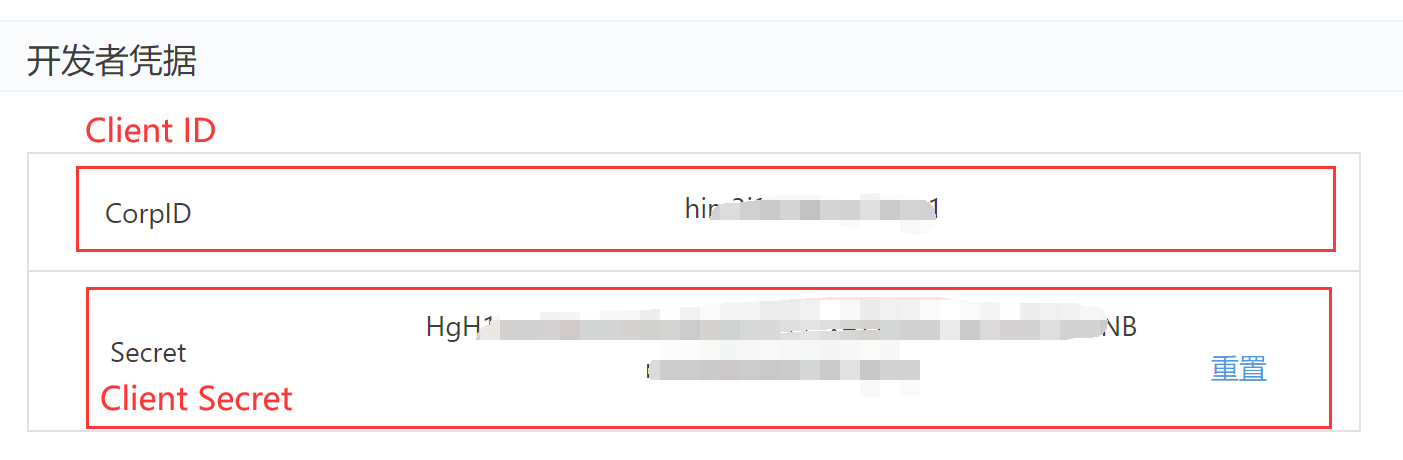
On the same page, copy CorpID and Secret.
-
In Casdoor add an OAuth provider, set Type to Infoflow, and fill in:
| Casdoor | Infoflow |
|---|---|
| Client ID | CorpID |
| Client secret | Secret |
| Agent ID | AgentID |