Using Casdoor as an OAuth2 server in ShowDoc
ShowDoc is an API and technical documentation platform with Markdown support. It supports OAuth2 for sign-in. This guide configures Casdoor as the OAuth2 server.
Step 1: Create a Casdoor application
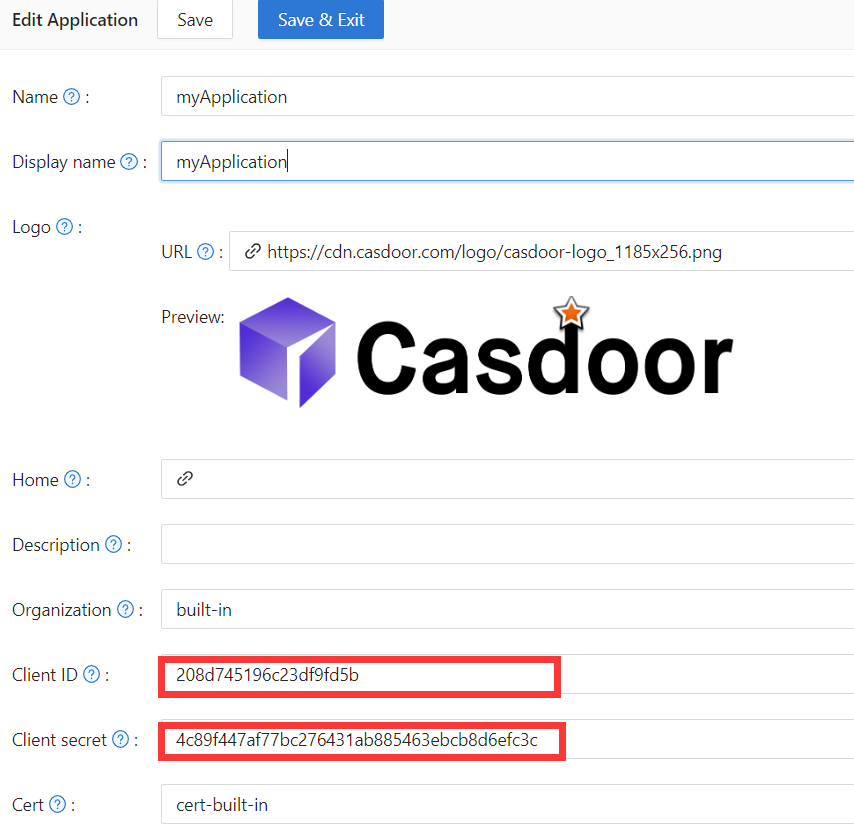
In Casdoor, add an application (e.g. ShowDoc). Note Client ID and Client secret. Leave the callback URL empty for now; set it after configuring ShowDoc (step 3).
ステップ2: ShowDocを設定する
Enable OAuth2 login in ShowDoc. Set the callback URL (as shown in the example), client ID, and client secret from step 1.
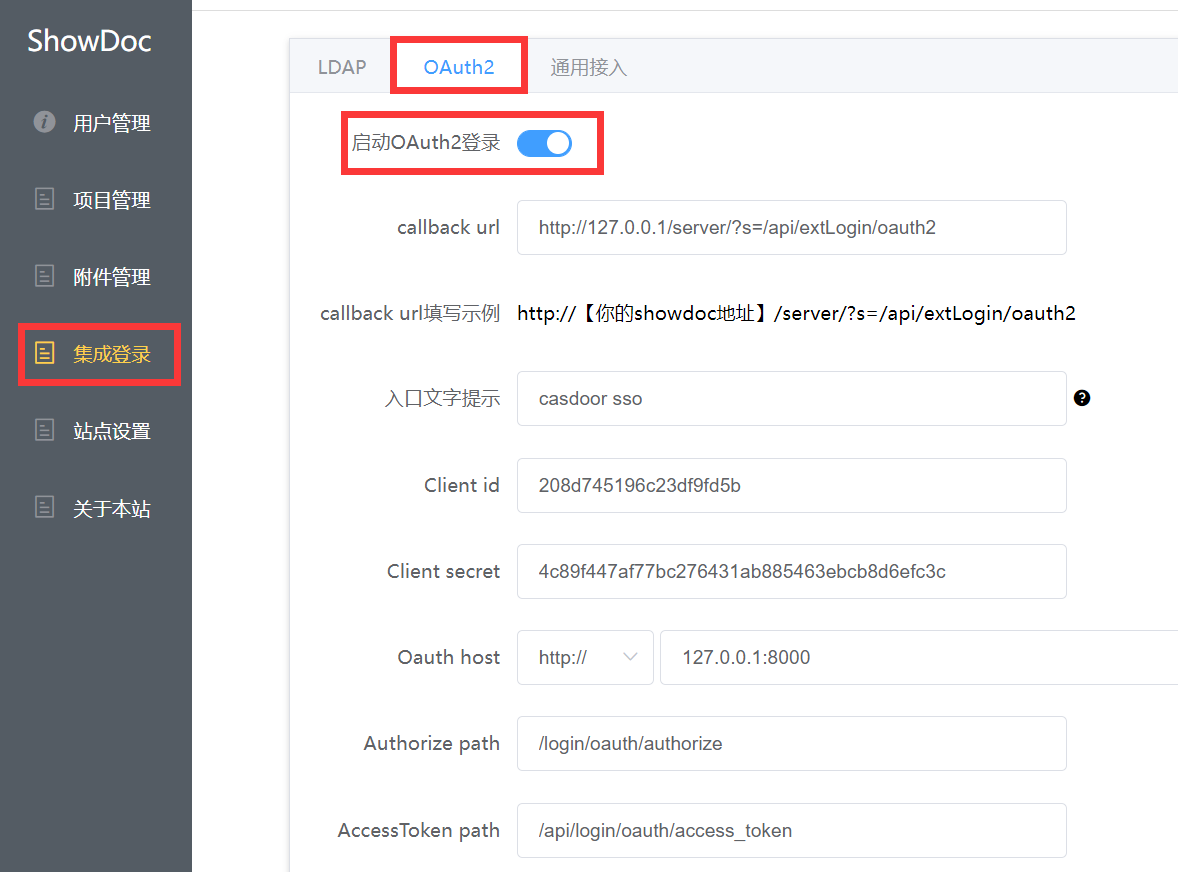
Authorize path, AccessToken path, and User info path are required. Use:
Authorize path:   /login/oauth/authorize
AccessToken path:   /api/login/oauth/access_token
User info path:   /api/get-account
ステップ3: CasdoorでCallback URLを設定する
ステップ1でアプリケーション編集ページに戻り、ShowDocに入力したcallback URLを追加します。

ステップ4: ShowDocで試してみる
ログインページに以下が表示されるはずです:
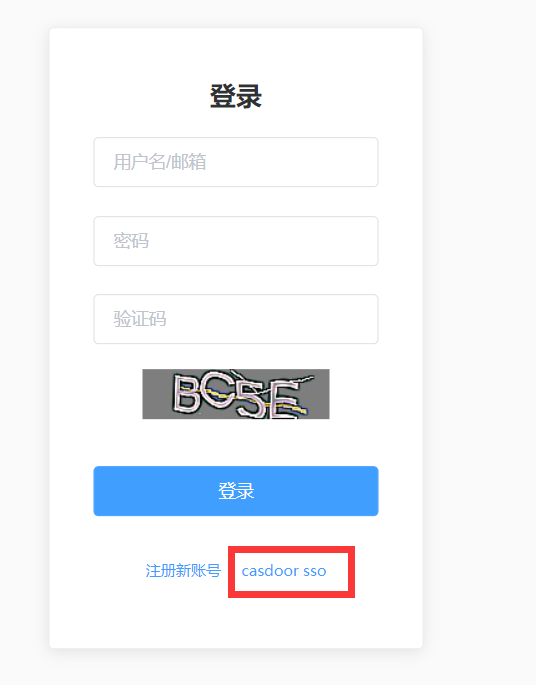
When setup is complete, click Casdoor SSO to sign in via Casdoor.