Sign-up items table
On the application configuration page, use the Sign-up items table to define which fields appear on the registration page. Add, remove, or reorder items to customize the form.
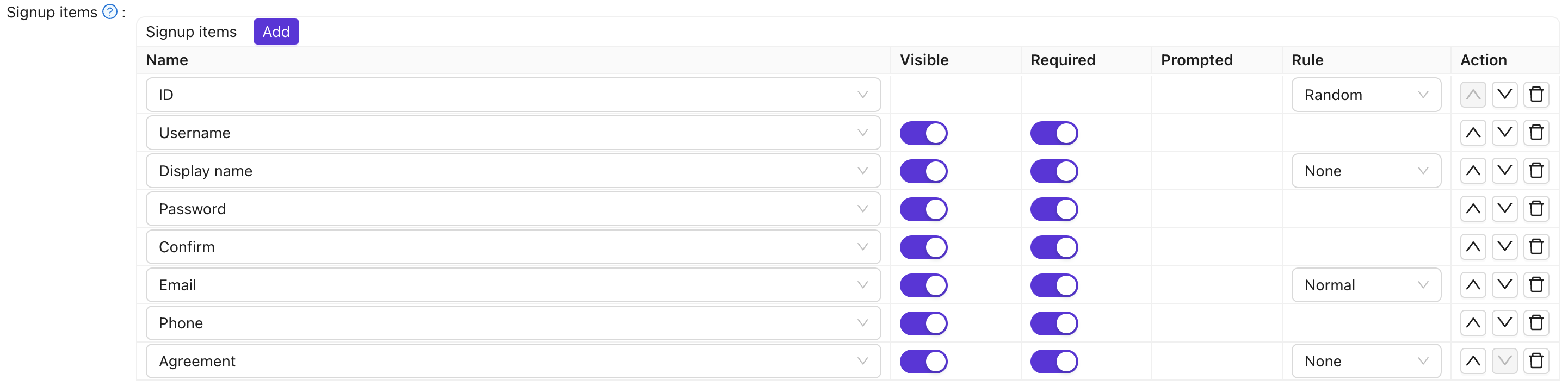
Applications created via the Casdoor SDK get default signup items (ID, Username, Display name, Password, Confirm password, Email, Phone, Agreement). You can adjust them as needed.
Column reference
| Column | Values | Опис |
|---|---|---|
| Name | — | Name of the signup item. |
| Видимий | True / False | Show or hide on the registration page. |
| Обов'язковий | True / False | Whether the field is mandatory. |
| Запитується | True / False | Whether to prompt the user if they leave it empty. |
| Regex | — | Optional regex for client-side validation. |
| Label | — | For items starting with Text, use HTML for the field; otherwise replaces the item label. |
| Custom CSS | — | CSS for this signup item. |
| Правило | Rule items | Rule that customizes this item (see table below). |
| Дія | — | Move up, move down, or delete. |
Items that support rules: ID, Display name, Email, Agreement, Languages.
| Item | Rules | Опис |
|---|---|---|
| ID | Random / Incremental | User ID generation: random or incremental. |
| Display name | None / Real name / First, last | How to show the display name; First, last shows first and last name separately. |
Normal / No verification | Normal = require email verification; No verification = skip verification. | |
| Agreement | None / Signin / Signin (Default True) | Terms of use: none, require confirmation, or default to confirmed. |
| Languages | None / Label | Adds a language selector to the sign-up page. None = show the selector on its own; Label = show it with a text label. |
Example: to show an email field without verification, add the Email signup item and set its rule to No verification.
The Tag signup item adds a drop-down that lets the user pick their own tag during registration. It is hidden by default; make it Visible to show it. The options come from the item's own Options if set, otherwise from the application's Tags. A tag the user selects here takes priority over the application's Default tag, which is only applied when the user does not choose one.

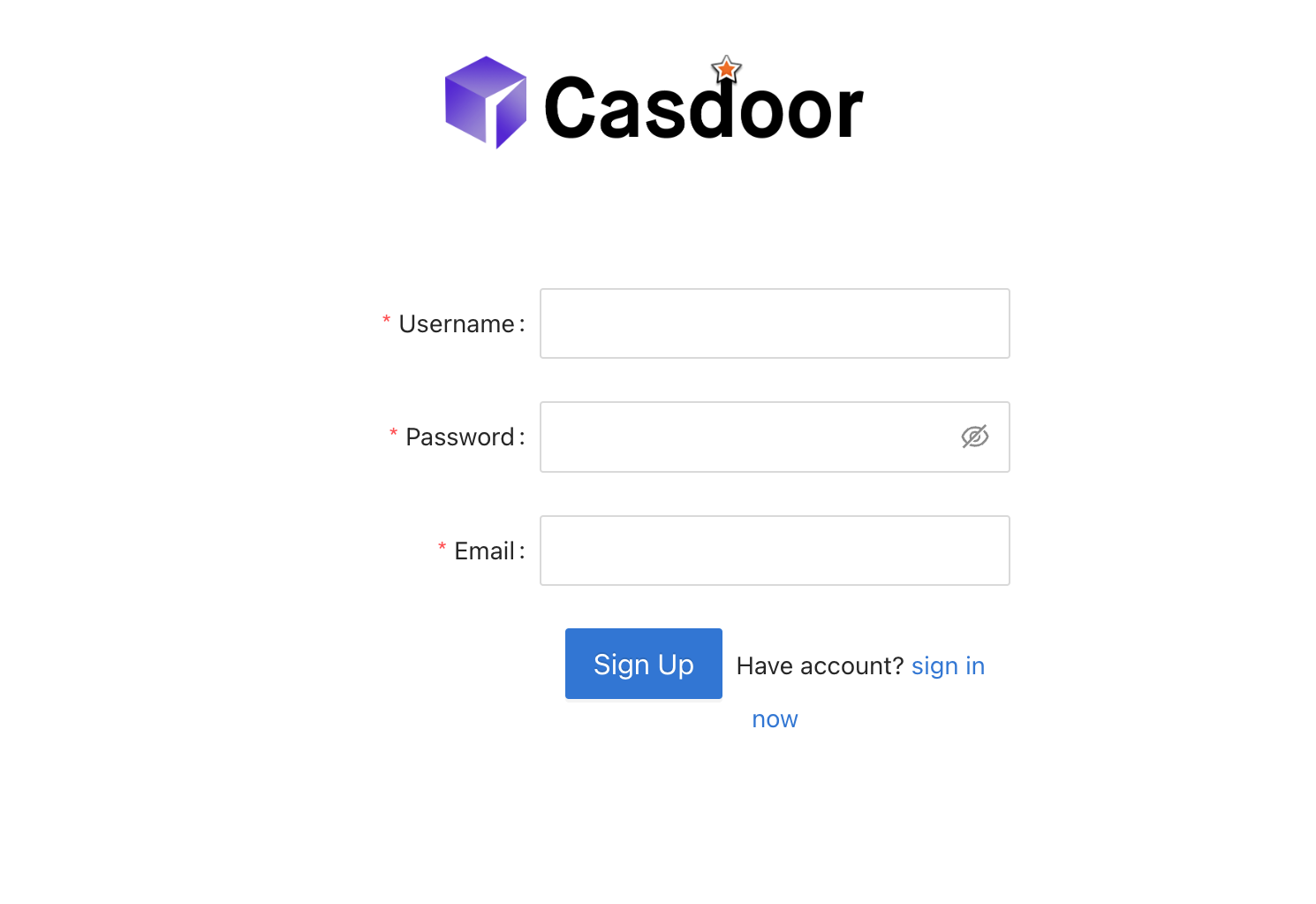
If the organization has "Use email as username" enabled and the username field is hidden in signup items, the user’s email is used as their username.
Field validation
Use the Regex column to validate input on the client before submit:
- Set Regex on the signup item (e.g. Username, Display name, or a custom field).
- Enter a pattern (e.g.
^[a-zA-Z0-9_]+$for alphanumeric usernames). - Users see an error when input does not match.
Works for standard fields (Username, Display name, First name, Last name, Affiliation) and custom fields.