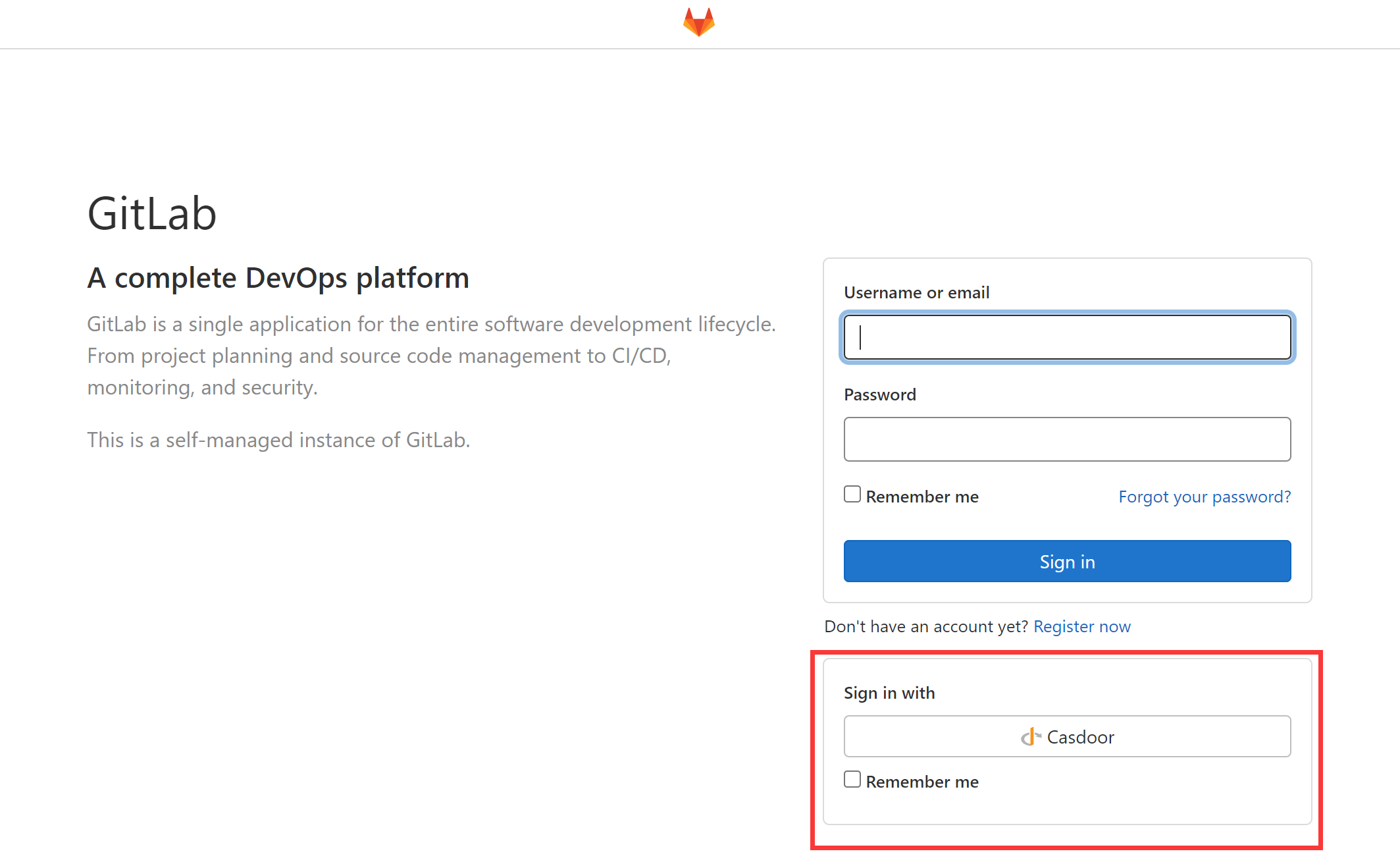
GitLab
This guide configures a self-hosted GitLab instance to use Casdoor as the OIDC provider.
As the GitLab docs state, GitLab only works with OpenID providers that use HTTPS, deploy Casdoor over HTTPS (e.g. behind an NGINX reverse proxy with SSL). Casdoor itself only listens on port 8000 by default via HTTP and has no HTTPS-related functionality.
The following are some of the names mentioned in the configuration:
CASDOOR_HOSTNAME: The domain name or IP where the Casdoor server is deployed, e.g., https://door.casbin.com.
GITLAB_HOSTNAME: The domain name or IP where GitLab is deployed, e.g., https://gitlab.com.
Step 1: Deploy Casdoor and GitLab
Deploy Casdoor and GitLab. After deployment, ensure:
- Casdoor can be logged into and used normally.
- Set Casdoor's
originvalue (conf/app.conf) toCASDOOR_HOSTNAME.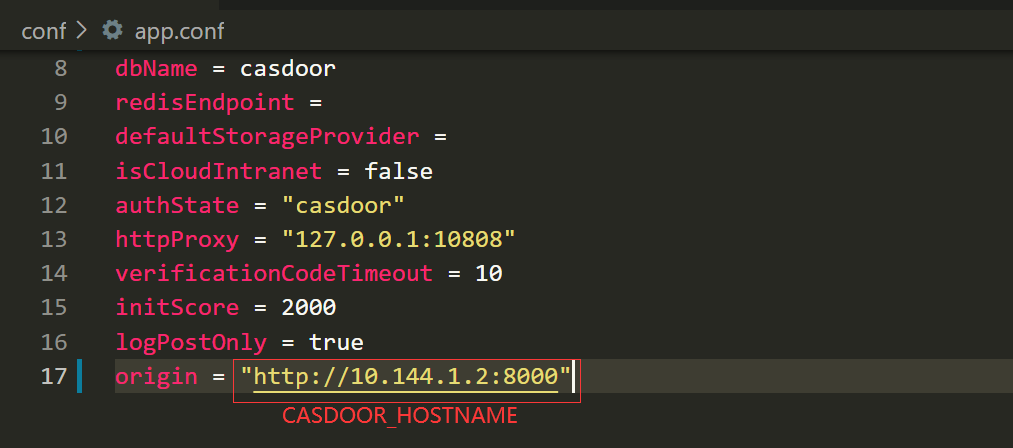
Step 2: Configure Casdoor application
- Create or use an existing Casdoor application.
- Add a redirect URL:
http://GITLAB_HOSTNAME/users/auth/openid_connect/callback. - Add the provider you want and supplement other settings.
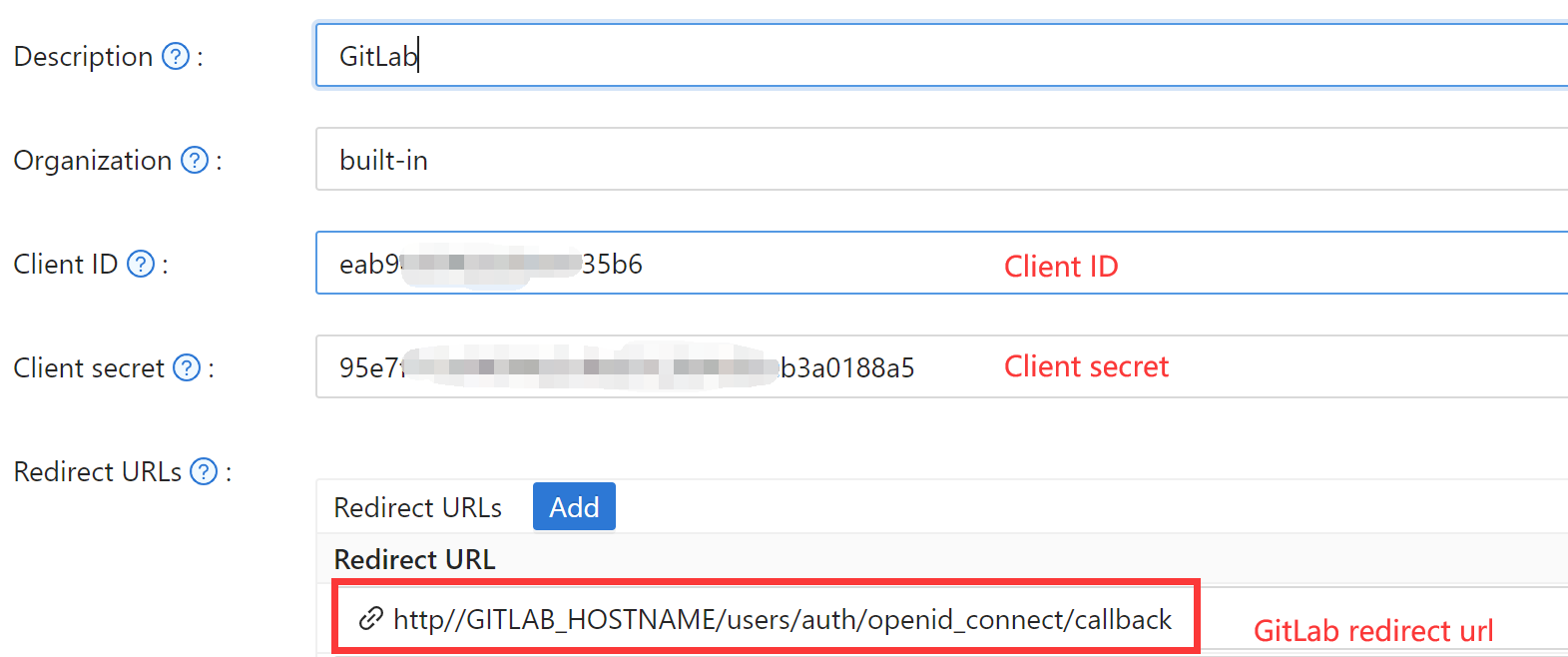 On the application settings page, note
 Client ID and Client secret (see the picture above); use them in the next step.
OIDC discovery: http://<CASDOOR_HOSTNAME>/.well-known/openid-configuration.
Step 3: Configure GitLab
Follow the steps below, or adapt from GitLab OIDC docs (e.g. for source installs).
-
On your GitLab server, open the configuration file.
sudo editor /etc/gitlab/gitlab.rb -
Add the provider configuration. (The HOSTNAME URL should include http or https)
gitlab_rails['omniauth_providers'] = [
    {
        name: "openid_connect",
        label: "Casdoor", # optional label for the login button, defaults to "Openid Connect"
        args: {
            name: "openid_connect",
            scope: ["openid", "profile", "email"],
            response_type: "code",
            issuer:  "<CASDOOR_HOSTNAME>",
            client_auth_method: "query",
            discovery: true,
            uid_field: "preferred_username",
            client_options: {
                identifier: "<YOUR CLIENT ID>",
                secret: "<YOUR CLIENT SECRET>",
                redirect_uri: "<GITLAB_HOSTNAME>/users/auth/openid_connect/callback"
            }
        }
    }
] -
Reboot your GitLab server.
-
Each registered user can open
GITLAB_HOSTNAME/-/profile/account and connect the Casdoor account.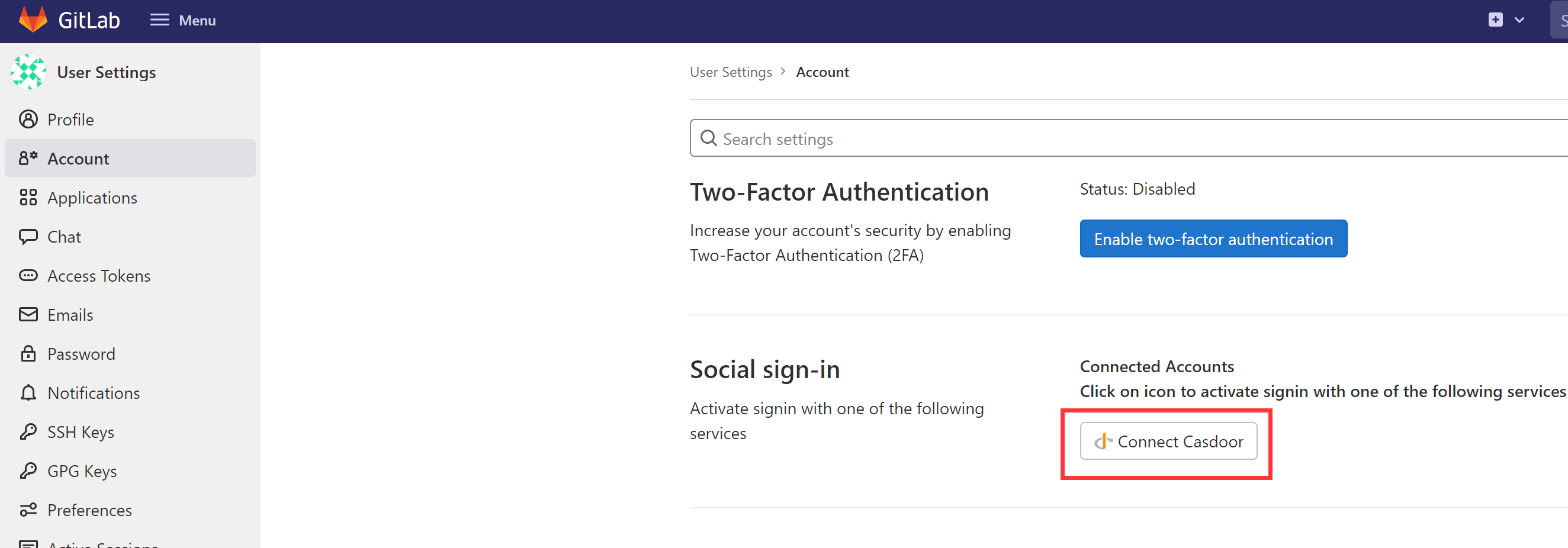
-
Finish. You can now log in to your GitLab instance via Casdoor.