Send SMS with Twilio
This guide explains how to send the verification codes of Casdoor by SMS through Twilio.
Learning outcomes
- Get the credentials and the phone number from Twilio.
- Add Twilio as an SMS provider in Casdoor and test it.
What you need
- A Twilio account with a phone number
- Administrator access to the Casdoor admin console
Get the credentials
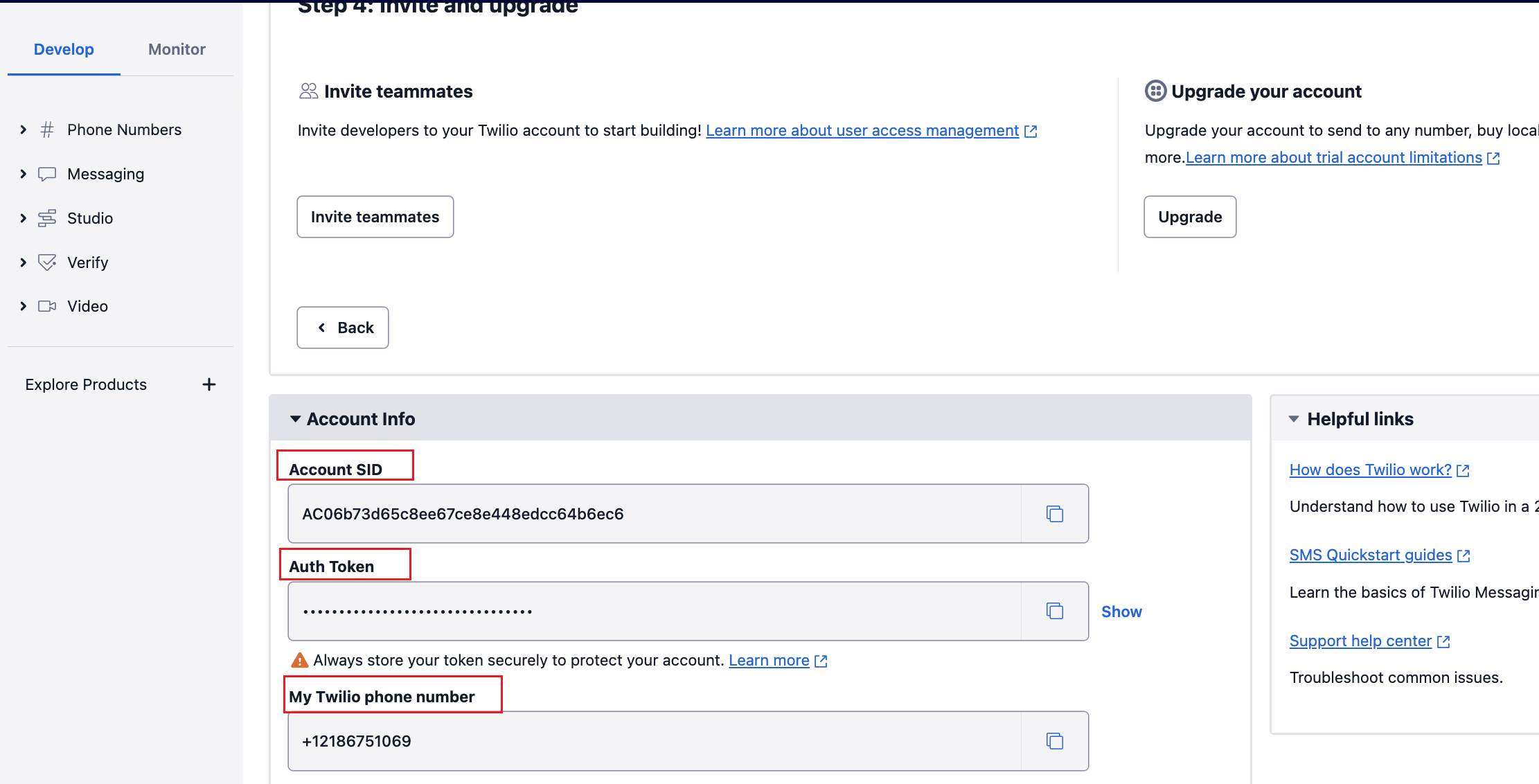
In the Twilio Console, copy the Account SID, the Auth Token, and your Twilio phone number.
Add the provider in Casdoor
-
In the Casdoor admin console, go to Identity > Providers and add a provider.
-
Set Category to
SMSand Type toTwilio SMS. -
Fill in the fields:
Casdoor field Twilio Required Client ID Account SID Yes Client secret Auth Token Yes Sender number Twilio phone number Yes Template code Your SMS template Yes 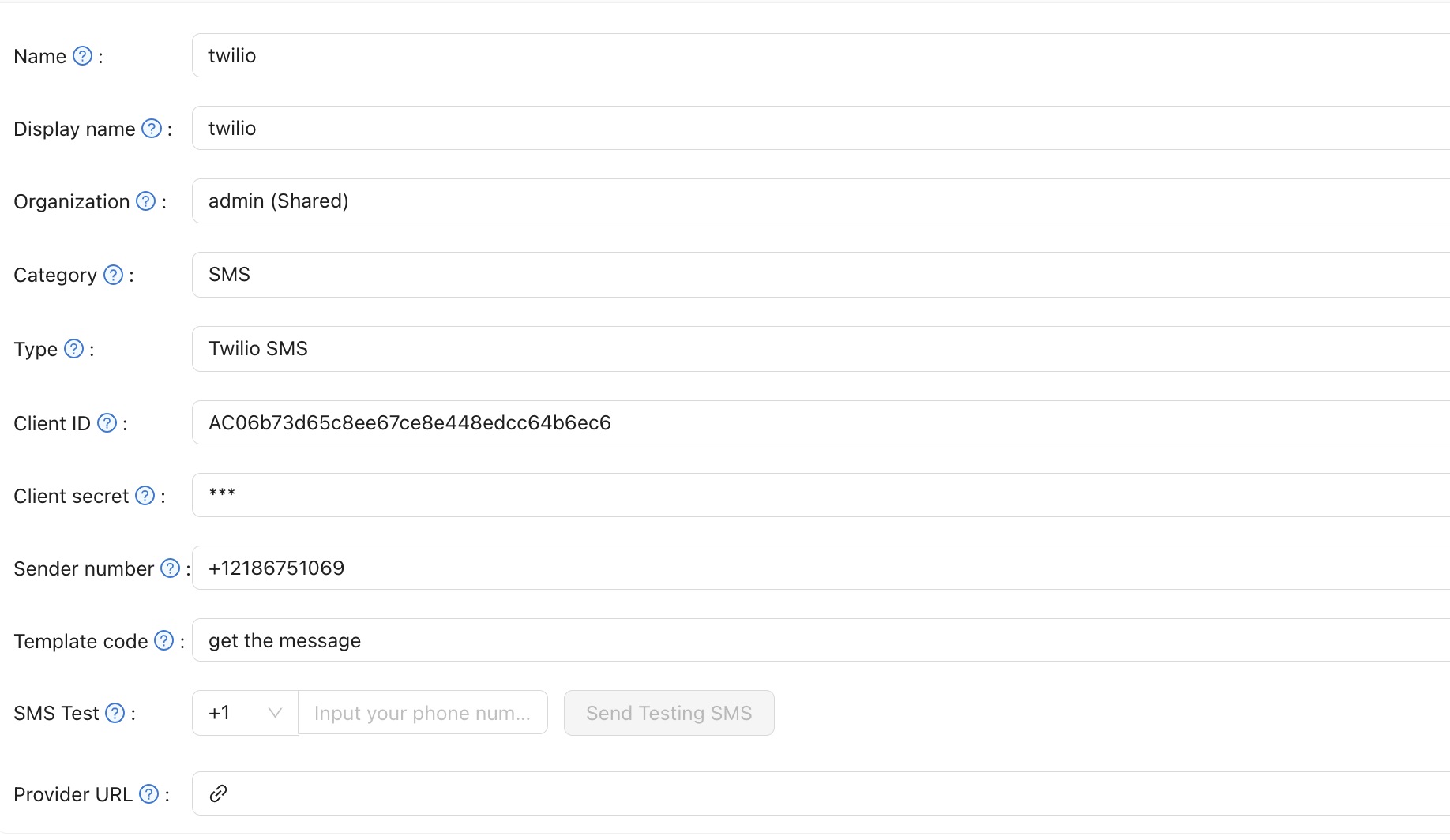
-
Save the provider.
Verify the result
Enter a phone number in SMS Test and send a test message.