Share an application between organizations
This guide explains shared applications. A shared application serves all organizations: the users of each organization sign in to the same application, and each organization uses its own client ID.
Learning outcomes
- Share an application.
- Build the client ID and the sign-in URL for an organization.
What you need
- An application of the
built-inorganization. Only thebuilt-inorganization can share applications.
Share the application
-
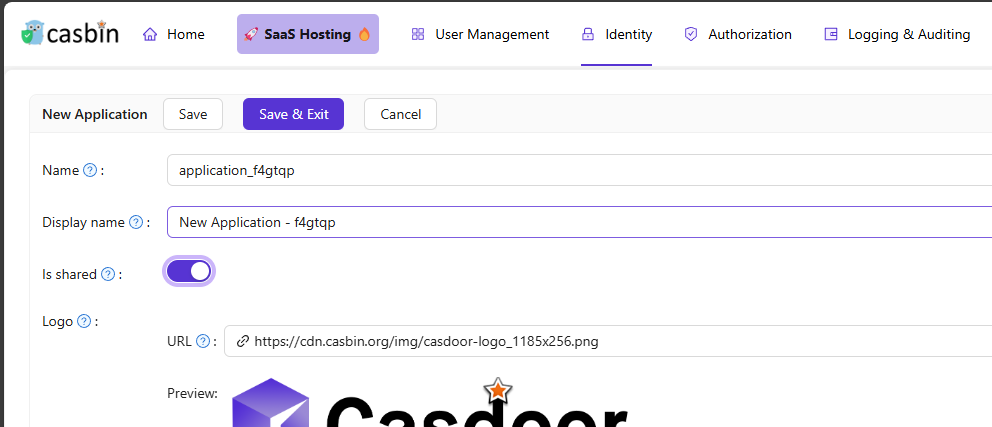
In the Casdoor admin console, open the edit page of the application.
-
Turn on Is shared.
-
Save the application.
A shared application is available to all organizations. You can't limit it to some of them.
Use the application for an organization
To refer to the application for one organization, append -org-<organization-name> to its client ID or its name.
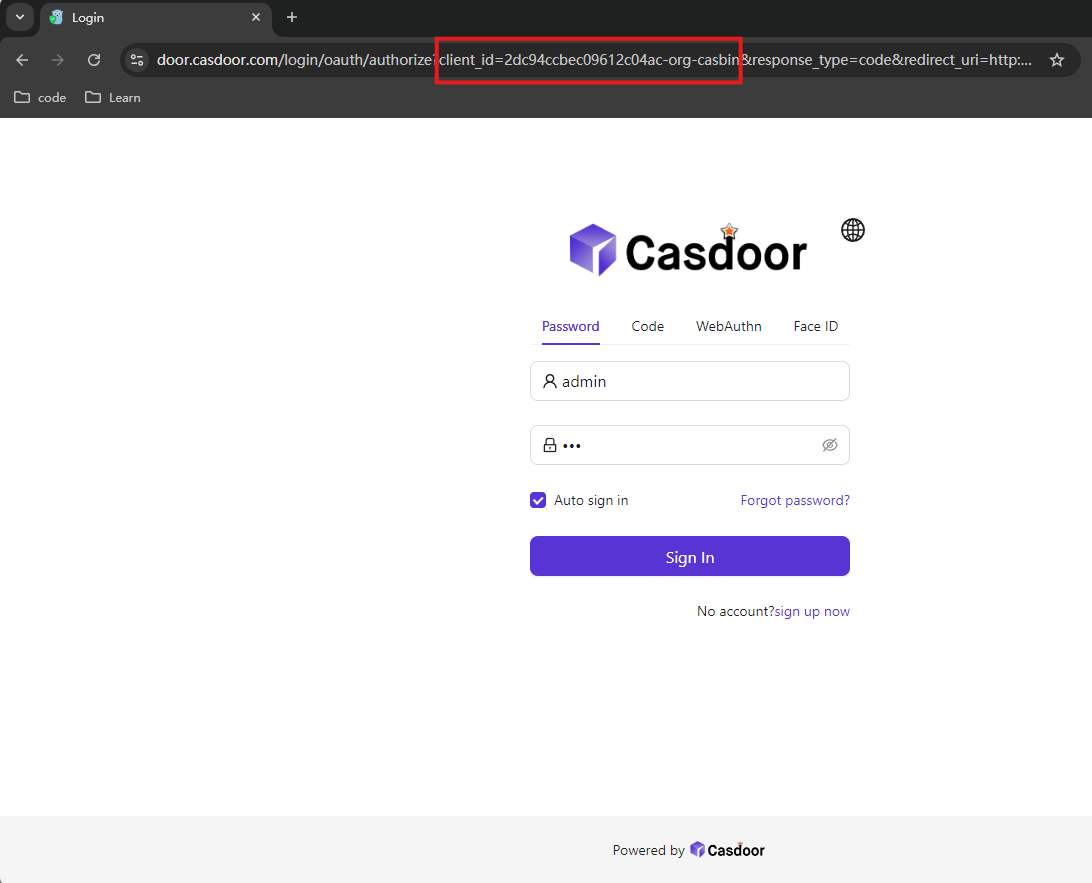
For example, the application has the client ID 2dc94ccbec09612c04ac. For the organization casbin, the client ID is 2dc94ccbec09612c04ac-org-casbin, and the authorization URL is:
https://door.casdoor.com/login/oauth/authorize?client_id=2dc94ccbec09612c04ac-org-casbin&response_type=code&redirect_uri=...&scope=read&state=casdoor
Users who sign in through this URL sign in to the organization casbin.
Invitations
For invitations to a shared application, Casdoor generates links with the -org-<organization-name> suffix, so that users register in the right organization.