APISIX
You can use Casdoor to protect APIs behind Apache APISIX in two ways:
- Use APISIX's dedicated
authz-casdoorplugin for a browser-based OAuth 2.0 authorization code flow and session-based authentication. - Use APISIX's
openid-connectplugin with Casdoor's OpenID Connect discovery endpoint when you need standard OIDC features or explicit identity and token propagation.
通过 APISIX 的 Casdoor 插件连接 Casdoor
The authz-casdoor plugin redirects unauthenticated browser requests to Casdoor and allows authenticated sessions to access the upstream API. APISIX handles the OAuth 2.0 callback, so the upstream application does not need to implement the authorization code flow.
Prerequisites
Before configuring the plugin, prepare:
- A running Casdoor deployment and an Apache APISIX release that includes
authz-casdoor. - A Casdoor application whose Redirect URL is exactly the URL that you will configure as
callback_url. - The Casdoor application's Client ID and Client Secret.
- An APISIX Route whose URI matches both the protected path and the callback path.
Enable the plugin
Store the APISIX Admin API key in an environment variable, then create a Route with authz-casdoor enabled. Replace the example hostnames and credentials with values from your environment.
export APISIX_ADMIN_KEY="<APISIX_ADMIN_KEY>"

curl "http://127.0.0.1:9180/apisix/admin/routes/1" \
  -H "X-API-KEY: ${APISIX_ADMIN_KEY}" \
  -H "Content-Type: application/json" \
  -X PUT \
  --data '
{
  "methods": ["GET"],
  "uri": "/anything/*",
  "plugins": {
    "authz-casdoor": {
      "endpoint_addr": "https://casdoor.example.com",
      "callback_url": "https://gateway.example.com/anything/callback",
      "client_id": "<CASDOOR_CLIENT_ID>",
      "client_secret": "<CASDOOR_CLIENT_SECRET>"
    }
  },
  "upstream": {
    "scheme": "https",
    "type": "roundrobin",
    "nodes": {
      "<UPSTREAM_HOST>:443": 1
    }
  }
}'
This example protects /anything/* and sends authorized requests to a user-controlled HTTPS upstream after you replace <UPSTREAM_HOST>. The callback path /anything/callback is covered by the same Route, allowing the plugin to handle Casdoor's authorization response.
Production configuration
Use HTTPS for endpoint_addr and callback_url. Do not commit the APISIX Admin API key or Casdoor Client Secret to source control, and redact authorization codes, tokens, and session cookies from logs.
Use a trusted HTTPS upstream. The plugin does not add Casdoor token or identity headers, but the browser's original Cookie header, including the APISIX Session Cookie, can continue to the upstream unless it is removed. Remove or filter that header before proxying when the upstream application does not need it.
Before using the plugin in production, validate the complete login, callback, and session flow with the exact APISIX release and worker topology that you deploy. Session behavior can vary between releases.
属性
| 名称 | 类型 | 申请标准 | 描述 |
|---|---|---|---|
| endpoint_addr | 字符串 | 必填 | Base URL of the Casdoor deployment. |
| client_id | 字符串 | 必填 | Client ID of the Casdoor application. |
| client_secret | 字符串 | 必填 | Client Secret of the Casdoor application. |
| callback_url | 字符串 | 必填 | Callback URL used to receive the authorization response. |
endpoint_addr and callback_url must not end with /. The path in callback_url must be matched by the APISIX Route because the plugin handles the callback before proxying the request upstream.
If encrypted storage fields are enabled in APISIX, the plugin's client_secret is stored encrypted in etcd.
Understand the authorization flow
- When an unauthenticated browser requests the protected Route, the plugin creates a session, stores the original request path and a state value, and redirects the browser to Casdoor.
- After authentication, Casdoor redirects the browser to
callback_urlwithcodeandstateparameters. The plugin validates the state and exchanges the authorization code for an access token. - The plugin stores the access token in the APISIX session and redirects the browser to the original request path. The plugin stores the path, not the original query string, so applications should not rely on query parameters being restored after login.
- A subsequent request with a valid session can reach the upstream API without another login redirect.
The authz-casdoor plugin uses the access token to establish the APISIX session. It does not automatically add the Casdoor Access Token, ID Token, or user identity to upstream request headers. Use the openid-connect integration below if the upstream service requires explicit token or identity propagation.
通过 APISIX 的 OIDC 插件连接 Casdoor
Casdoor可以使用OIDC协议连接到APISIX,本文档将向您展示如何操作。
以下是配置中使用的一些名称:
CASDOOR_HOSTNAME:部署Casdoor服务器的域名或IP。
APISIX_HOSTNAME: 部署 APISIX 的域名或 IP。
步骤1:部署Casdoor和APISIX
Deploy Casdoor and APISIX. After deployment, ensure:
- 可以登录并正常使用Casdoor。
- 将Casdoor的
origin值 (conf/app.conf) 设置为CASDOOR_HOSTNAME。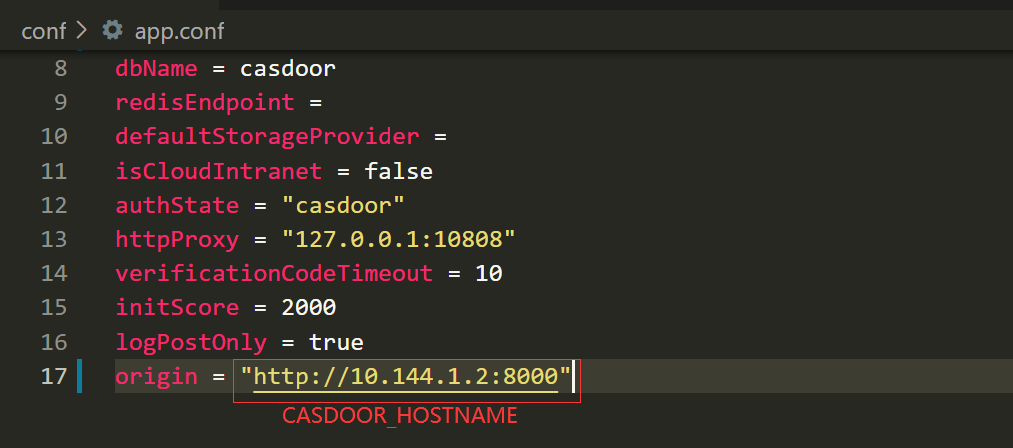
步骤2:配置Casdoor应用程序
- 创建一个新的Casdoor应用程序,或使用一个已经存在的。
- Add a redirect URL:
https://APISIX_HOSTNAME/REDIRECTWHATYOUWANT, and replaceREDIRECTWHATYOUWANTwith the desired redirect URL. - 选择 "JWT-Empty" 作为令牌格式选项。
- 添加所需的提供商并配置其他设置。
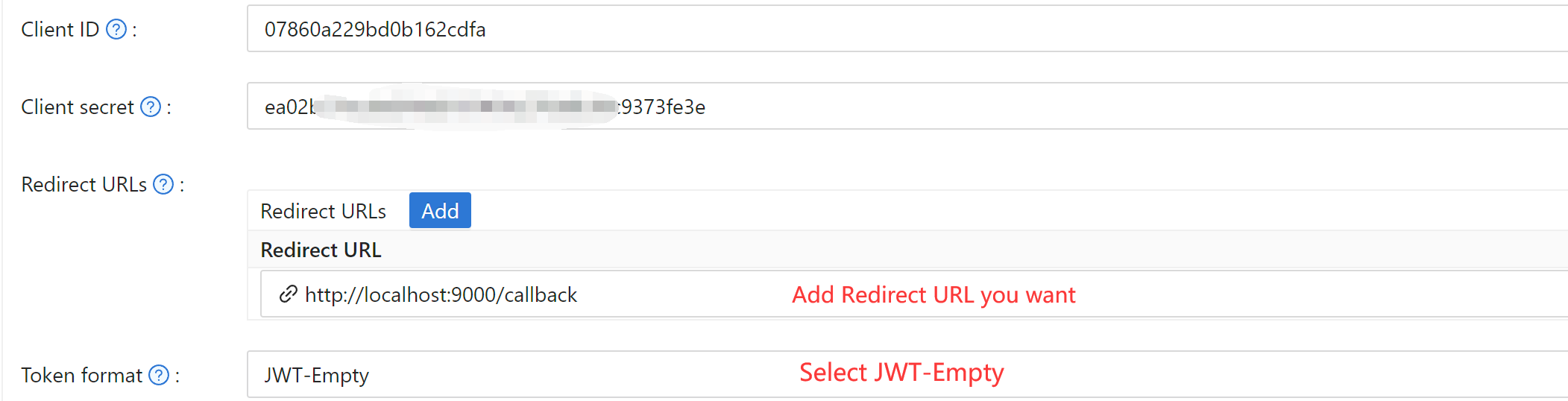 Note Client ID and Client Secret for the next step. OIDC discovery:
 https://<CASDOOR_HOSTNAME>/.well-known/openid-configuration.
步骤3:配置APISIX
APISIX 拥有官方 OIDC 支持,由 lua-resety-openidc 实现。
Customize settings per APISIX OIDC. Example routing:
export APISIX_ADMIN_KEY="<APISIX_ADMIN_KEY>"

curl "http://127.0.0.1:9180/apisix/admin/routes" \
  -H "X-API-KEY: ${APISIX_ADMIN_KEY}" \
  -H "Content-Type: application/json" \
  -X POST \
  --data '
{
  "uri": "/get",
  "name": "apisix_casdoor_test",
  "plugins": {
    "openid-connect": {
      "client_id": "<CASDOOR_CLIENT_ID>",
      "client_secret": "<CASDOOR_CLIENT_SECRET>",
      "discovery": "https://CASDOOR_HOSTNAME/.well-known/openid-configuration",
      "introspection_endpoint_auth_method": "client_secret_basic",
      "logout_path": "/logout",
      "realm": "master",
      "redirect_uri": "https://APISIX_HOSTNAME/REDIRECTWHATYOUWANT",
      "bearer_only": false,
      "set_id_token_header": false,
      "access_token_in_authorization_header": true,
      "set_access_token_header": true,
      "set_userinfo_header": false
    }
  },
  "upstream": {
    "scheme": "https",
    "type": "roundrobin",
    "nodes": {
      "<UPSTREAM_HOST>:443": 1
    }
  }
}'
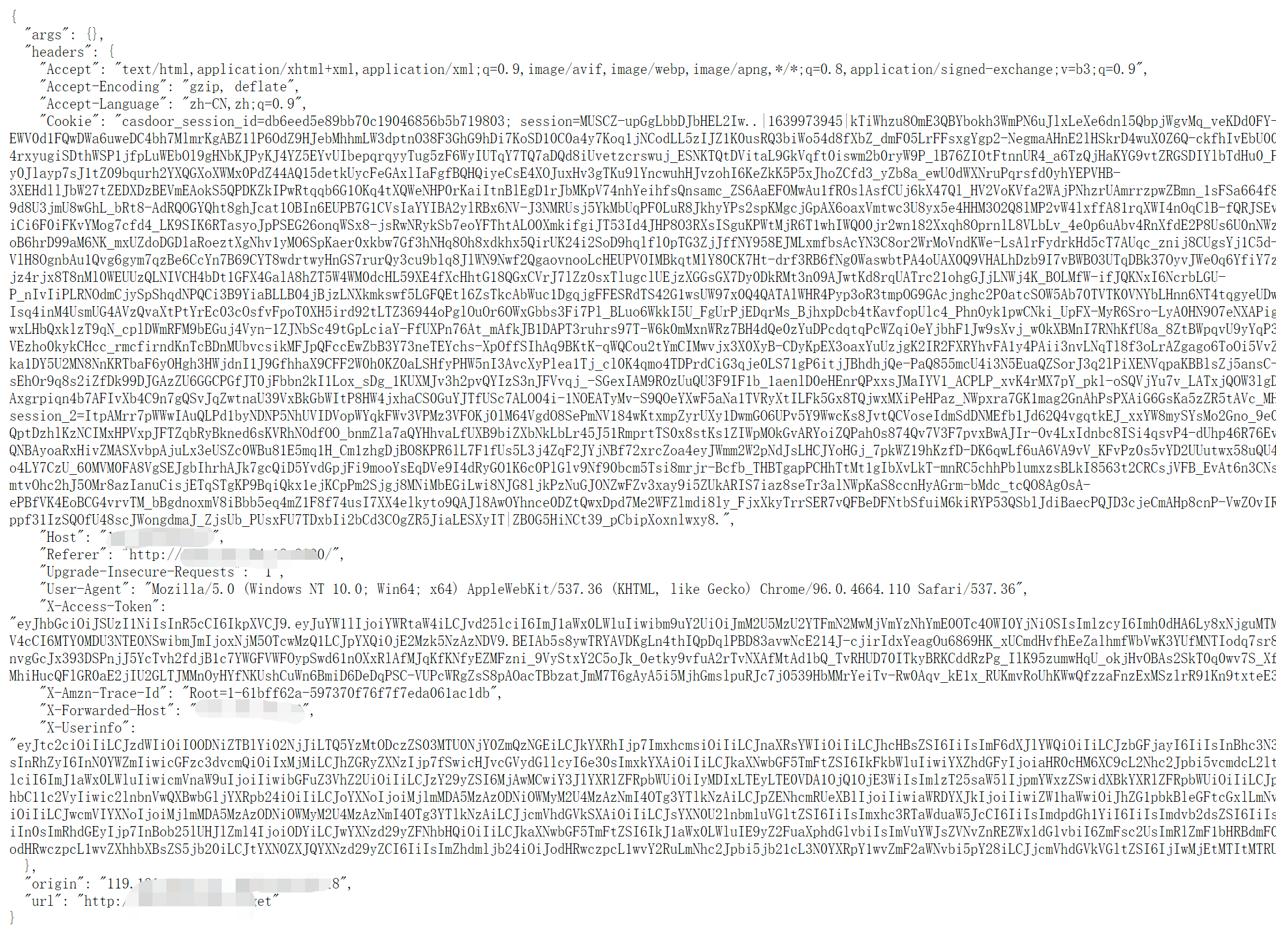
This OIDC configuration forwards an access token to the upstream, so replace <UPSTREAM_HOST> with a trusted HTTPS service. Visit https://APISIX_HOSTNAME/get; the browser redirects to the Casdoor login page. After login, the request is forwarded to the configured upstream. The following screenshot shows an example response.