Create and configure an application
This guide explains how to create an application in Casdoor for a service that signs users in. The example configures a forum that runs Casnode.
Learning outcomes
- Create an application and assign it to an organization.
- Set the redirect URL of your service.
- Tell the redirect URL of Casdoor apart from the callback URL that you enter at an external provider.
What you need
- A running Casdoor instance. See Install the Casdoor server.
- An organization for the users of your service
Create the application
-
In the Casdoor admin console, go to Identity > Applications and add an application.
-
In Organization, select the organization whose users sign in to your service. If your organization is named
my_organization, select it from the list.
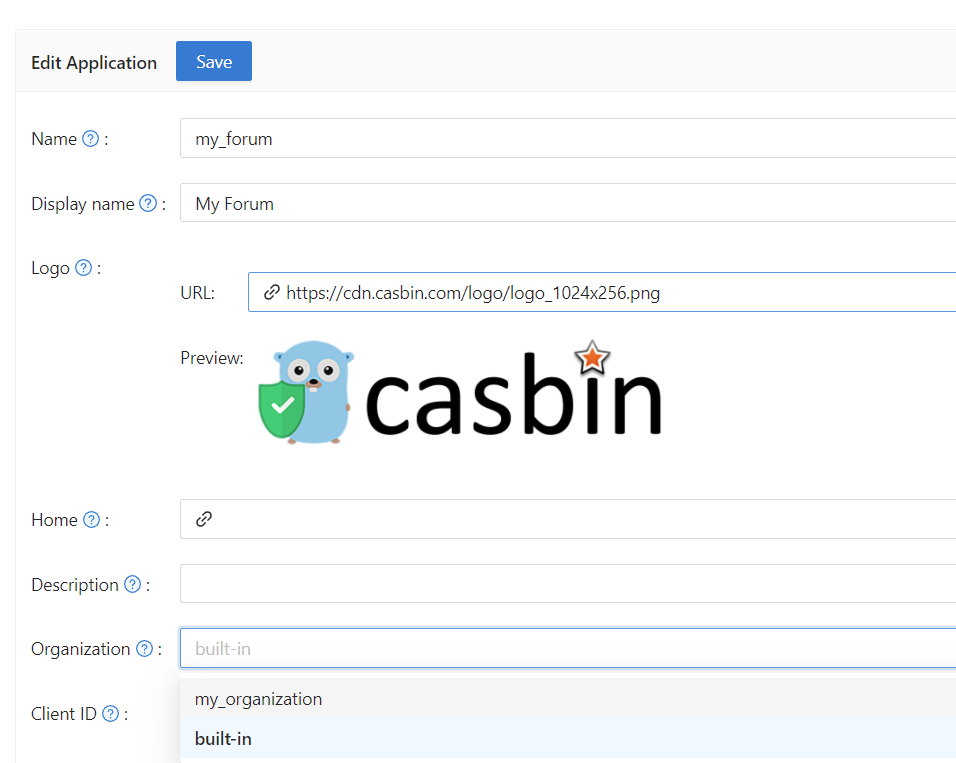
-
Add the callback URL of your service, for example
https://your-site-url.com/callback, to Redirect URLs. Casdoor sends users back to this URL after they sign in. -
Save the application.
The sign-in page of the application now looks like this:
Redirect URL and callback URL
When users sign in through an external provider, such as GitHub or Google, two different URLs are involved. Don't mix them up:
| URL | Where you enter it | Value |
|---|---|---|
| Callback URL | At the external provider, in the settings of its OAuth application | The callback of Casdoor: https://<your-casdoor-host>/callback |
| Redirect URL | In Casdoor, in Redirect URLs of the application | The callback of your service: https://your-site-url.com/callback |
The sign-in then runs as follows:
- The user starts the sign-in at your service, and your service sends the user to Casdoor.
- Casdoor sends the user to the provider, with the client ID and client secret that the provider issued to Casdoor.
- The user signs in at the provider. The provider redirects to the callback URL, which is Casdoor.
- Casdoor redirects to the redirect URL, which is your service, with the result of the sign-in.
Set the wait time for verification codes
Code resend timeout on the Security tab sets how many seconds a user must wait before requesting another verification code by email or SMS. The sign-in page shows the countdown. The default is 60. Set the value to 0 to use the global default.
Next steps
- Sign-in methods: Choose how users sign in.
- Add providers to an application: Offer sign-in with external identity providers.
- Connect an application to Casdoor: Add the sign-in to the code of your service.