Add Azure AD B2C as an OAuth provider
This guide explains how to let users sign in to Casdoor with their account in Azure AD B2C, the customer identity platform of Microsoft.
Learning outcomes
- Register an application in an Azure AD B2C tenant.
- Add Azure AD B2C as an OAuth provider in Casdoor.
What you need
- An Azure subscription
- Administrator access to the Casdoor admin console
Configure Azure AD B2C
-
Create a B2C tenant in the Azure portal.
-
Register an application in the B2C tenant and note the Application (client) ID.
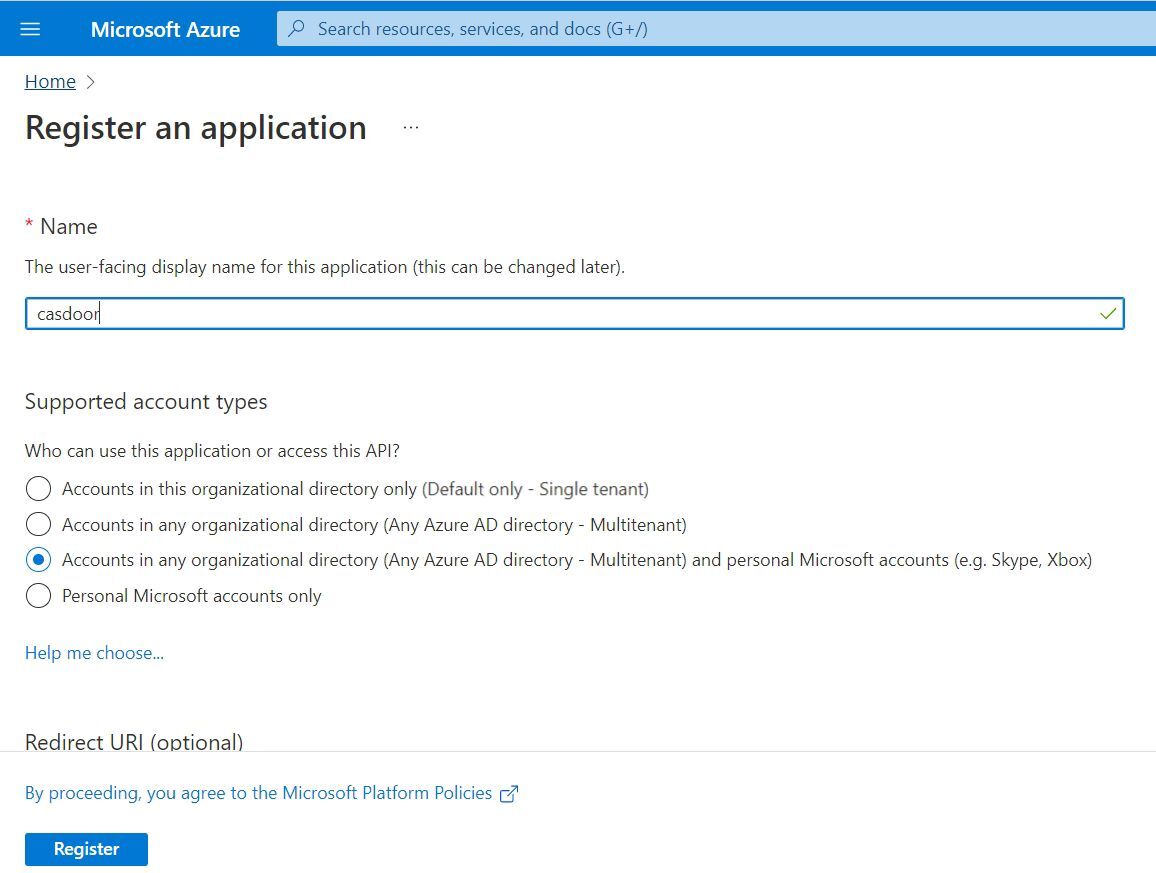
-
Create a client secret and copy its value. Azure shows the value only once.
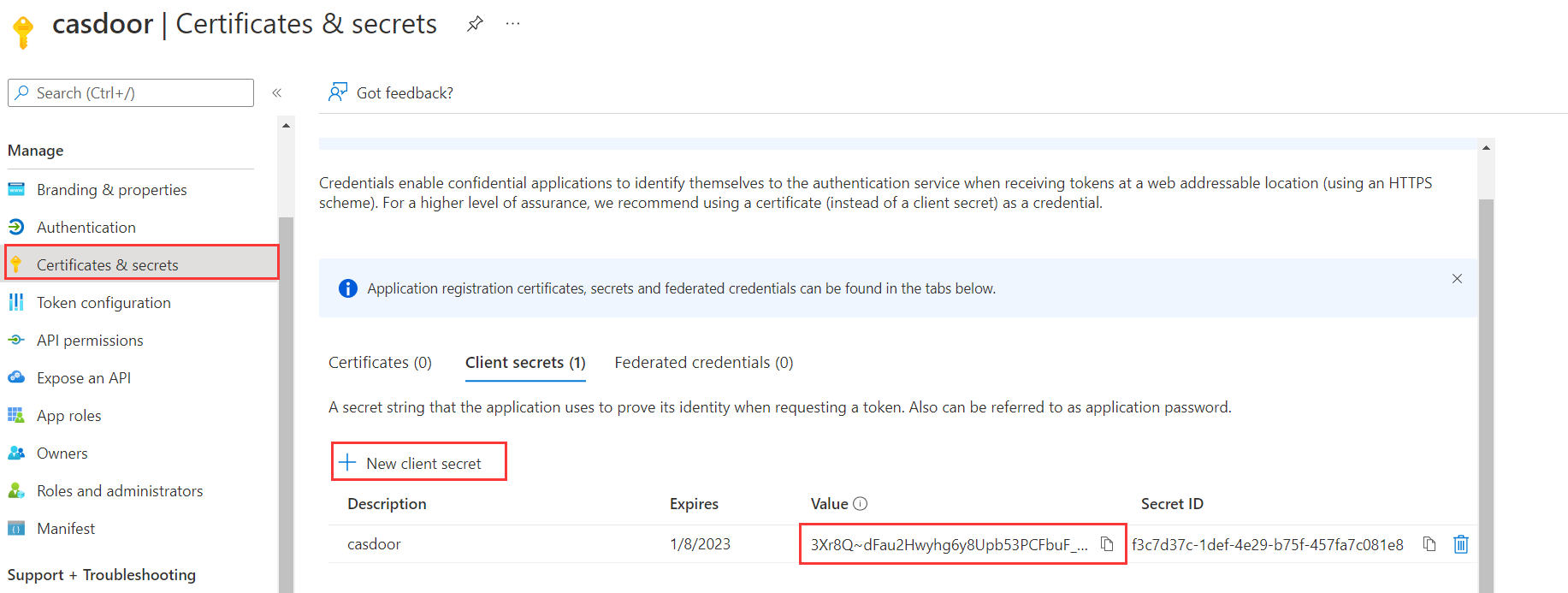
-
Add the callback URL of Casdoor,
https://<your-casdoor-host>/callback, to the Redirect URIs of the application.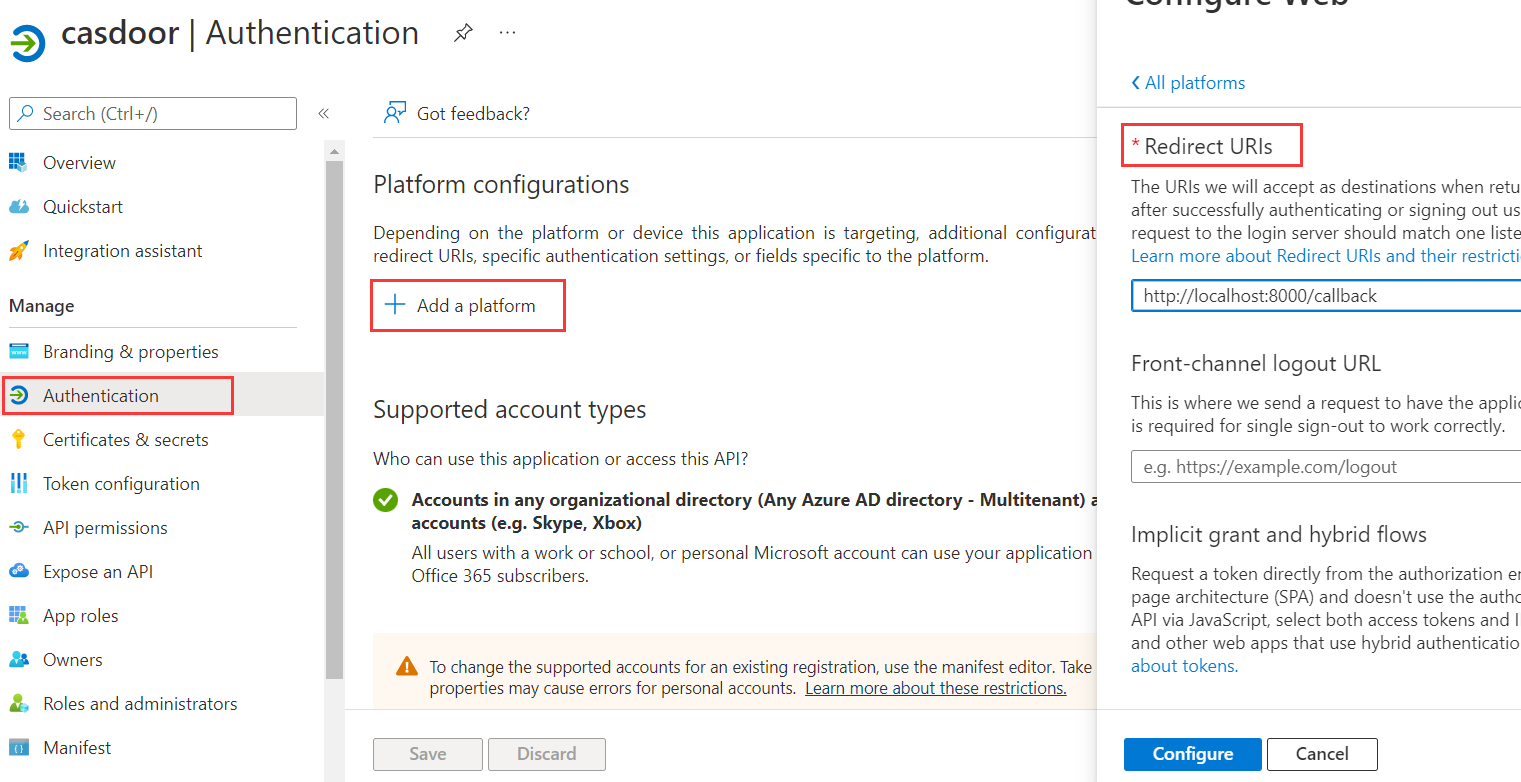
-
Define the user flows that you need, for sign-up, sign-in, and profile editing.
Add the provider in Casdoor
-
In the Casdoor admin console, go to Identity > Providers and add a provider.
-
Set Category to
OAuthand Type toAzure AD B2C. -
Enter the Client ID and the Client secret of the B2C application.
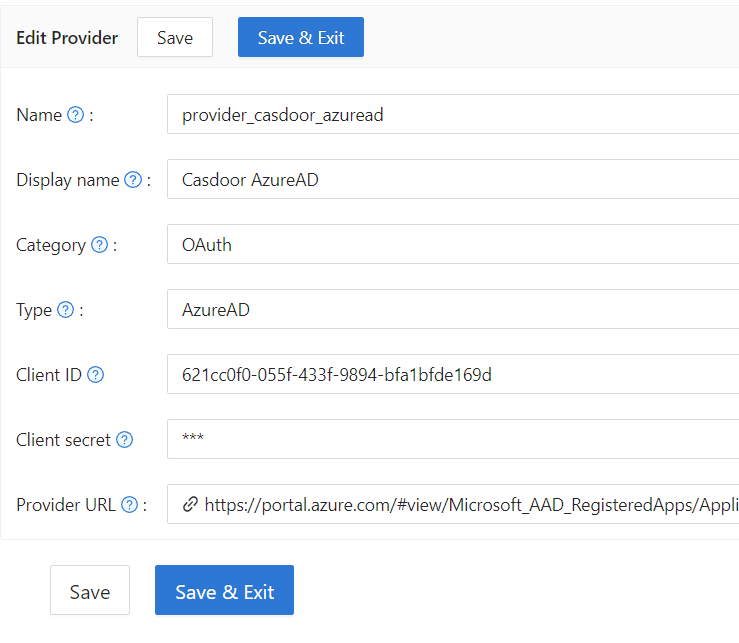
-
Save the provider.
To fill in more user fields from the claims of your user flows, see Map OAuth claims to user fields.
Next steps
Add the provider to an application. See Add providers to an application.