Turn on Google One Tap
This guide explains how to offer Google One Tap on the sign-in page of an application. Users then sign in with their Google account from a prompt, without leaving the page.
Learning outcomes
- Switch the Google provider of an application to One Tap.
What you need
- A Google OAuth provider in Casdoor
Switch the provider to One Tap
-
In the Casdoor admin console, open the edit page of the application and go to the Providers tab.
-
Add the Google provider if the application doesn't have it yet.
-
Change the Rule of the Google provider from
DefaulttoOne Tap.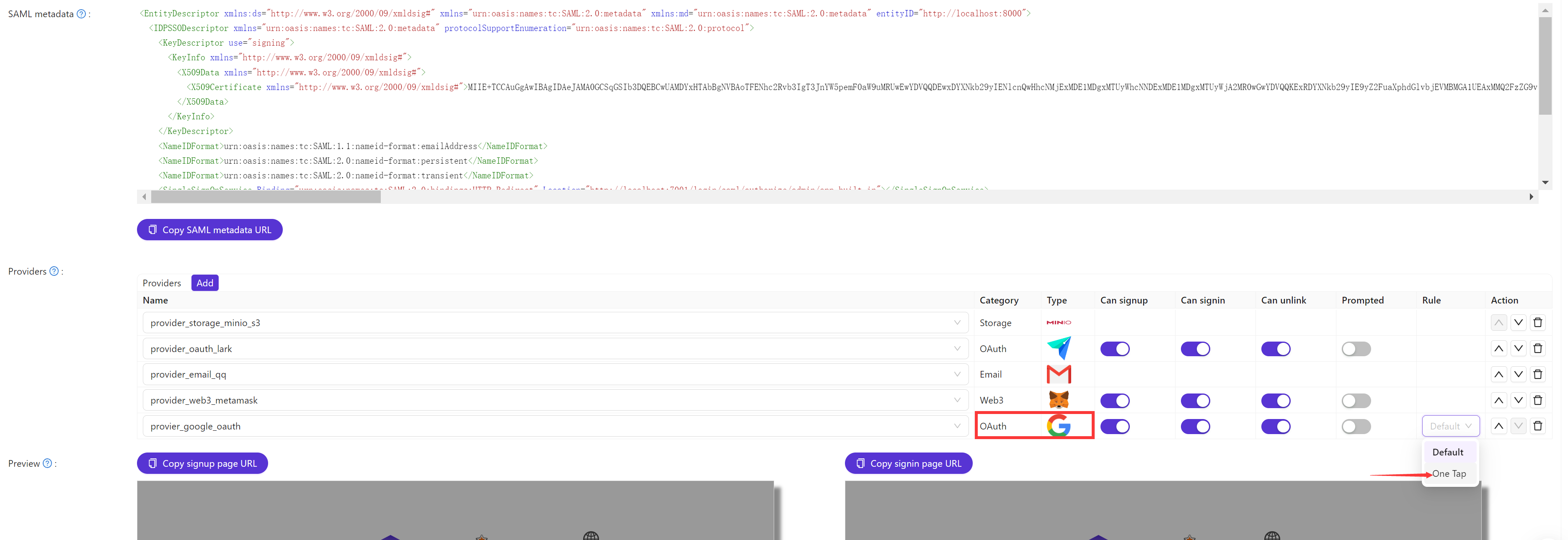
-
Save the application.
Verify the result
Open the sign-in page of the application. The Google One Tap prompt appears, and users sign in from it.