Add Infoflow as an OAuth provider
This guide explains how to let users sign in to Casdoor with their account in Baidu Infoflow.
Learning outcomes
- Register an application in Infoflow and grant it permissions.
- Add Infoflow as an OAuth provider in Casdoor.
What you need
- Administrator access to an Infoflow organization
- Administrator access to the Casdoor admin console
Register an application in Infoflow
-
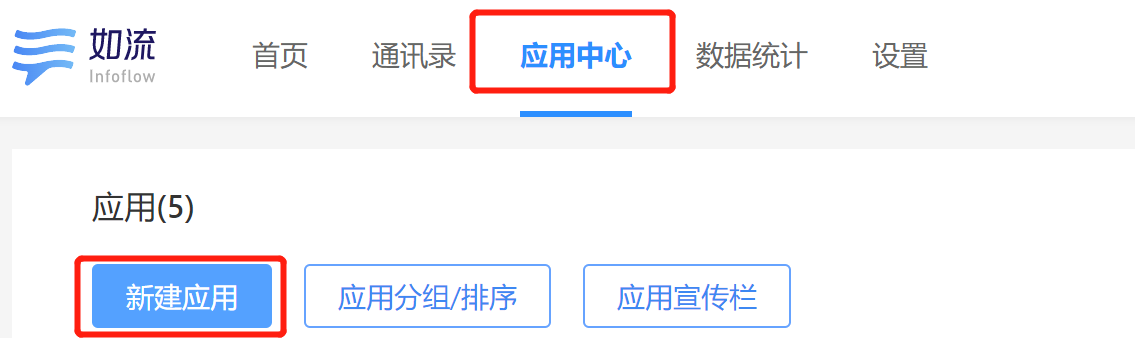
Sign in to Infoflow and open Infoflow applications.
-
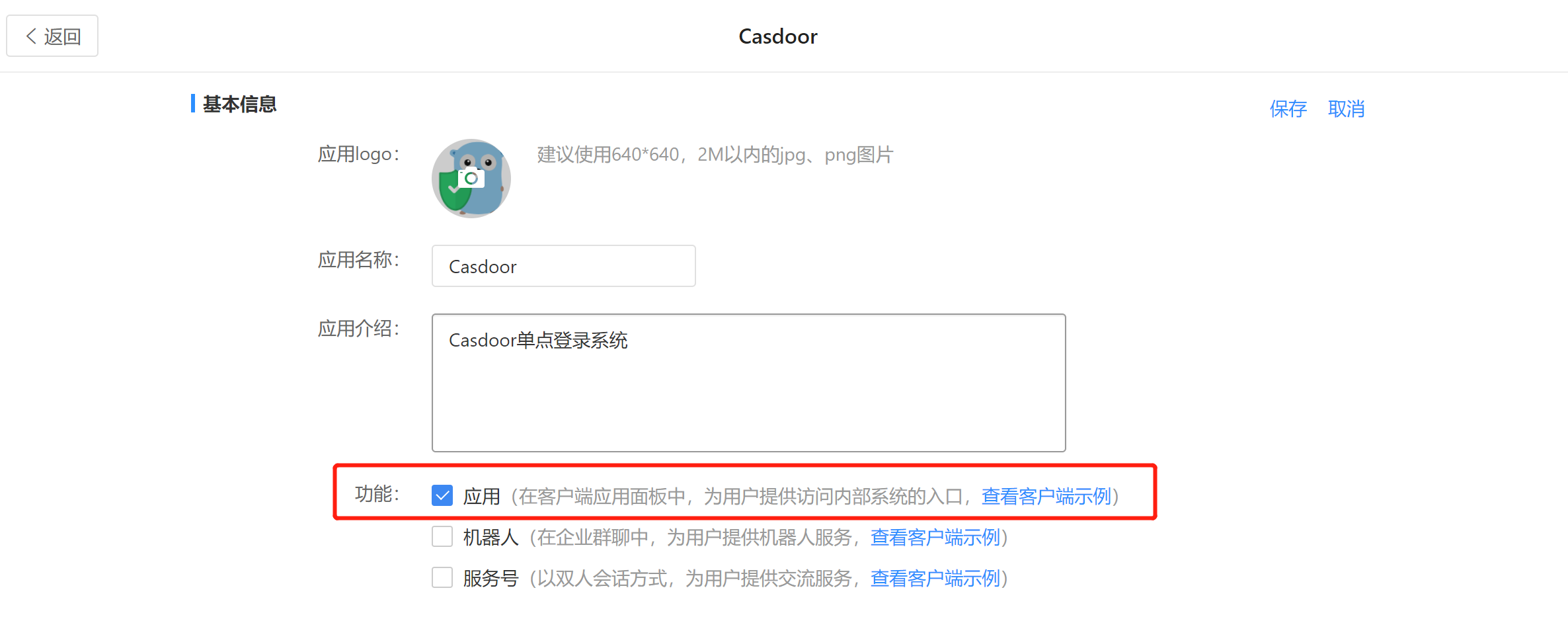
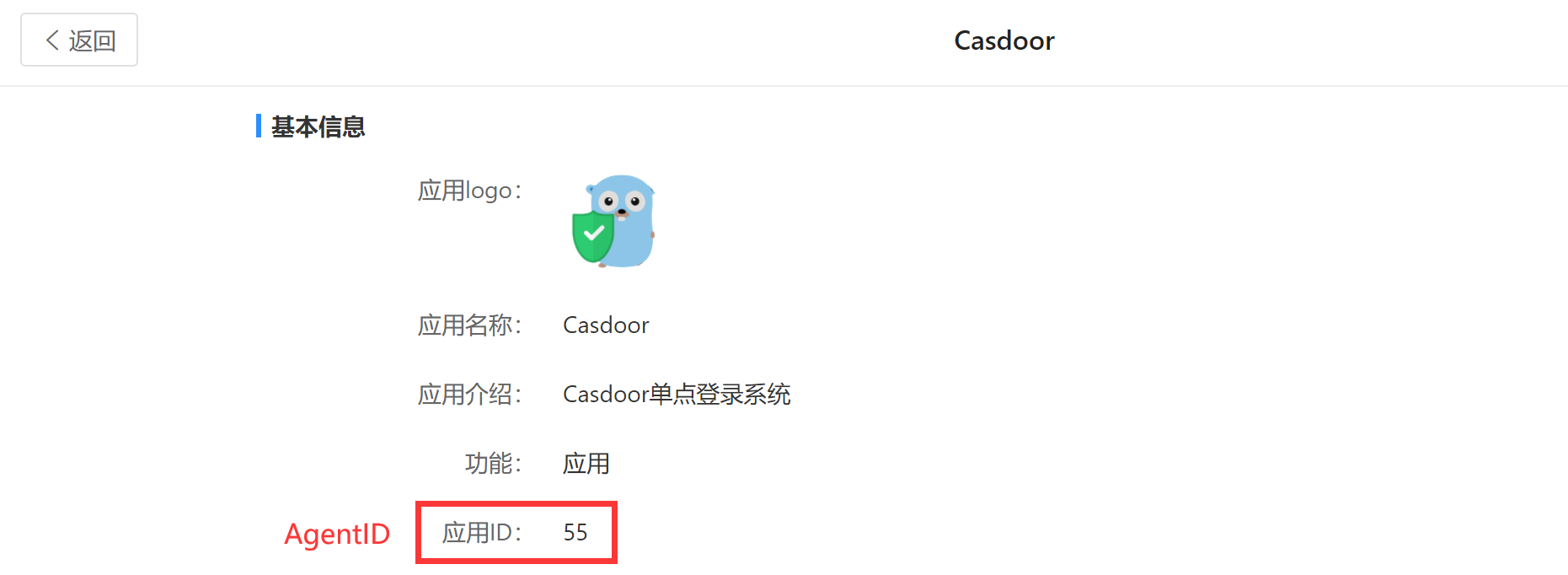
Register an application and note its AgentID.
-
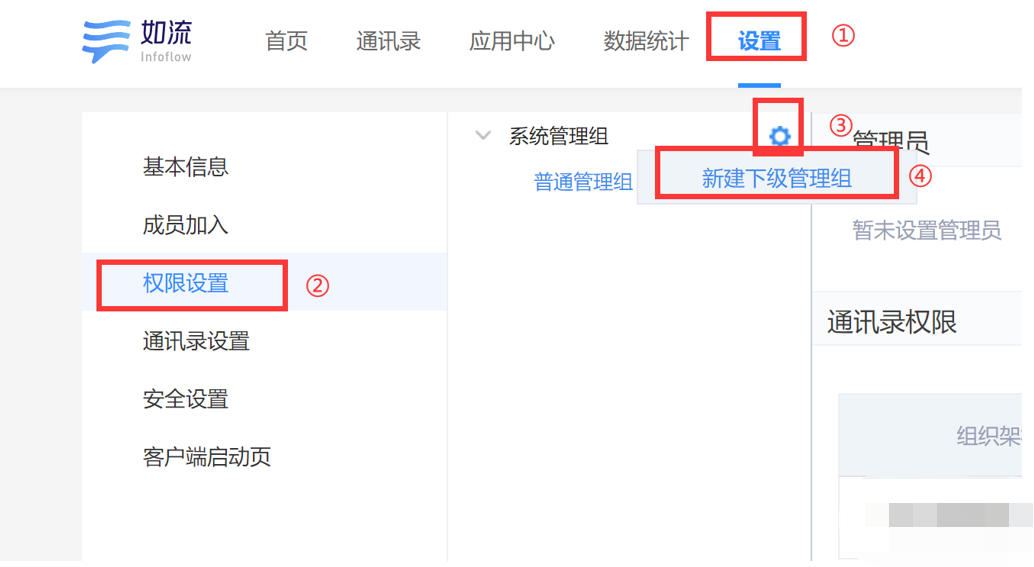
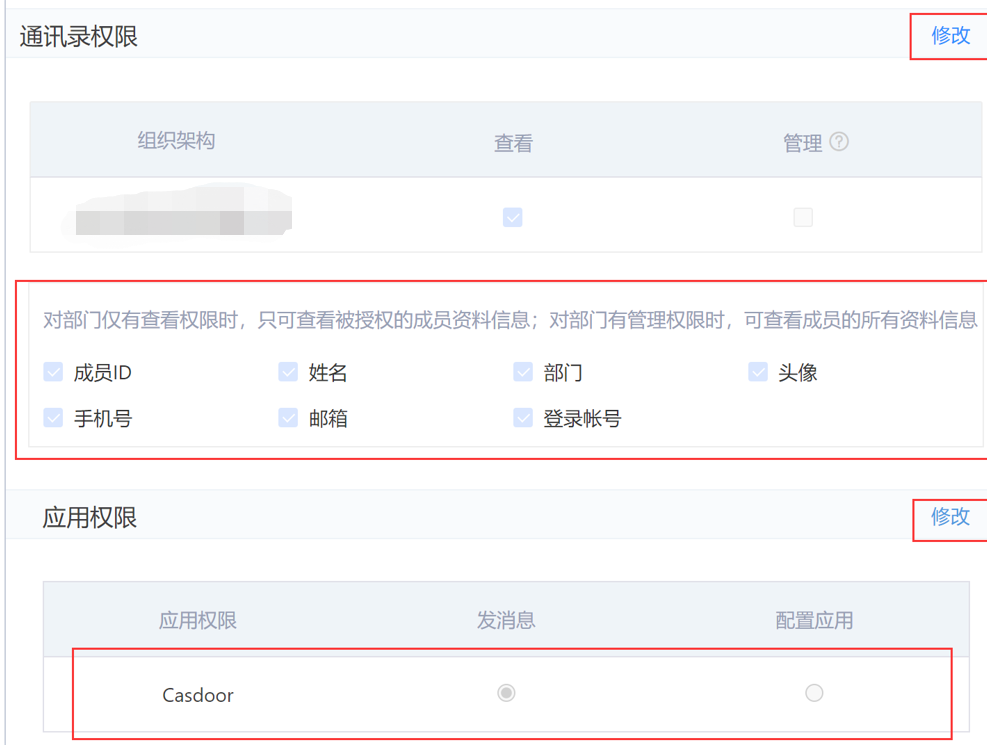
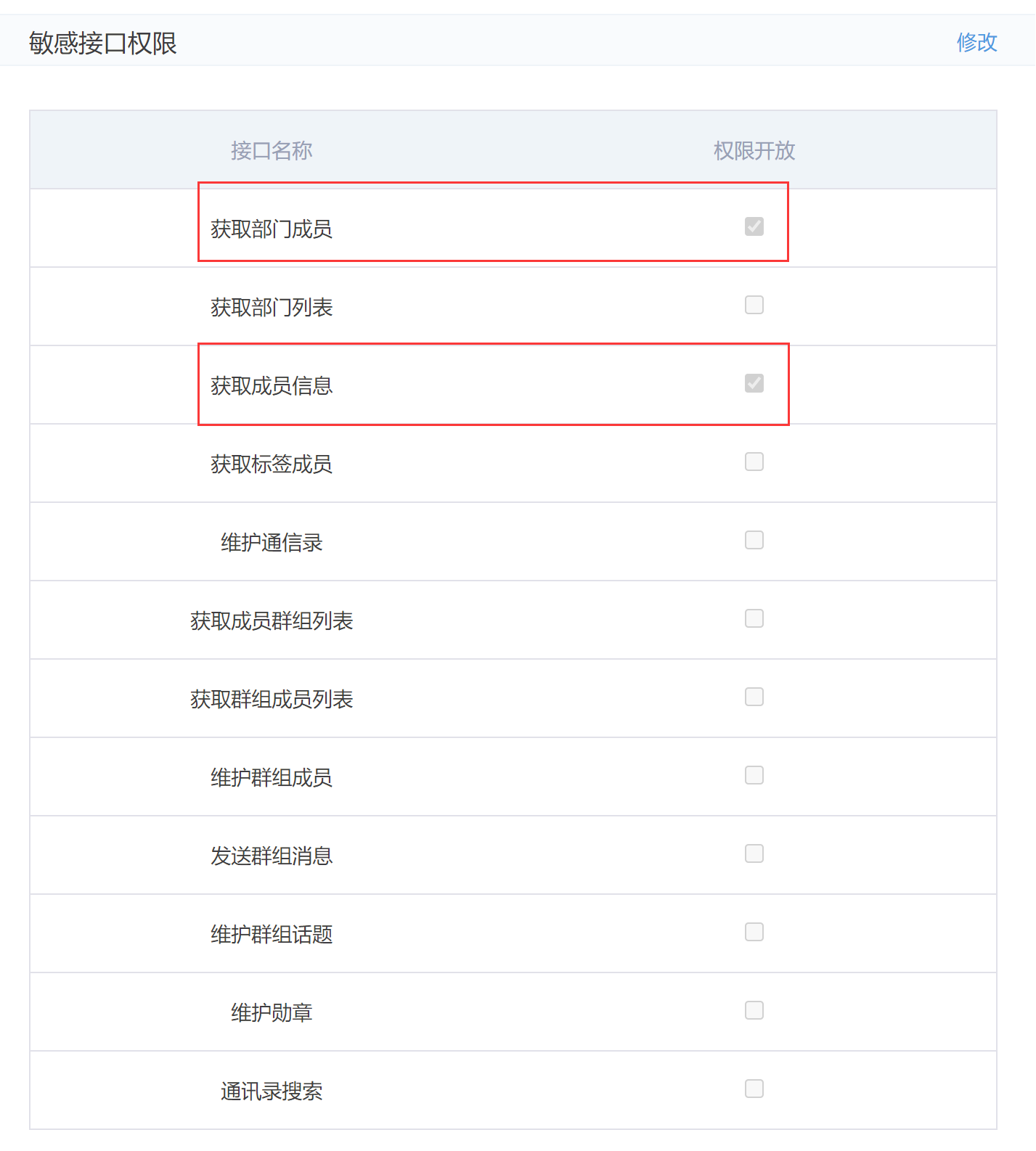
On the Setting tab, create a management group. In its address book permissions, add your organization structure, grant the application the permissions that it needs, and add the required sensitive interface permissions.
-
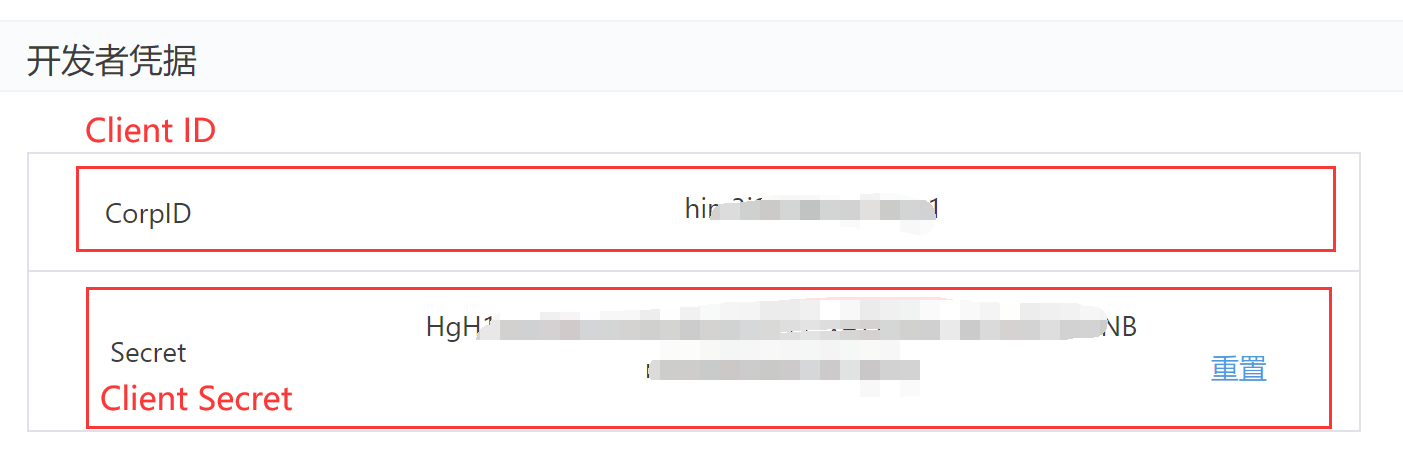
On the same page, copy the CorpID and the Secret.
Add the provider in Casdoor
-
In the Casdoor admin console, go to Identity > Providers and add a provider.
-
Set Category to
OAuthand Type toInfoflow. -
Fill in the fields:
Casdoor Infoflow Client ID CorpID Client secret Secret Agent ID AgentID 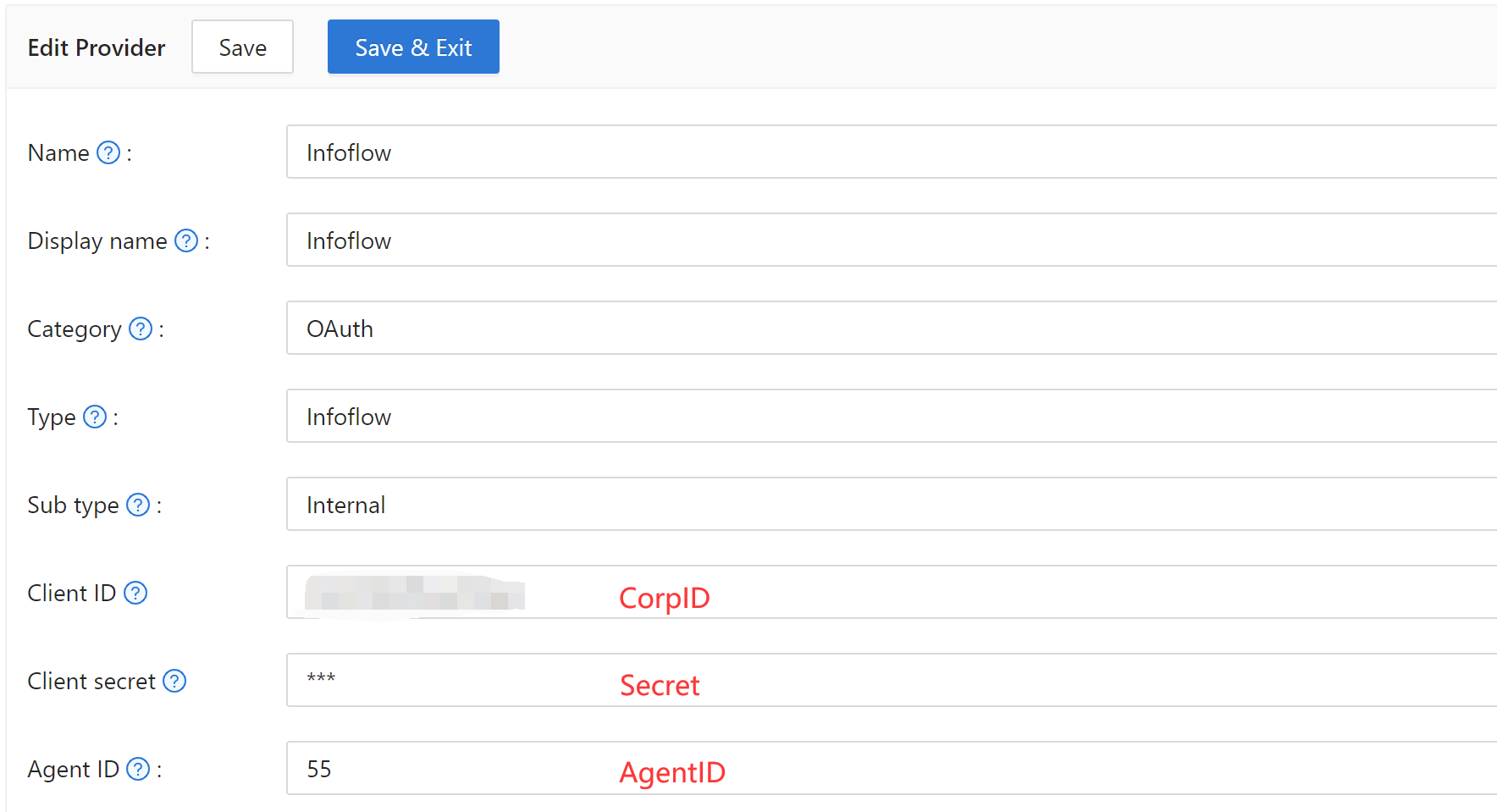
-
Save the provider.
Next steps
Add the provider to an application. See Add providers to an application.