Pulsar manager
Casdoor 可以轻松连接到 Pulsar Manager。
连接 Casdoor 的代码已经添加到 Pulsar Manager 中,所以我们只需要在后端配置 application.yml 文件并启用前端开关。
步骤 1:部署 Casdoor
Deploy Casdoor. See Server installation. Ensure the server is running and you can sign in at the Casdoor login page (e.g. admin / 123).
步骤 2:配置 Casdoor
Configure an organization and an application in Casdoor (see Application and Organization).
步骤 2.1:创建一个组织
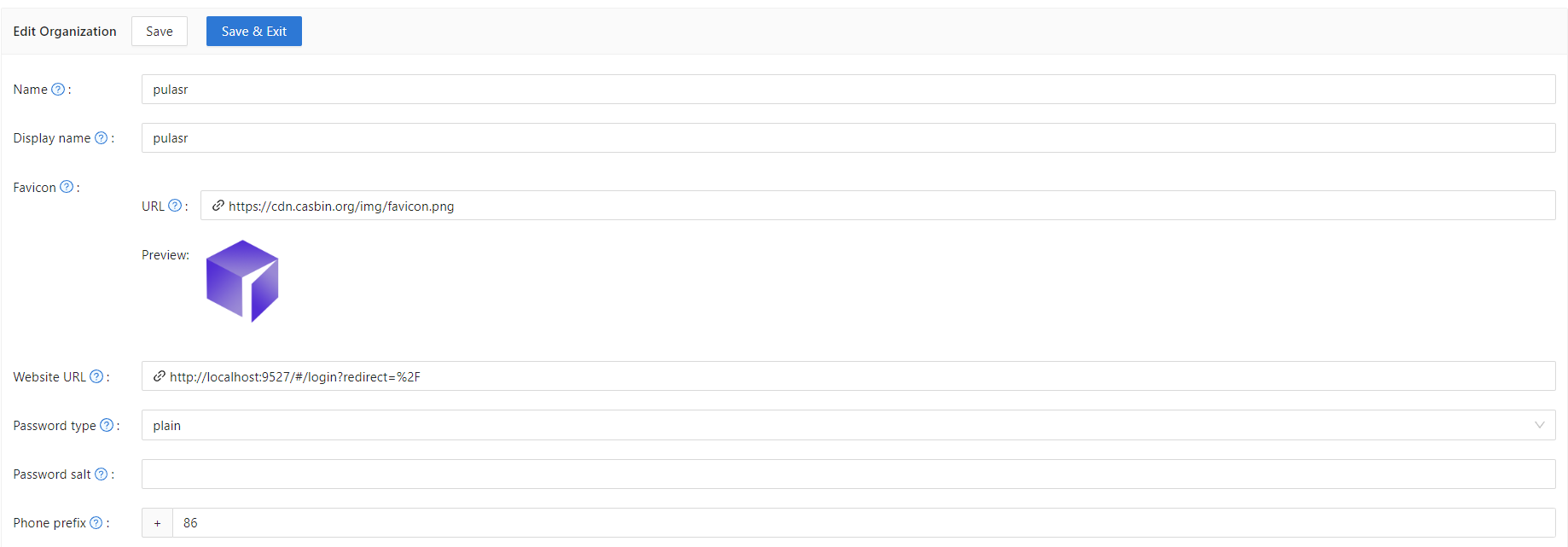
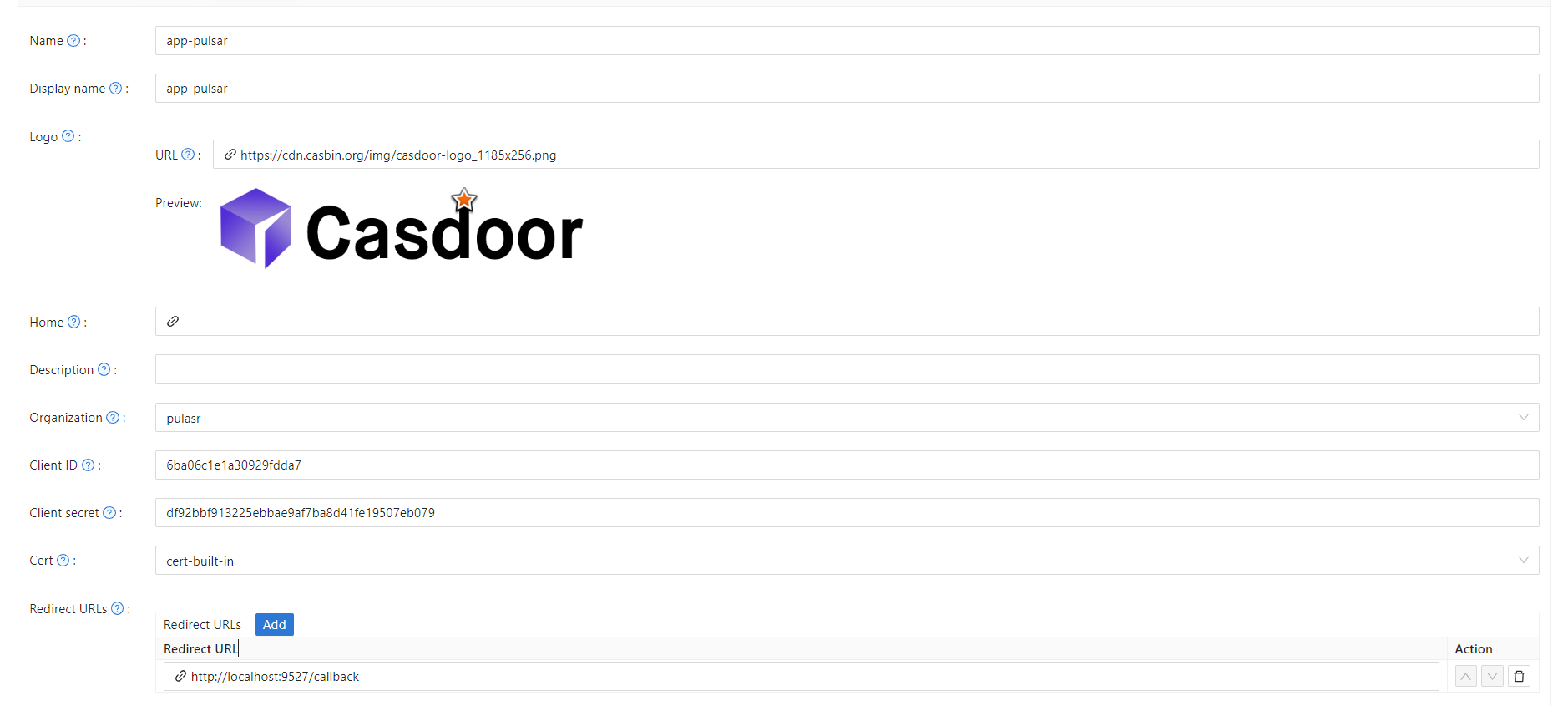
步骤 2.2:创建一个应用
步骤 3:启用 Pulsar Manager 前端开关
启用此开关以将代码和状态发送到后端。
The switch is on line 80 of pulsar-manager/front-end/src/router/index.js.

步骤 4:配置后端代码
在 application.properties 文件中配置 Casdoor 的设置,该文件可以在 pulsar-manager/src/main/resources/application.properties 的第 154 行找到。
casdoor.endpoint = http://localhost:8000
casdoor.clientId = <client id from previous step>
casdoor.clientSecret = <client secret from previous step>
casdoor.certificate = <client certificate from previous step>
casdoor.organizationName = pulsar
casdoor.applicationName = app-pulsar