在 ShenYu 中使用Cassoor
ShenYu有一个Casdoor插件,可以启用Casdoor的使用。
步骤1:部署Casdoor
Deploy Casdoor first. See Server installation.
After deployment, ensure:
- The Casdoor server is running on
http://localhost:8000. - Open your preferred browser and visit
http://localhost:7001to see the Casdoor login page. - 通过输入
admin和123,登录功能运行正常。
After the above setup, add a Casdoor-based login page with the following steps.
步骤2:配置Casdoor应用
- 创建一个新的Casdoor应用或使用现有的一个
- 添加您的重定向URL
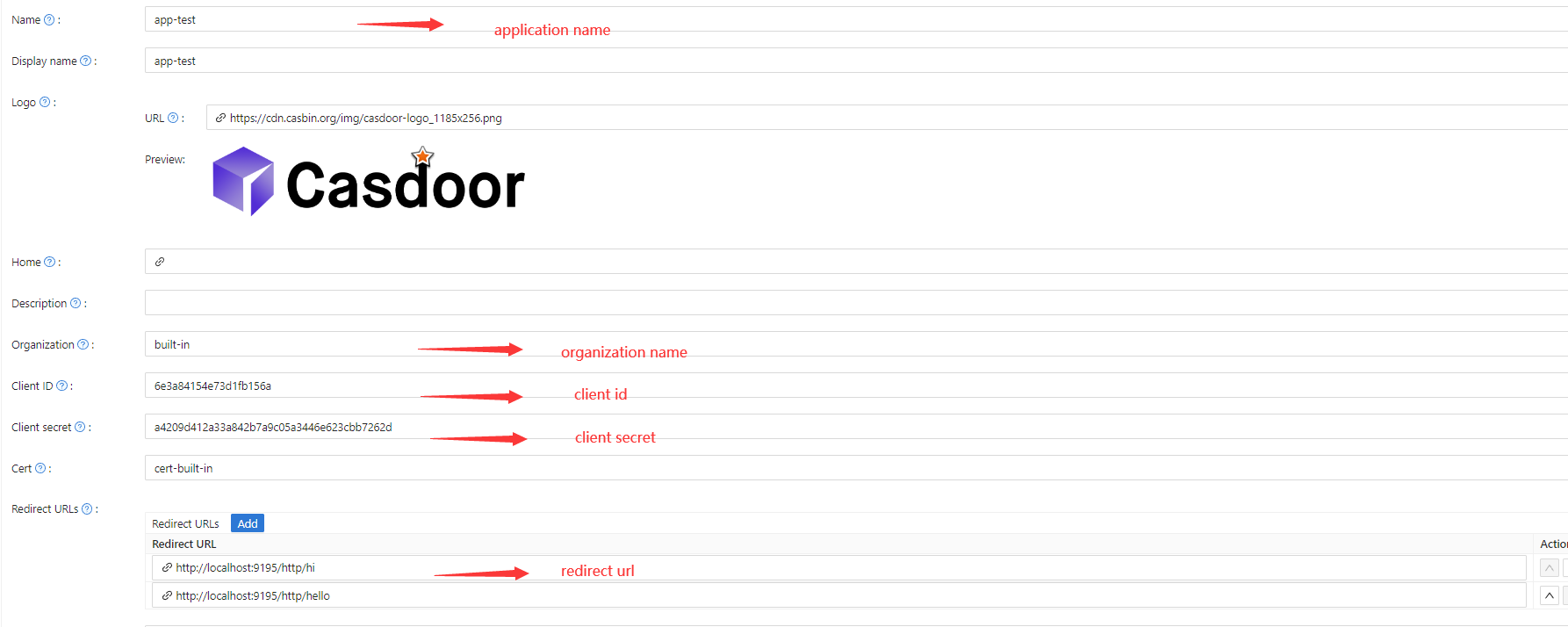
- On the certificate editing page, copy your
Certificate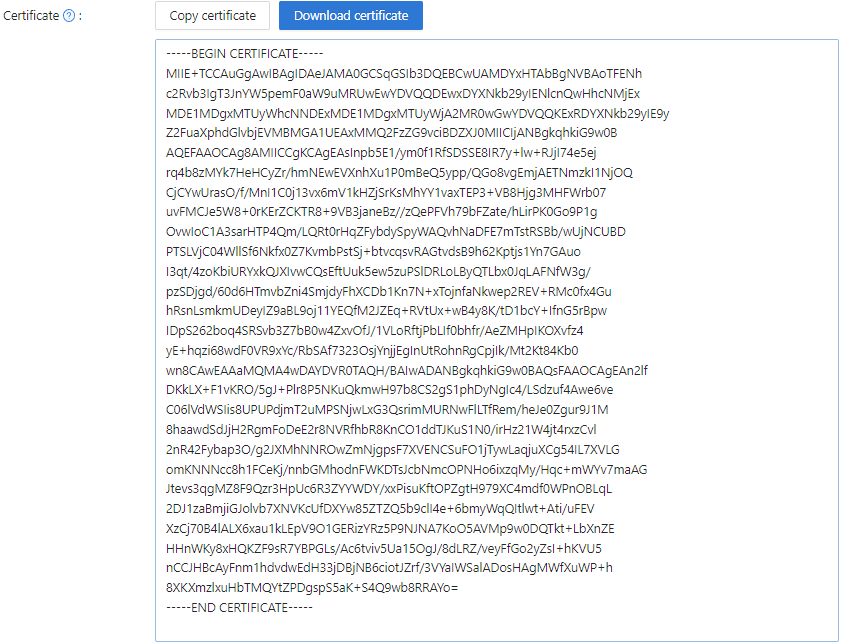
步骤3:在ShenYu中使用Casdoor插件
1. 在ShenYu中配置Casdoor插件
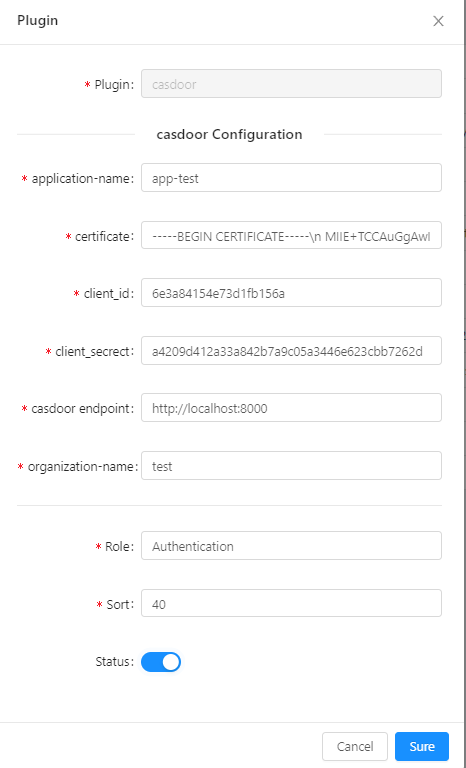
注意:由于ShenYu只有一个单行输入框,每行证书都必须添加\n。 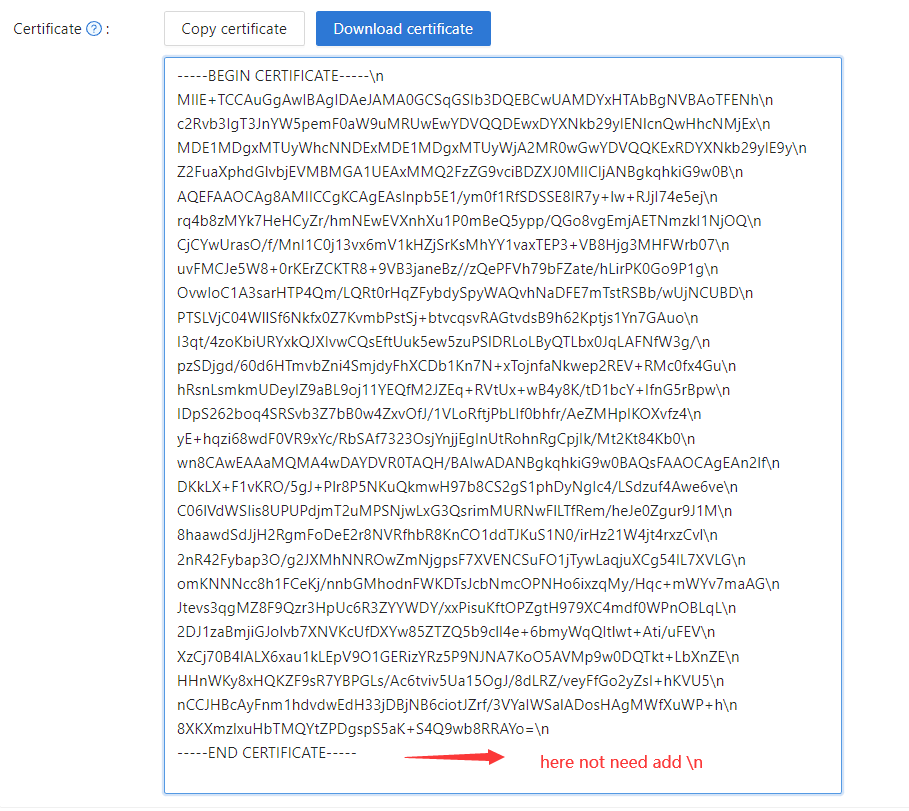
Paste it into the certificate field of the ShenYu Casdoor config.
您不需要在Casdoor证书编辑页面保存它,因为它只是用于复制。
2. 配置ShenYu Casdoor插件
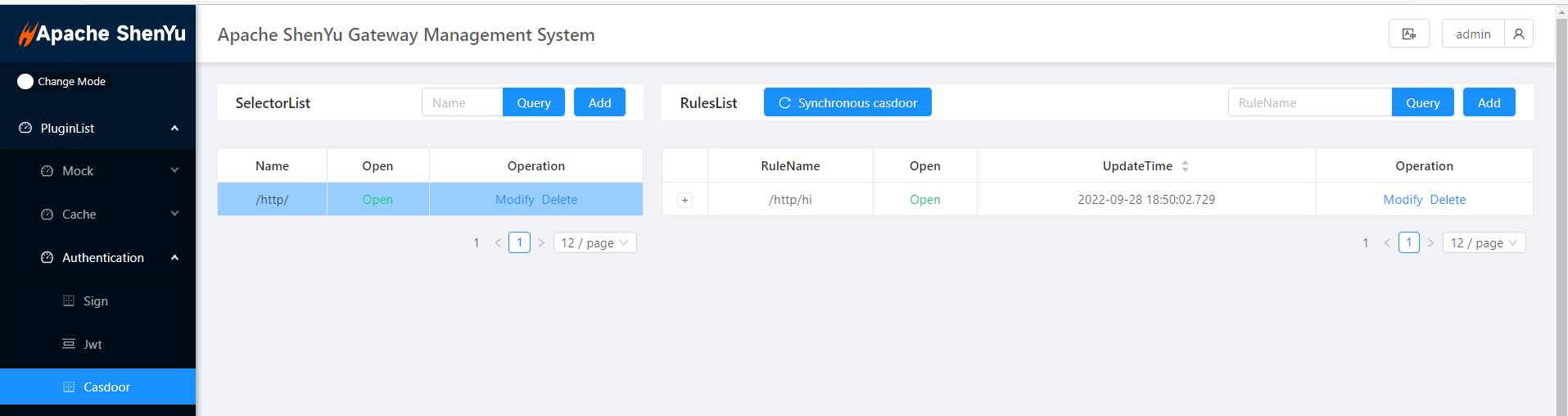 Configure the Casdoor settings as needed.
3. 获取服务并使用它
3.1 直接访问Web

3.2 使用Casdoor登录
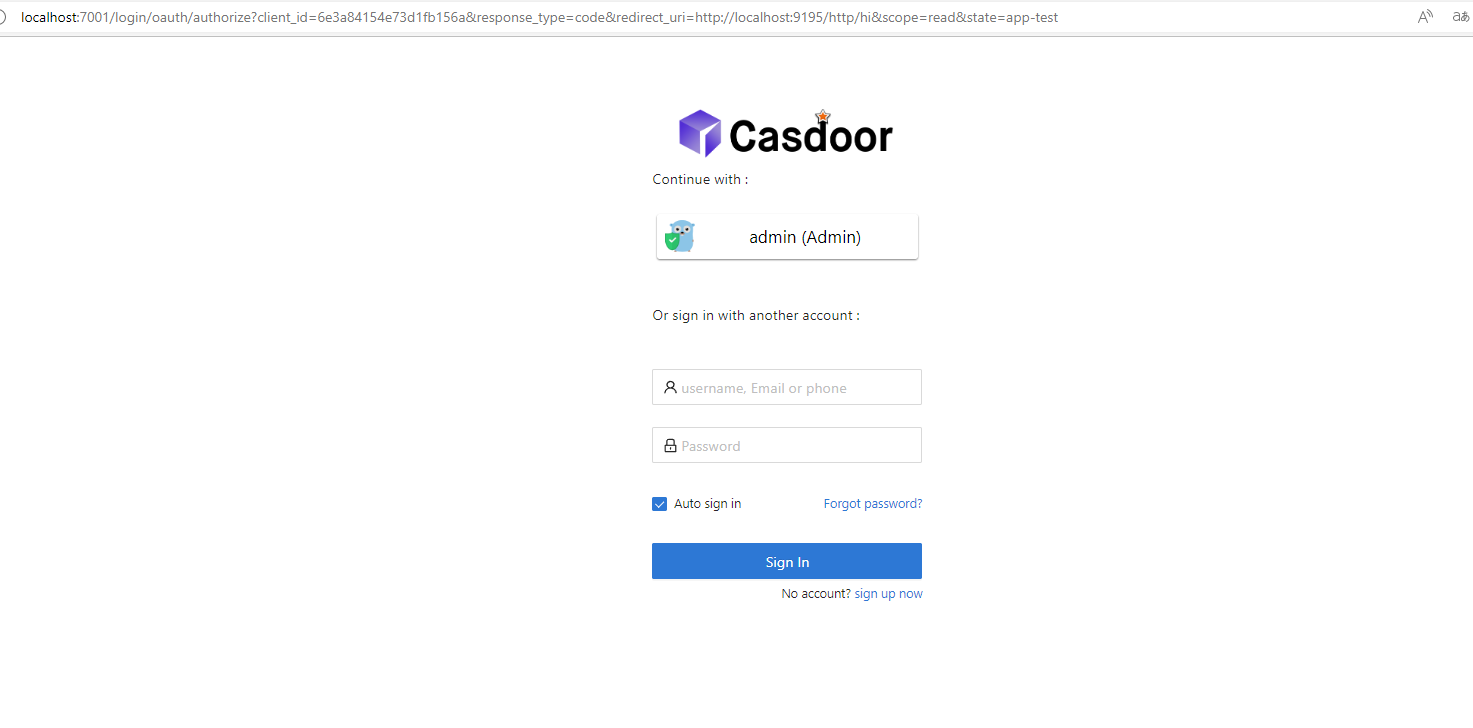

3.3 在Headers中携带令牌
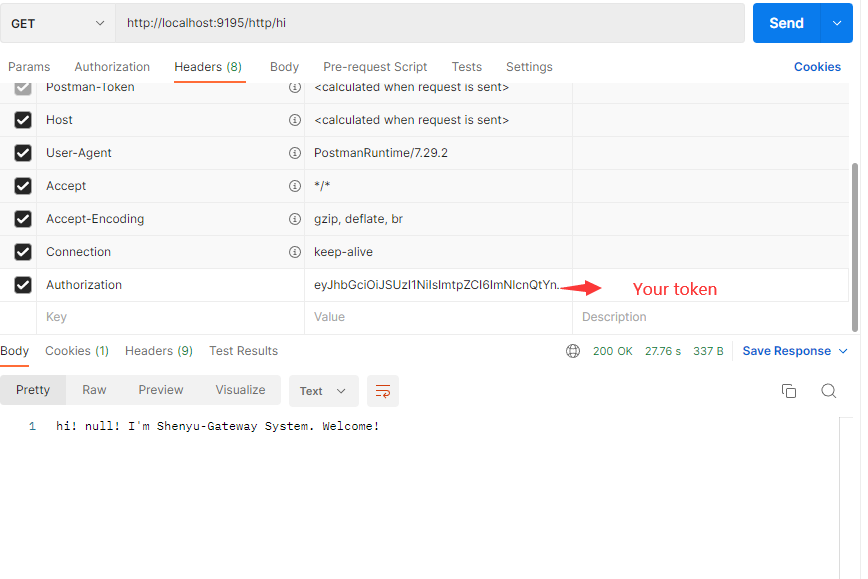
3.4 在Headers中保存名称、ID和组织
这使得将来使用它们更加方便。