Take payments with PayPal
This guide explains how to let users pay for your Casdoor products with PayPal.
Learning outcomes
- Create a PayPal app.
- Add PayPal as a payment provider and add it to a product.
What you need
- A PayPal business account. Create one if you don't have one.
- A product in Casdoor
Create a PayPal app
-
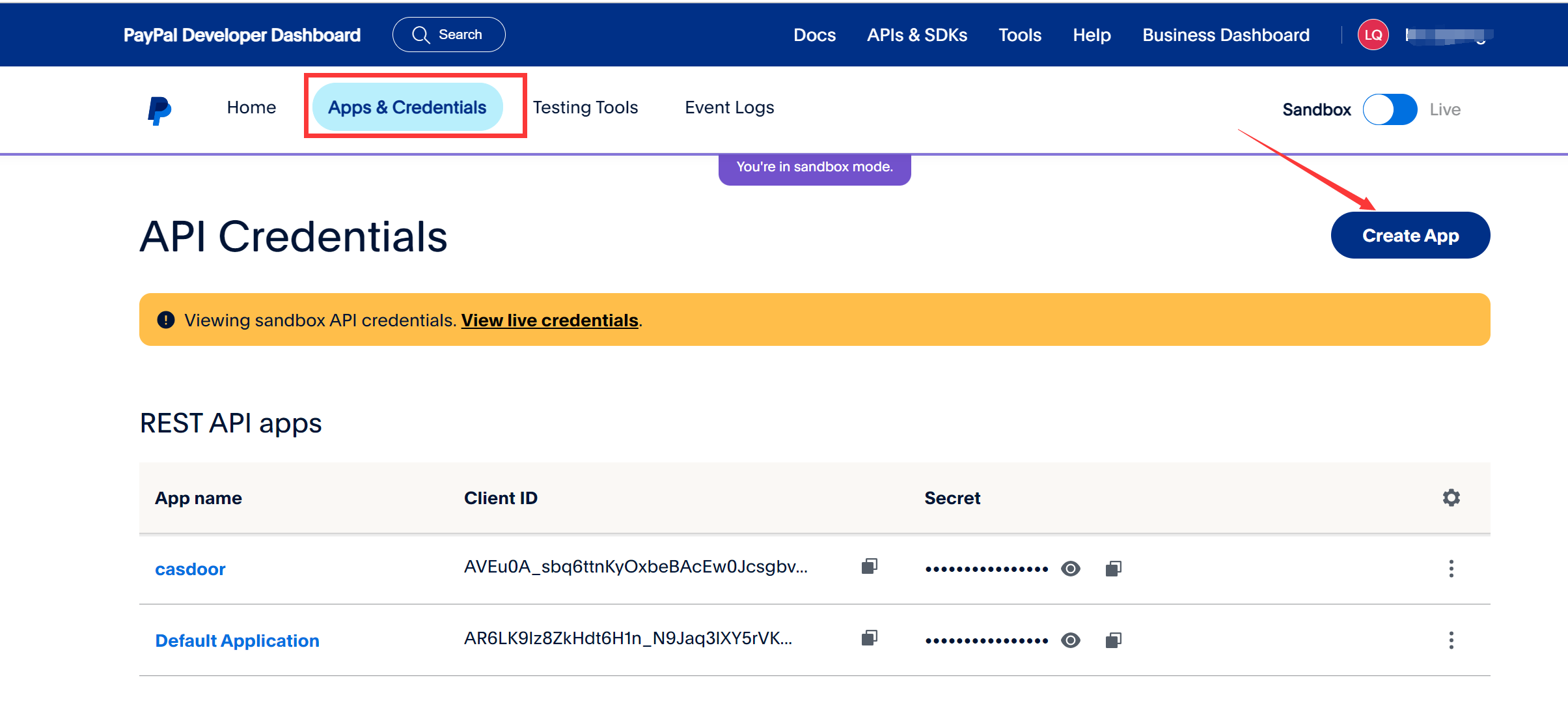
Sign in to the PayPal developer dashboard and click Create App under Apps & Credentials.
-
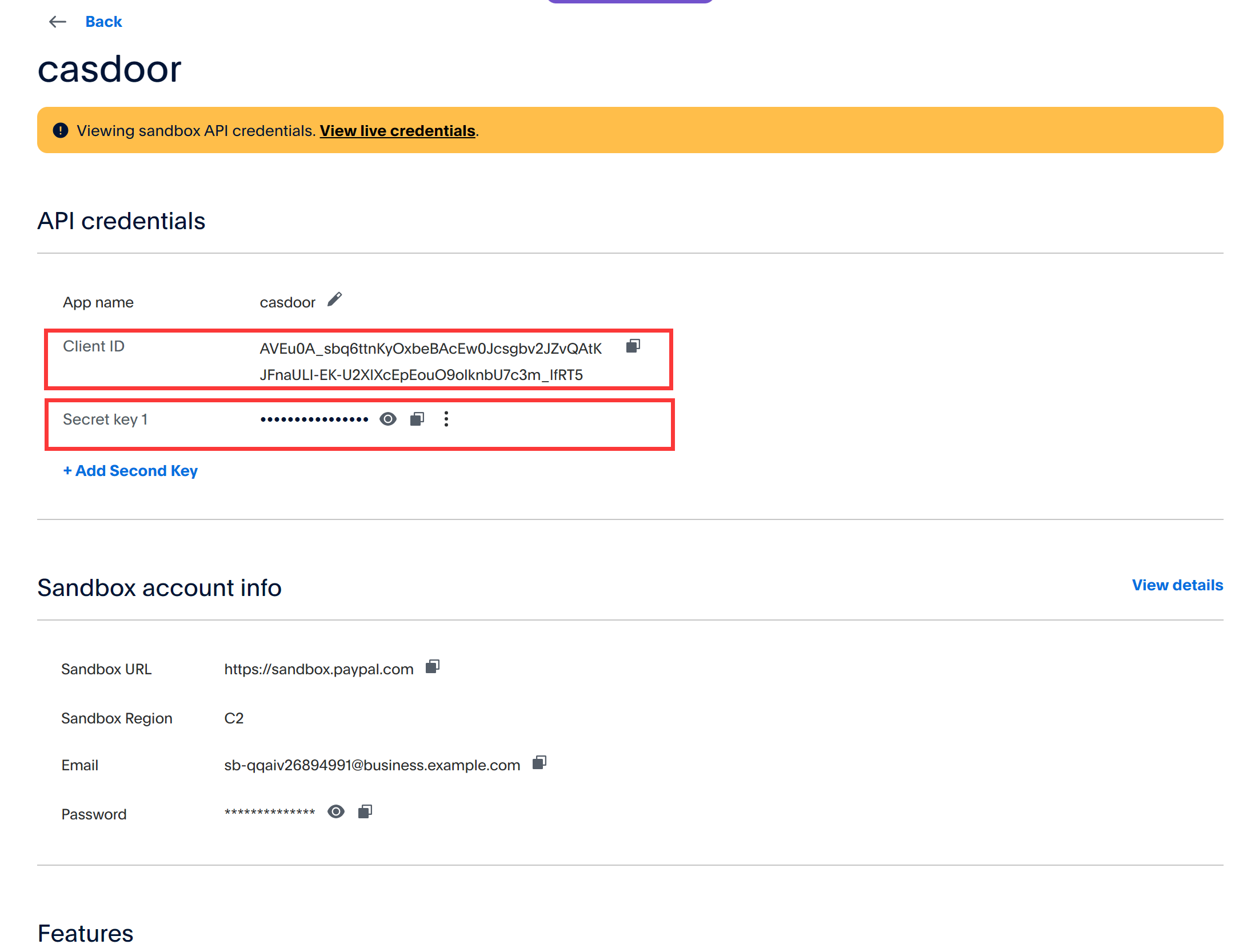
Copy the Client ID and the Secret of the app.
Add the provider in Casdoor
- In the Casdoor admin console, go to Identity > Providers and add a provider.
- Set Category to
Paymentand Type toPayPal. - Enter the Client ID and the secret as the Client secret.
- Save the provider.
Add the provider to a product
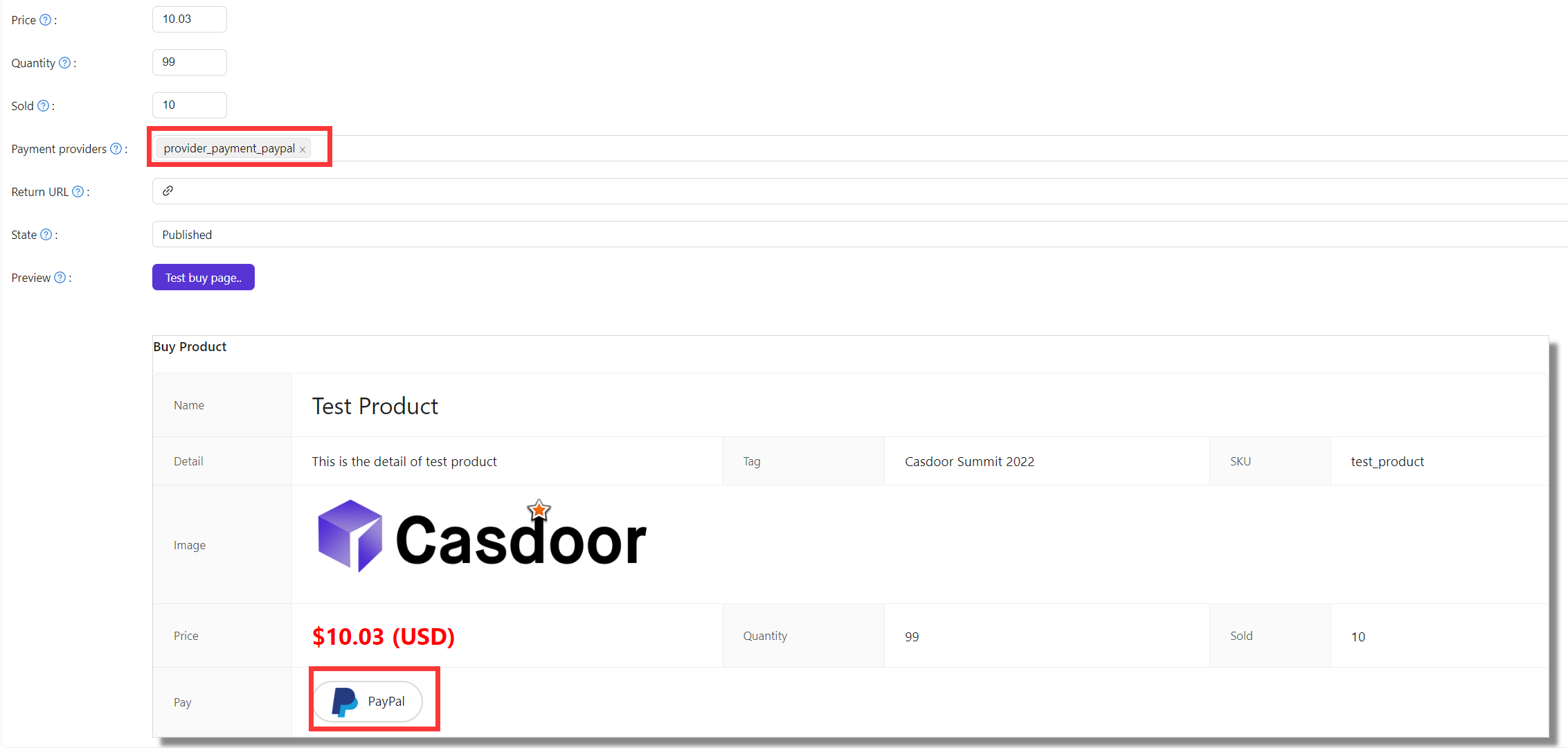
Add the provider to the Payment providers of the product and save it.
notatka
These steps use the PayPal sandbox. For production, create the app in Live mode and set runmode = prod in conf/app.conf of Casdoor.