Send SMS with Alibaba Cloud
This guide explains how to send the verification codes of Casdoor by SMS through the SMS service of Alibaba Cloud.
Learning outcomes
- Get an AccessKey, a signature, and a template code from Alibaba Cloud.
- Add Alibaba Cloud as an SMS provider in Casdoor and test it.
What you need
- An Alibaba Cloud account with the SMS service
- Administrator access to the Casdoor admin console
Get the credentials
-
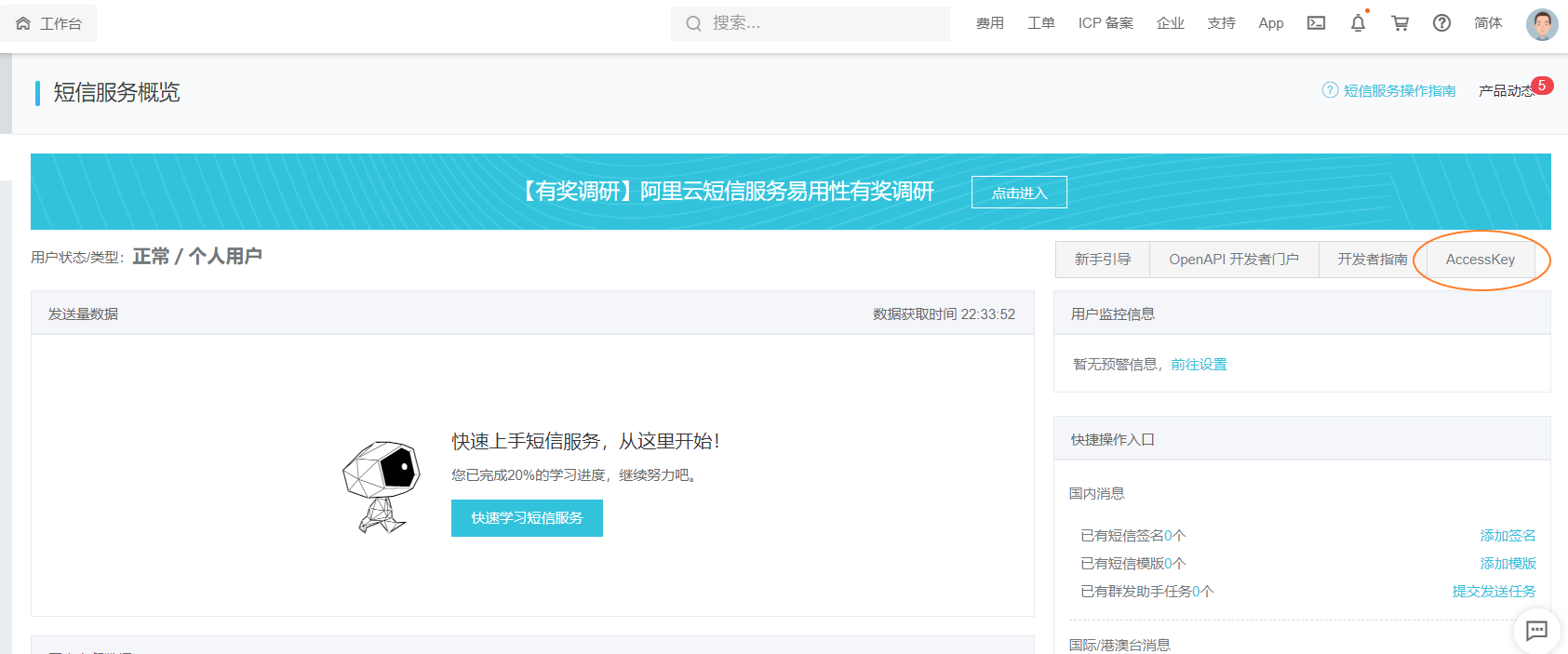
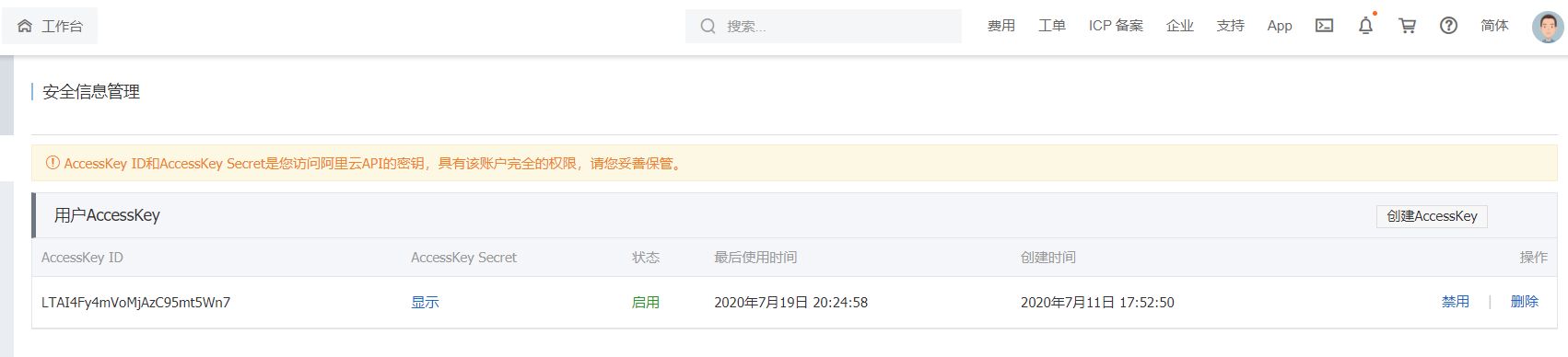
In the Alibaba Cloud console, create or copy an AccessKey ID and AccessKey Secret.
-
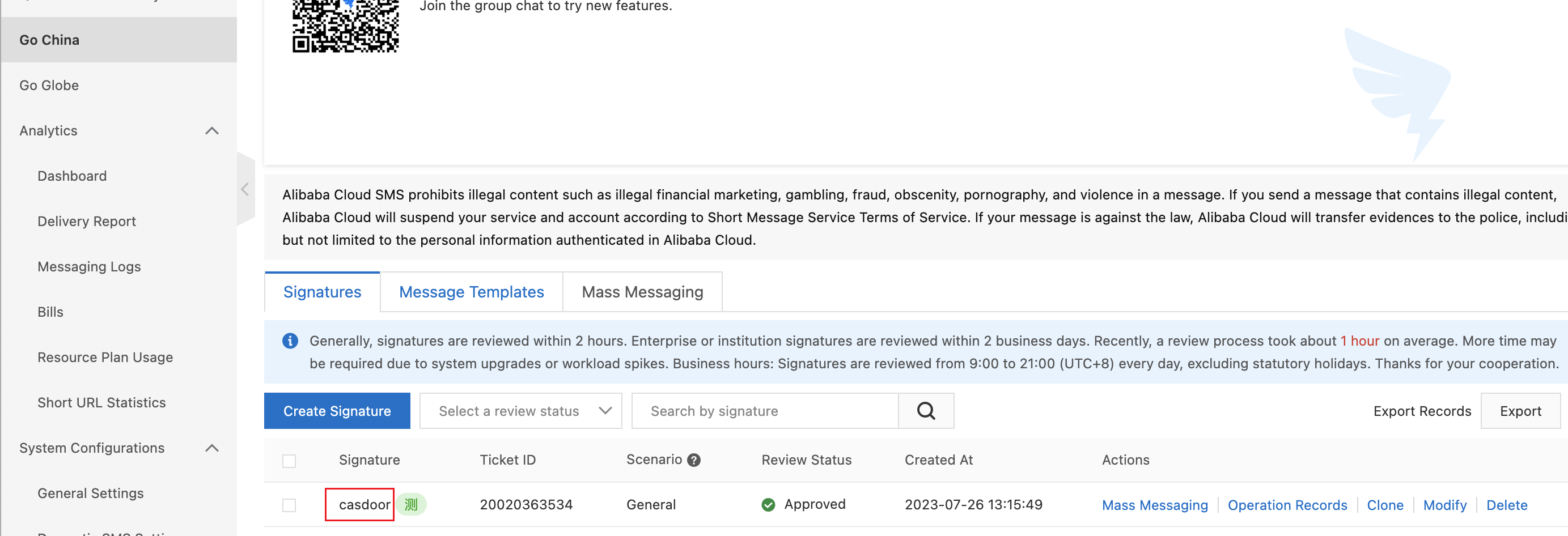
In the console of the SMS service, configure a signature.
-
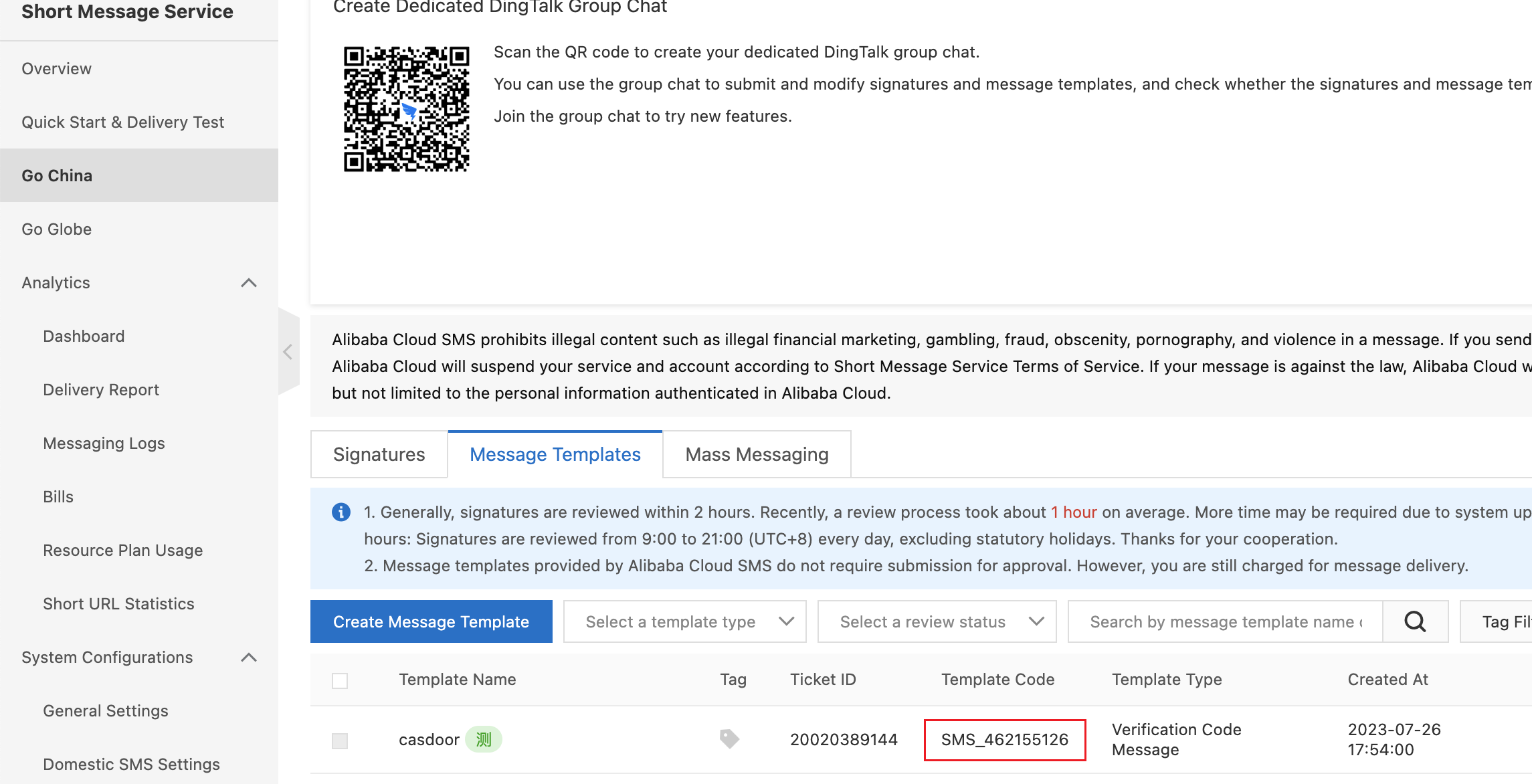
Create or select an SMS template and copy its code.
Add the provider in Casdoor
-
In the Casdoor admin console, go to Identity > Providers and add a provider.
-
Set Category to
SMSand Type toAliyun SMS. -
Fill in the fields:
字段 Alibaba Cloud 必填 Client ID AccessKey ID 是 Client secret AccessKey Secret 是 Sign Name Signature 是 Template code 模板代码 是 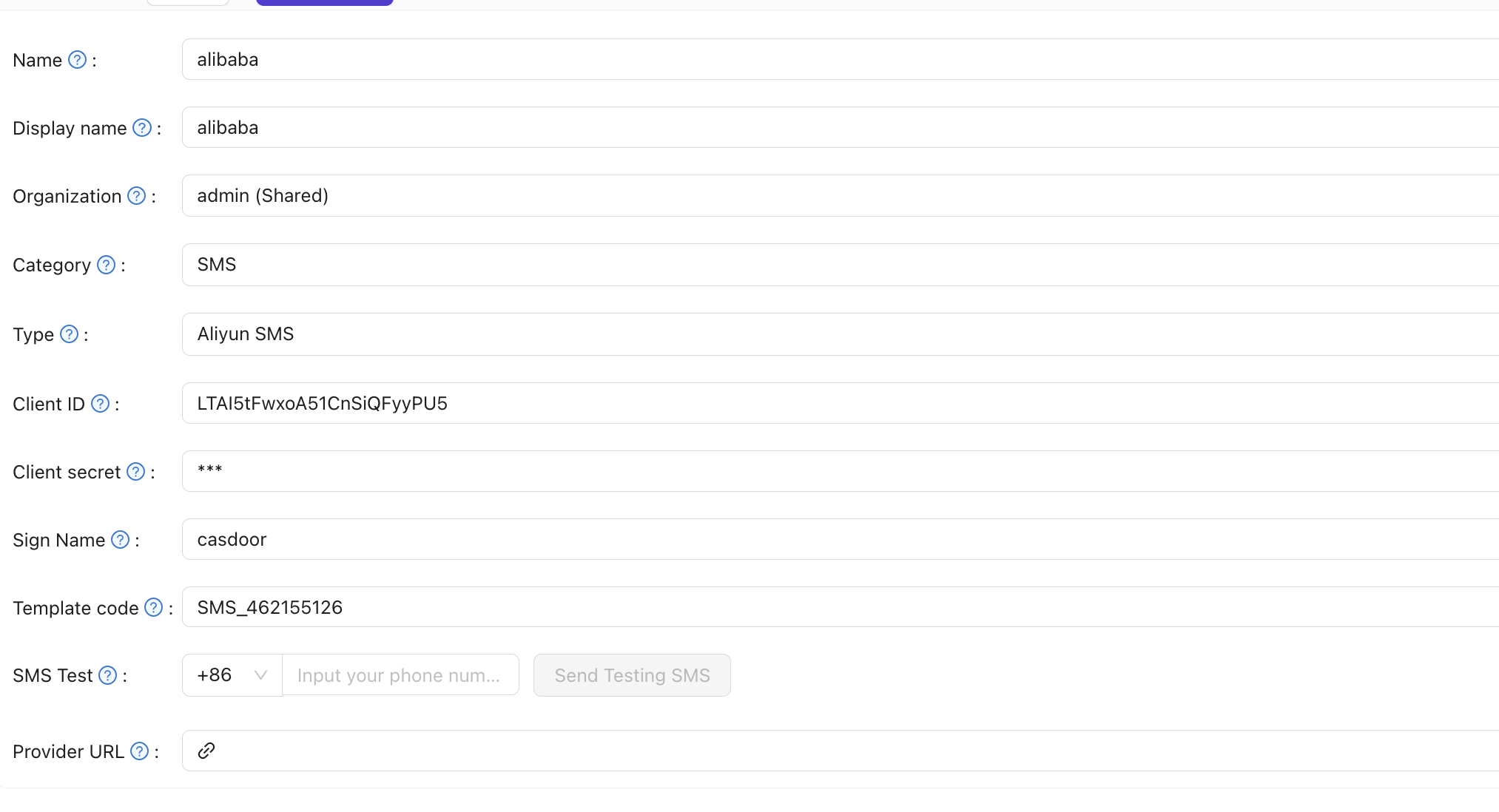
-
Save the provider.
Verify the result
Enter a phone number in SMS Test and send a test message.