Übersicht
Casdoor supports invitation-based registration. When an administrator makes the invitation code required on the sign-up page, only users with a valid invitation code can register.
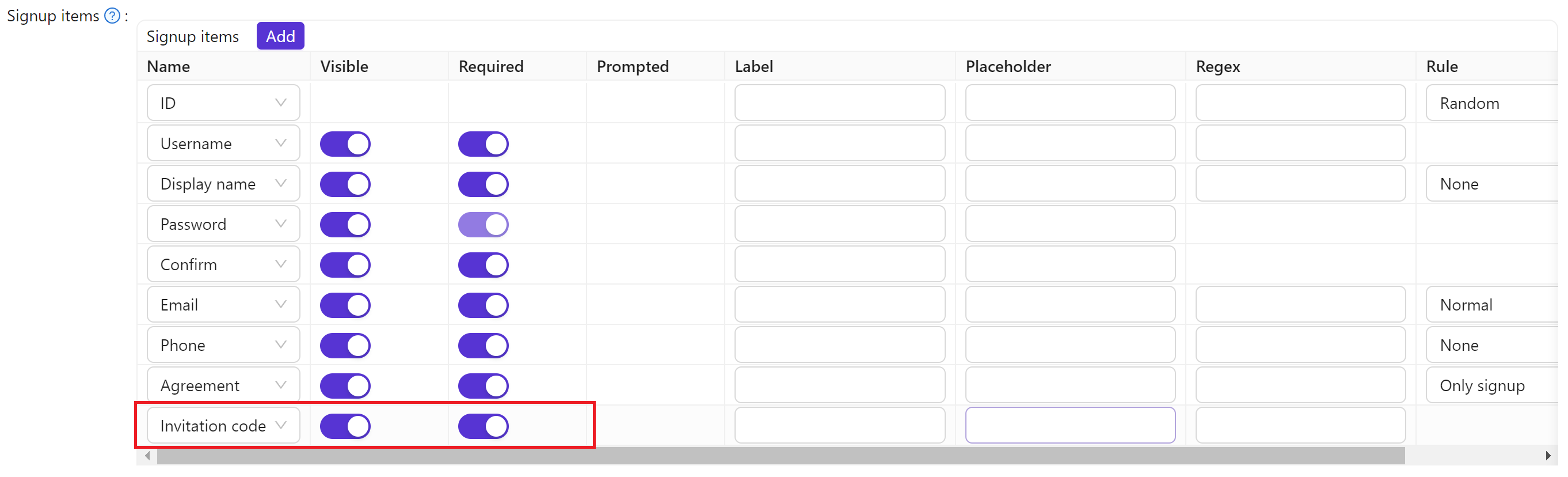
Invitation codes can be a random string (default) or a regular expression that matches multiple codes.

Invitation properties
Each invitation has:
- Organization — Organization that owns the invitation
- Name — Unique invitation name
- Display name — Label shown in the UI
- Code — The invitation code (literal string or regex)
- Default code — Value used in the invitation link. For random codes it matches the code; for regex, you must set a value that matches the regex
- Quota — Maximum number of uses
- Used count — Current use count
- Application — Applications that can use this code;
ALL= all apps in the organization. Shared applications get organization-specific handling - Username / Email / Phone — Optional fixed values required when registering with this invitation
- Expire time — Optional time after which the code is rejected, in RFC 3339 format (e.g.
2026-12-31T23:59:59+08:00). Empty means the invitation never expires - State — Invitation status (e.g. active, suspended)
Default invitation
By default, the code is a random alphanumeric string and Quota is 1 (single use). Application is ALL (all apps in the organization).
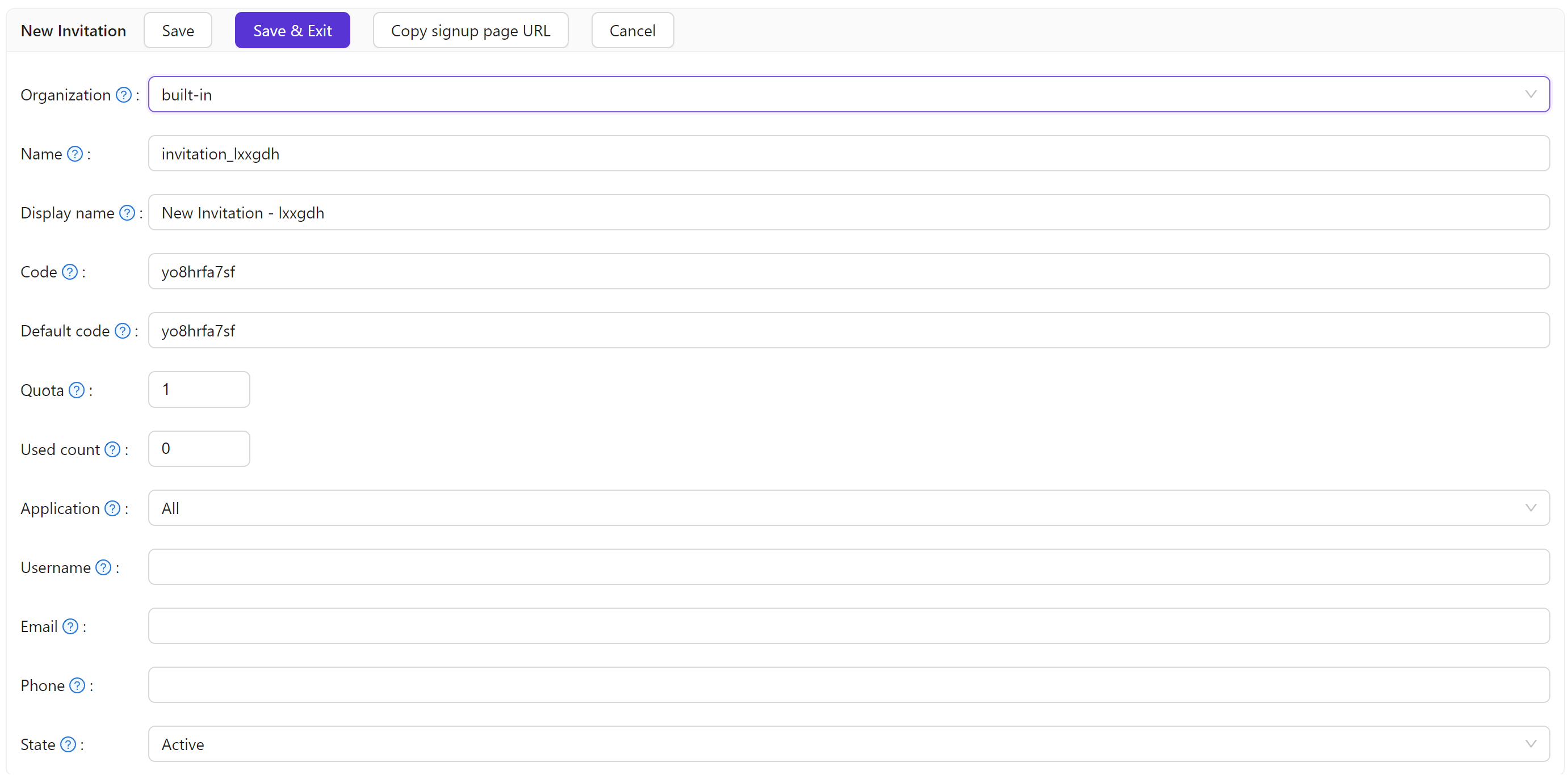
To tie an invitation to a specific user, set Username, Email, or Phone. If those fields are empty or not shown on the sign-up form, Casdoor does not enforce them.

To allow reuse, set Quota higher (e.g. 10). To stop new sign-ups with this code, set the invitation State to Suspended.
To make an invitation valid only for a limited time, set Expire time. After that time, signing up with the code fails with "Invitation code expired", without changing the State. Through the API, set expireTime in /api/add-invitation or /api/update-invitation.
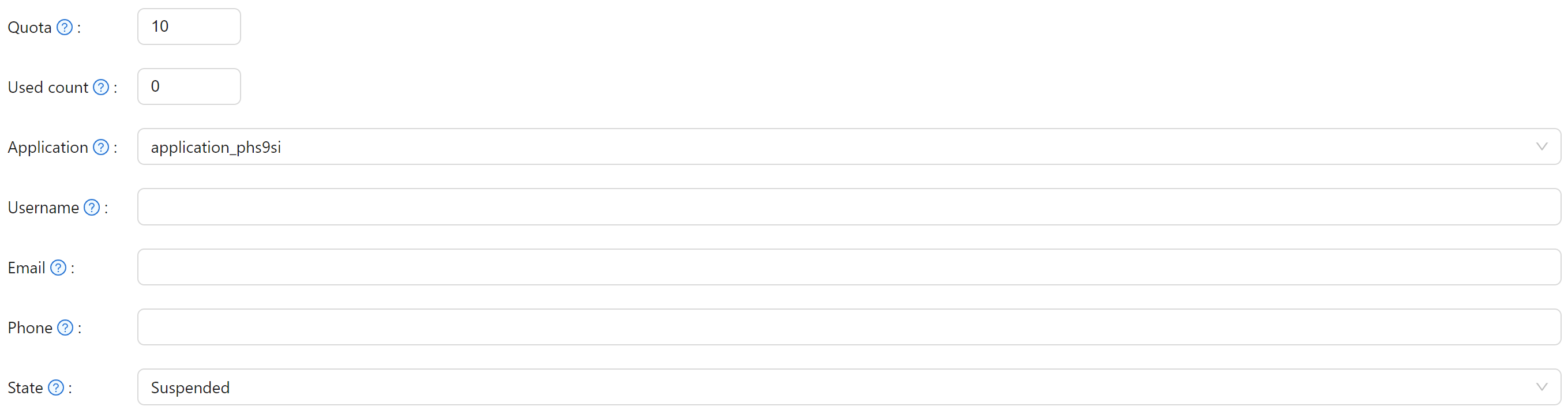
If an invitation has Username, Email, or Phone set, keep Quota at 1. Those fields must be unique per user, so only one registration per invitation is allowed.
Regex-based invitations
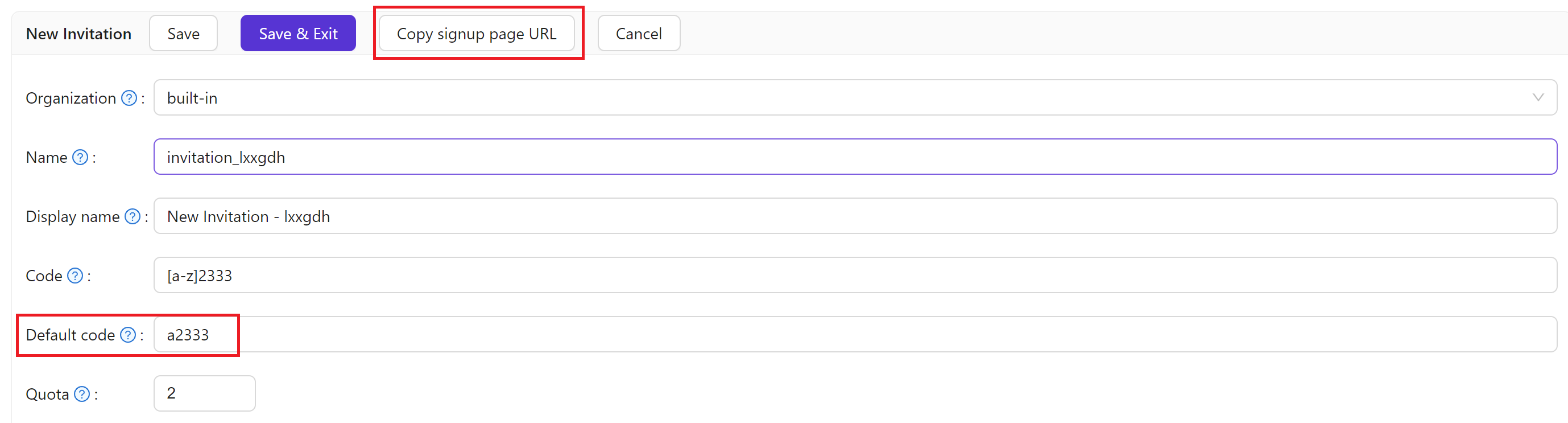
For many invitation codes without creating each one manually, use a regular expression for Code. For example, with Code set to [a-z]2333, any code matching that pattern (e.g. a2333, b2333) is accepted.

With regex codes, each distinct matching code can be used once. Quota limits total uses. For example, Code = [a-z]2333 and Quota = 2 means at most two successful sign-ups with any matching code.
Invitation link
Copy an invitation link for an invitation. The code in the link comes from Default code; for regex-based invitations, set Default code to a value that matches the regex. When users open the link, the sign-up form can be pre-filled from the invitation.
For shared applications, invitation links are generated with the correct -org-{orgName} suffix so registration completes in the right organization.
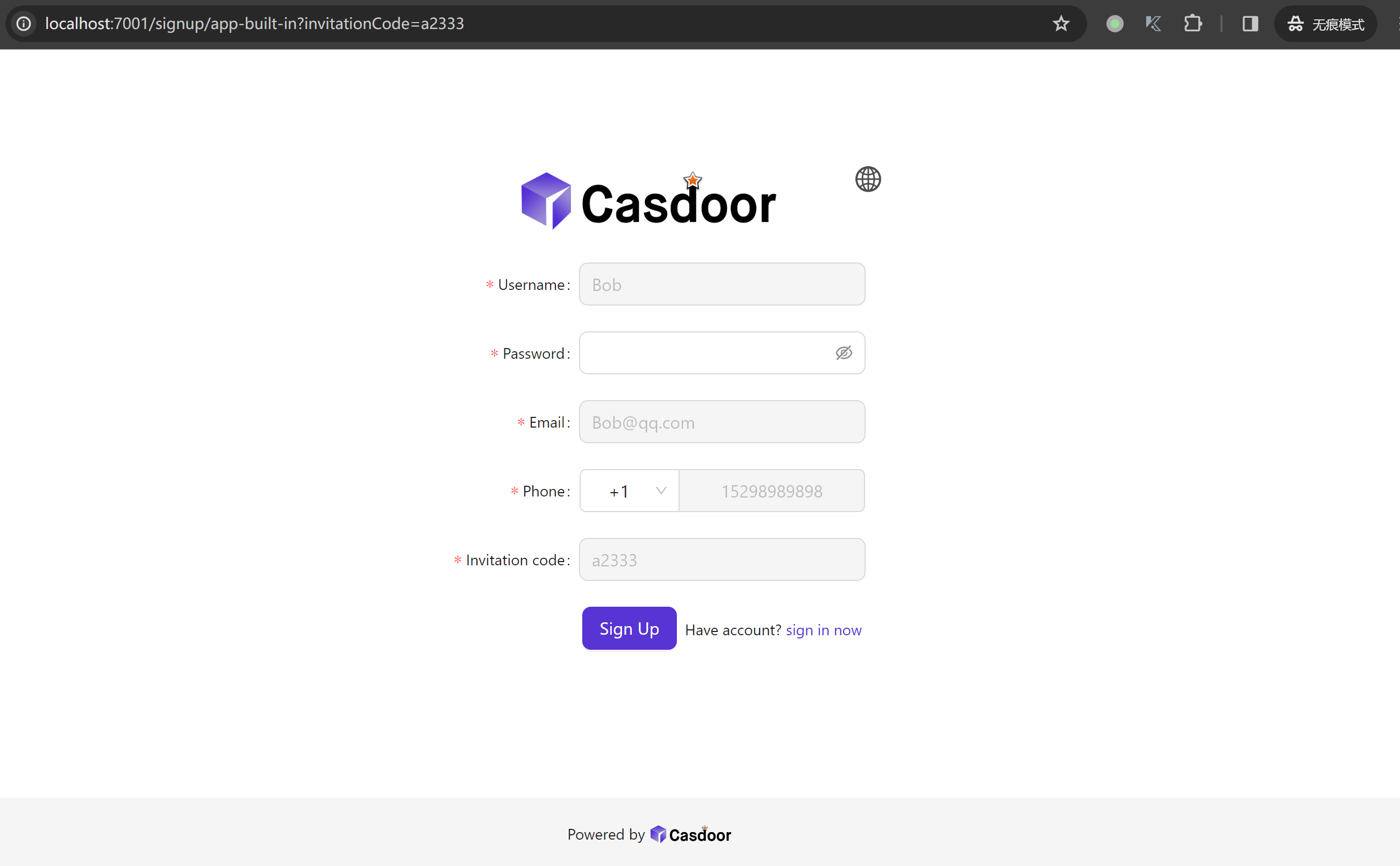
OAuth provider signup
Invitation codes work with OAuth-based registration (e.g., "Sign in with Google") in addition to password-based sign-up. When a user completes OAuth signup with a valid invitation code:
- The invitation code and invitation name are recorded on the user.
- If the invitation has a signup group configured, the user is assigned to that group—taking priority over any default group set on the OAuth provider itself.
- The invitation's Used count is incremented after the user is created successfully.
This makes it possible to control group membership through invitation links even when users register via third-party OAuth providers.