Permissions
By default, the users of an organization can open all of its applications. To restrict access to applications, or to resources inside your own application, use permissions. Casdoor permissions are built on Casbin, an authorization library that supports access control lists (ACL), role-based access control (RBAC), attribute-based access control (ABAC), and other models.
Casbin concepts
| Concept | Description | Where you configure it |
|---|---|---|
| Model | The structure of the policies and how Casdoor matches a request against them | Models page |
| Policy | Concrete rules: who may do what on which resource. In Casdoor, a policy is a permission | Permissions page |
| Adapter | Where the policies are stored, such as a database table | Adapters |
For the access control models of Casbin, see the Casbin documentation. To write and test models and policies, use the Casbin online editor.
Set up permissions
-
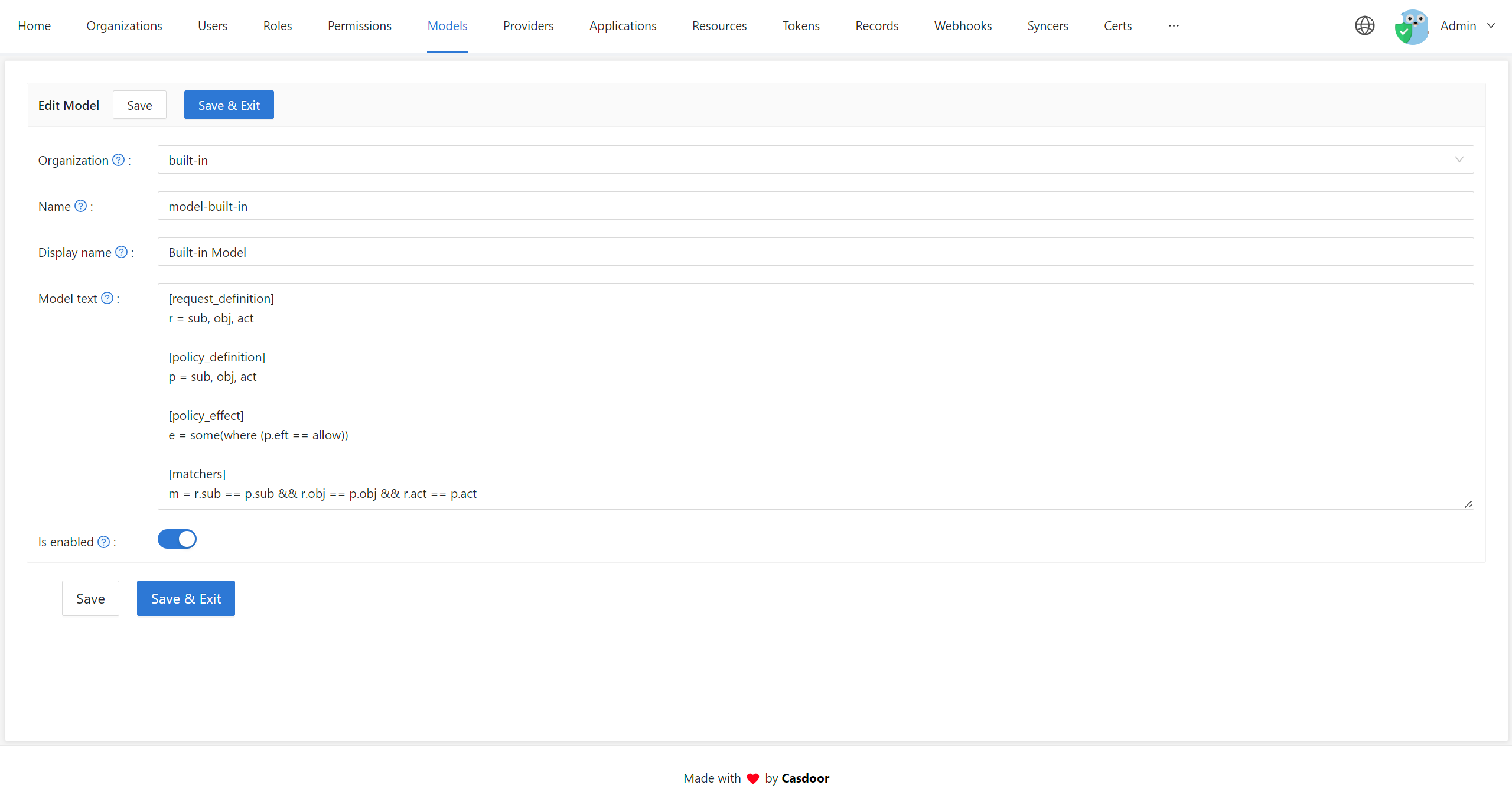
Write the model in the Casbin online editor and test it with example policies.
-
In the Casdoor admin console, open the Models page and add the model to your organization.
-
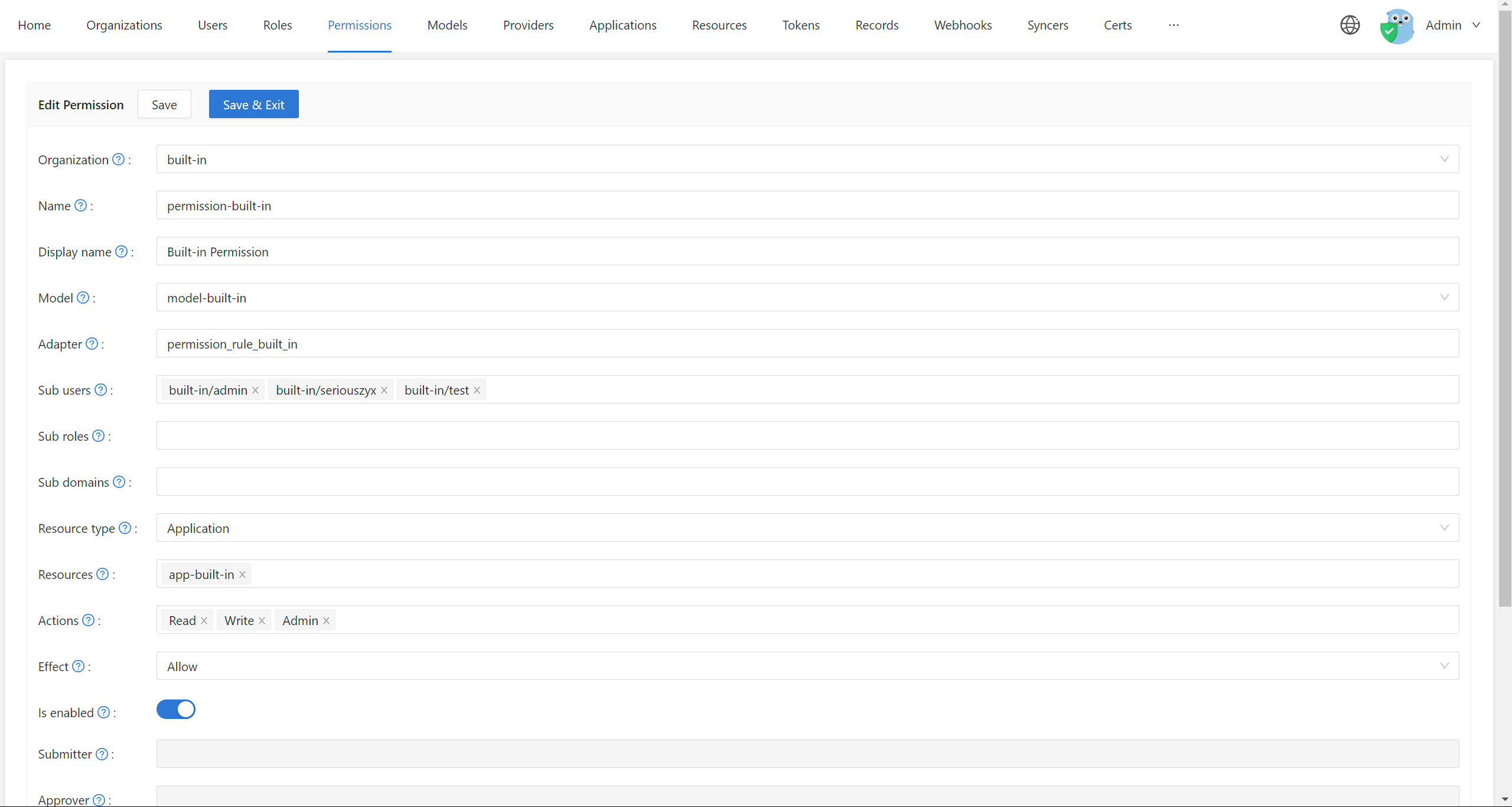
Open the Permissions page and add a permission that uses the model. See Configure a permission.
Check permissions from your application
Your application doesn't run Casbin itself. It calls the Casbin APIs that Casdoor exposes, such as /api/enforce. See Casbin APIs.
Casdoor uses its own Casbin model and policies to protect its API. Those are separate from the permissions that you define.
Related features
- Roles: Assign roles to users and grant permissions to roles, so that you manage access per role instead of per user.
- Account fields: View rules and modify rules control who can see and change each field of a user profile. They are separate from permissions. See Customize the account page.