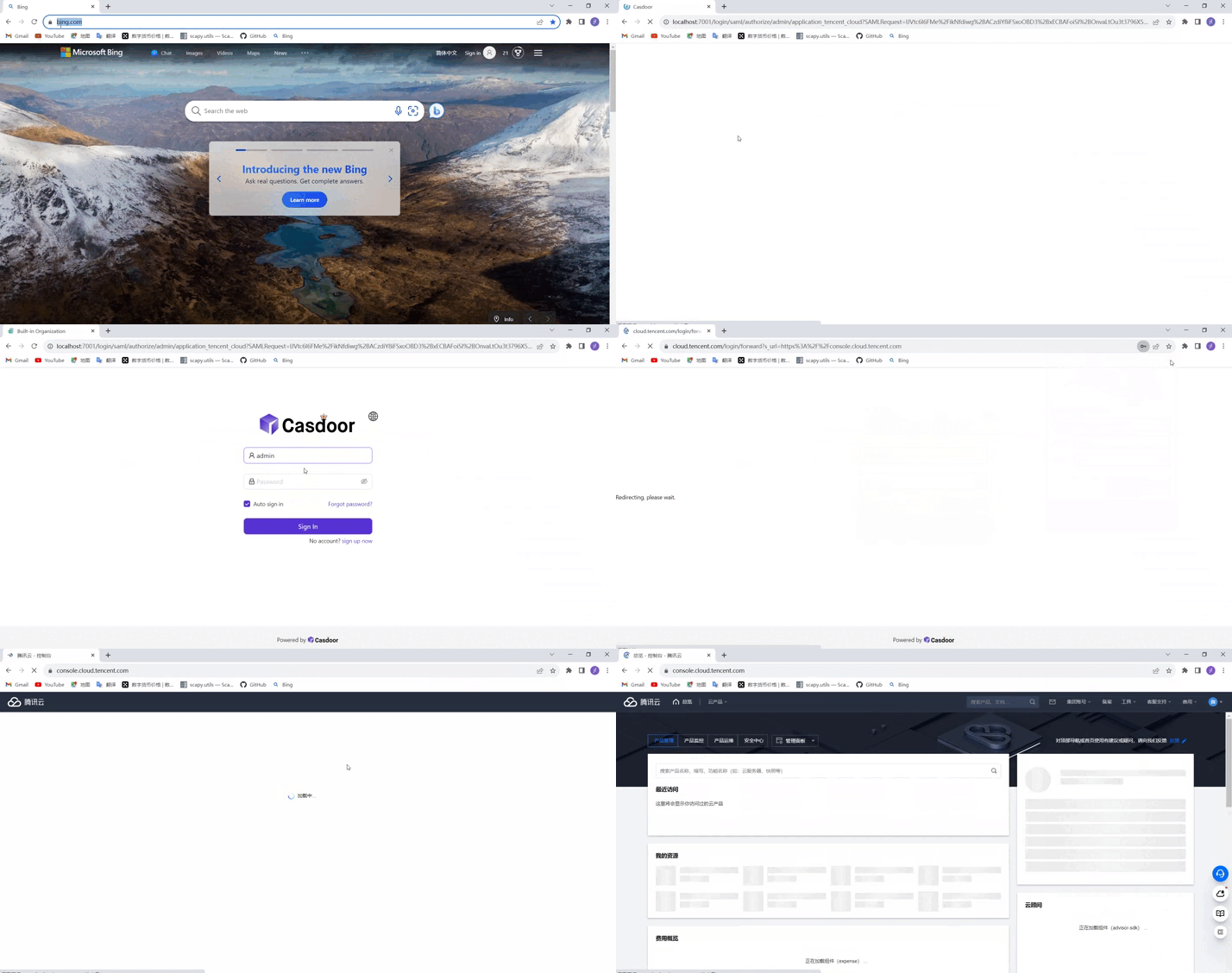
Connect Tencent Cloud with SAML
This guide explains how to use Casdoor as the SAML identity provider (IdP) of Tencent Cloud. Users sign in to Casdoor and enter Tencent Cloud in a role of Cloud Access Management (CAM).
Learning outcomes
- Get the SAML metadata of a Casdoor application.
- Add Casdoor as an identity provider and create a role in Tencent Cloud.
- Send the role to Tencent Cloud in SAML attributes.
- Build the sign-in URL and test the sign-in.
What you need
- A Tencent Cloud account with access to CAM
- An application in Casdoor
Get the SAML metadata from Casdoor
-
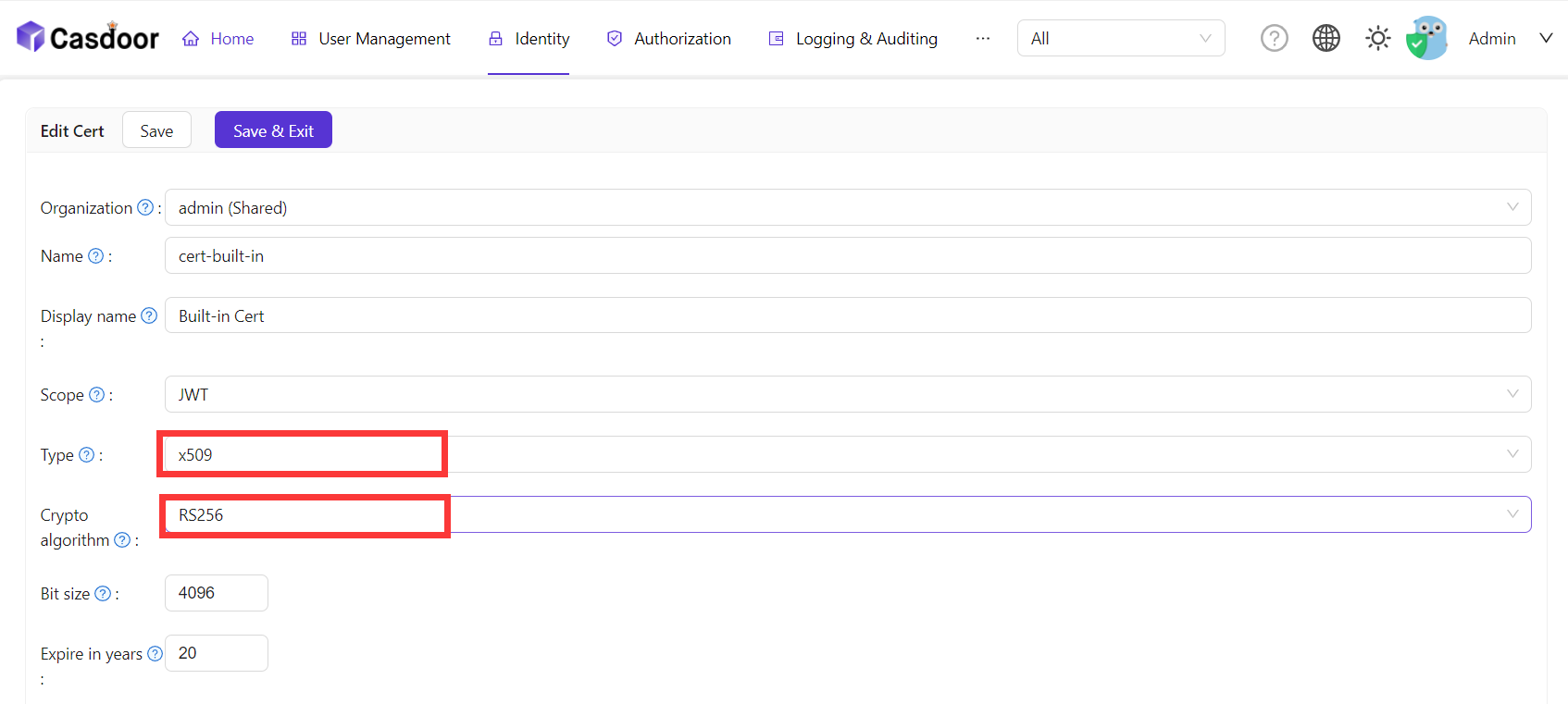
In the Casdoor admin console, add an X.509 certificate with the RSA algorithm. See Certificates.
-
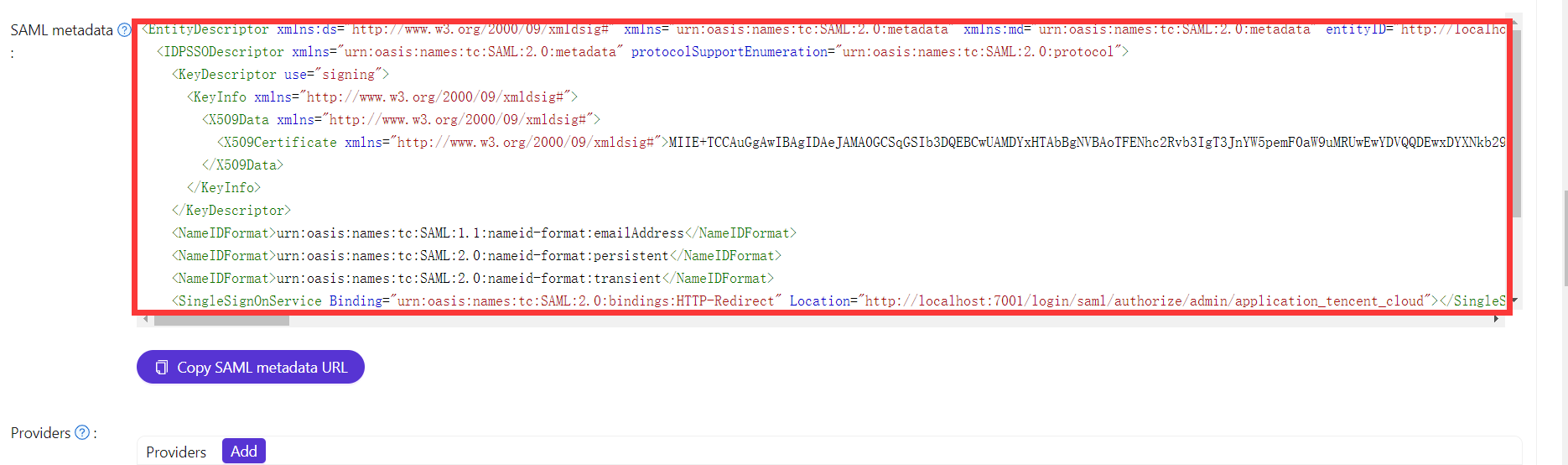
Open the edit page of the application and copy the SAML metadata.
Add the IdP and a role in Tencent Cloud
-
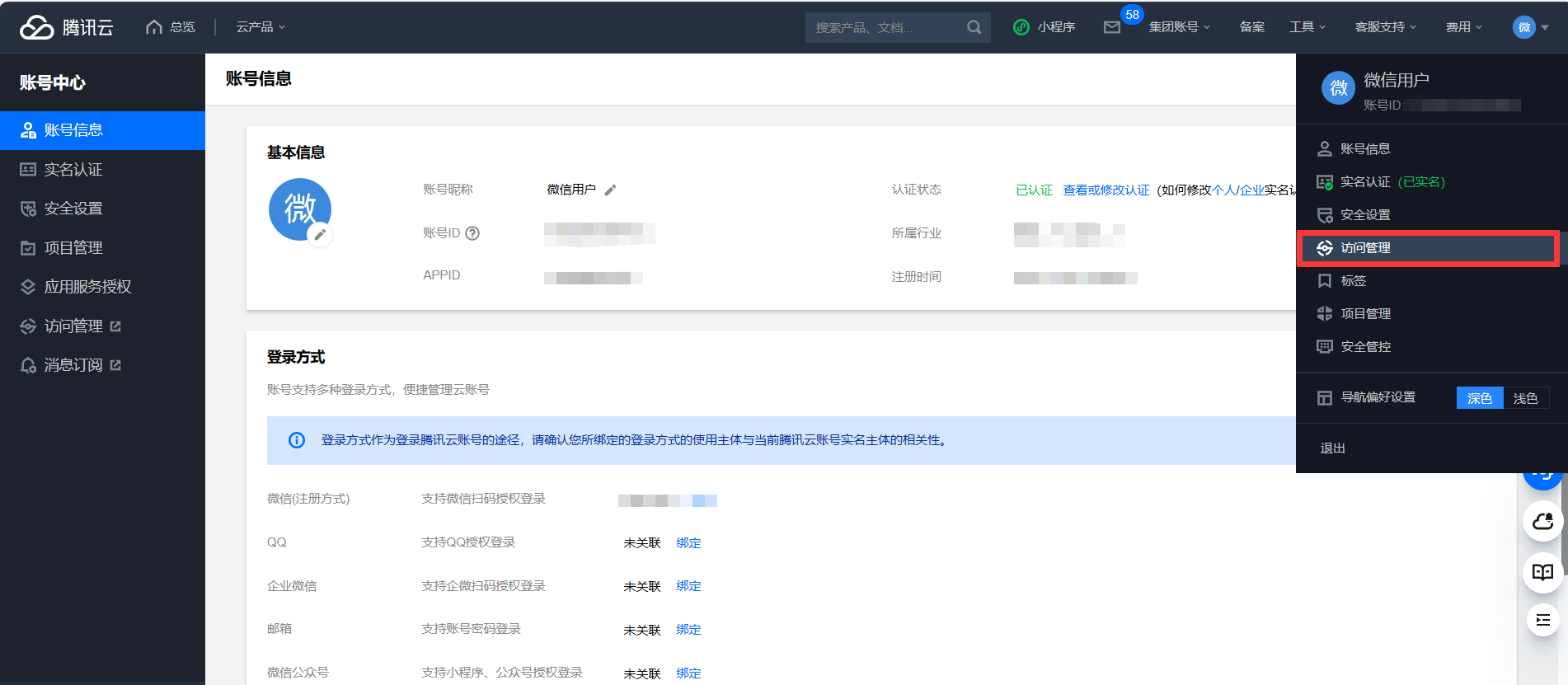
Sign in to Tencent Cloud and open Access Management.
-
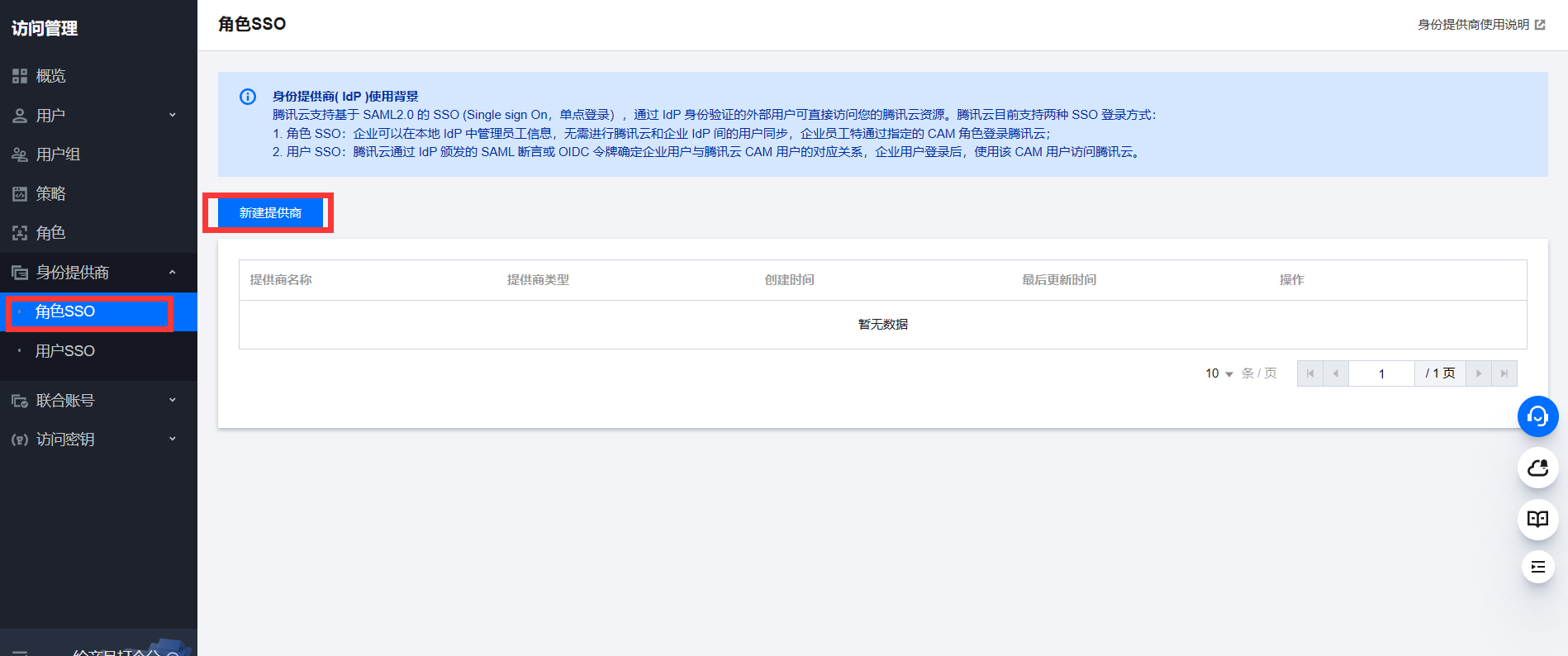
Create an identity provider and upload the SAML metadata from Casdoor.
-
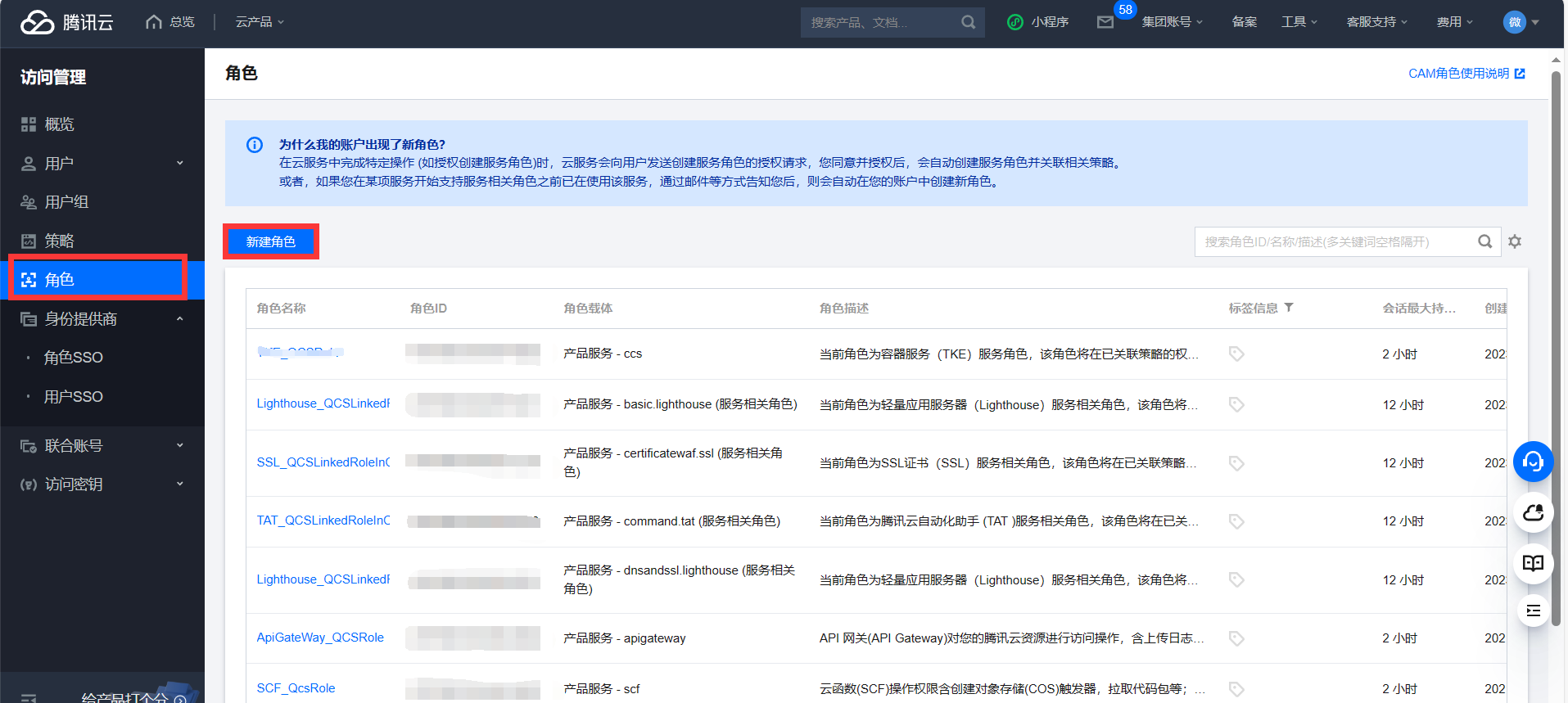
Create a role and select that identity provider for it.
Configure the Casdoor application
-
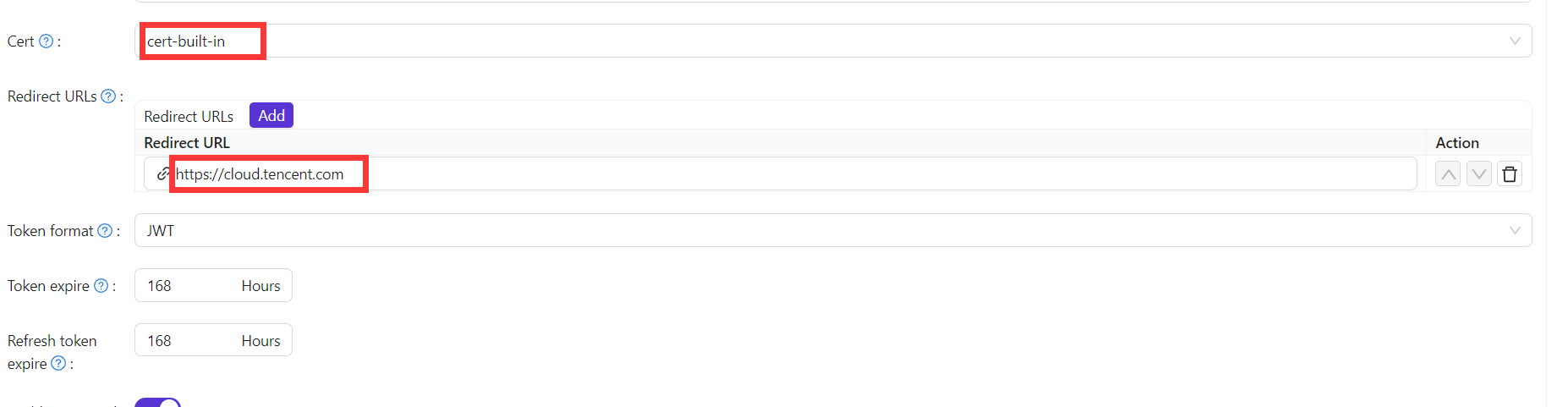
On the edit page of the application, select the certificate in Cert and add the Tencent Cloud domain to Redirect URLs.
-
Set SAML reply URL to the ACS URL of Tencent Cloud, and add the following rows to SAML attributes:
名前 名前フォーマット 値 https://cloud.tencent.com/SAML/Attributes/Role指定なし qcs::cam::uin/<AccountID>:roleName/<RoleName1>;qcs::cam::uin/<AccountID>:roleName/<RoleName2>,qcs::cam::uin/<AccountID>:saml-provider/<ProviderName>https://cloud.tencent.com/SAML/Attributes/RoleSessionName指定なし casdoor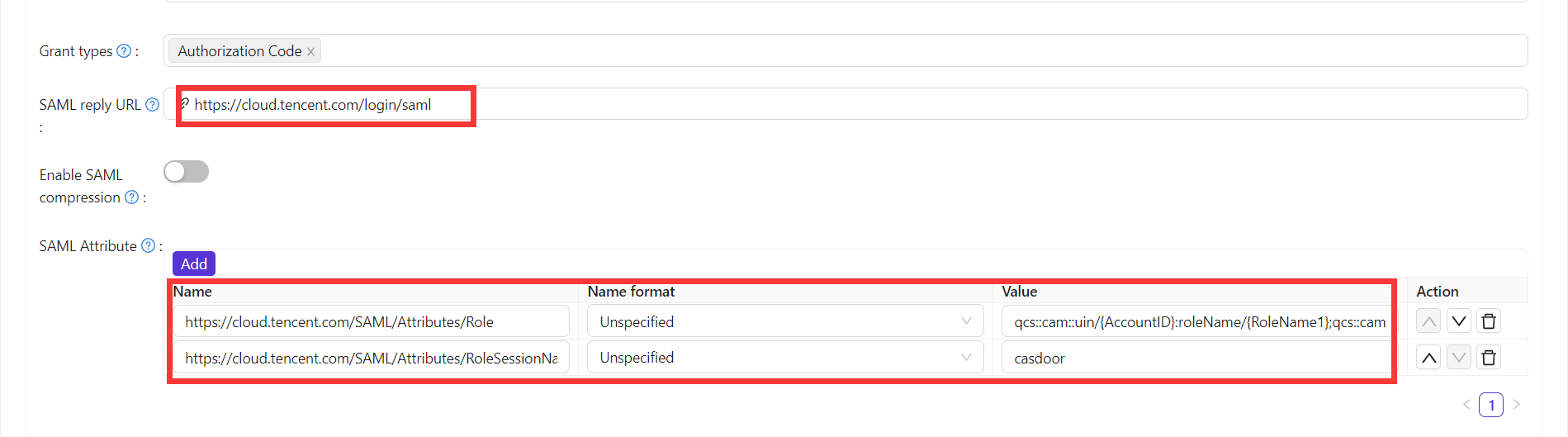
-
Replace the placeholders in the first value:
Placeholder Value Where to find it <AccountID>ID of your Tencent Cloud account Account Information <RoleName1>,<RoleName2>Name of the role Roles <ProviderName>Name of the SAML identity provider Identity Providers -
Save the application.
For the format of the attributes, see the Tencent Cloud documentation on SAML identity providers.
Verify the result
A user who opens Tencent Cloud without a session is redirected to Casdoor, signs in there, and returns to Tencent Cloud in the role. You build the first redirect URL from the SAML metadata. The following Go program fetches the metadata, builds the URL, and prints it:
func main() {
    res, err := http.Get("your casdoor application saml metadata url")
    if err != nil {
        panic(err)
    }

    rawMetadata, err := ioutil.ReadAll(res.Body)
    if err != nil {
        panic(err)
    }

    metadata := &types.EntityDescriptor{}
    err = xml.Unmarshal(rawMetadata, metadata)
    if err != nil {
        panic(err)
    }

    certStore := dsig.MemoryX509CertificateStore{
        Roots: []*x509.Certificate{},
    }

    for _, kd := range metadata.IDPSSODescriptor.KeyDescriptors {
        for idx, xcert := range kd.KeyInfo.X509Data.X509Certificates {
            if xcert.Data == "" {
                panic(fmt.Errorf("metadata certificate(%d) must not be empty", idx))
            }
            certData, err := base64.StdEncoding.DecodeString(xcert.Data)
            if err != nil {
                panic(err)
            }

            idpCert, err := x509.ParseCertificate(certData)
            if err != nil {
                panic(err)
            }

            certStore.Roots = append(certStore.Roots, idpCert)
        }
    }

    randomKeyStore := dsig.RandomKeyStoreForTest()

    sp := &saml2.SAMLServiceProvider{
        IdentityProviderSSOURL:      metadata.IDPSSODescriptor.SingleSignOnServices[0].Location,
        IdentityProviderIssuer:      metadata.EntityID,
        ServiceProviderIssuer:       "https://cloud.tencent.com",
        AssertionConsumerServiceURL: "https://cloud.tencent.com/login/saml",
        SignAuthnRequests:           true,
        AudienceURI:                 "https://cloud.tencent.com",
        IDPCertificateStore:         &certStore,
        SPKeyStore:                  randomKeyStore,
    }

    println("Visit this URL To Authenticate:")
    authURL, err := sp.BuildAuthURL("")
    if err != nil {
        panic(err)
    }

    println(authURL)
}
Run the program and open the printed URL. After you sign in to Casdoor, the Tencent Cloud console opens.