Add a SAML identity provider
This guide explains how to let users sign in to Casdoor with any SAML 2.0 identity provider (IdP), such as Google Workspace, Azure AD, or Okta.
Learning outcomes
- Register Casdoor as a service provider at the IdP.
- Import the metadata of the IdP into a Custom SAML provider.
- Add the provider to an application.
What you need
- Administrator access to the IdP
- Administrator access to the Casdoor admin console
Register Casdoor at the IdP
At the IdP, register Casdoor as a service provider with the following values:
| Setting | Value |
|---|---|
| ACS URL | https://<your-casdoor-domain>/api/acs, for example https://door.example.com/api/acs. For a local instance at http://localhost:8000, the URL is http://localhost:8000/api/acs |
| SP entity ID | The same URL as the ACS URL |
| Binding | HTTP POST. The endpoint accepts only POST |
Get the metadata of the IdP
Export the SAML metadata of the IdP as XML. It contains the entity ID, the single sign-on endpoint, and the certificate. Some IdPs, such as Keycloak, provide the metadata only after you have entered the service provider details.
Add the provider in Casdoor
-
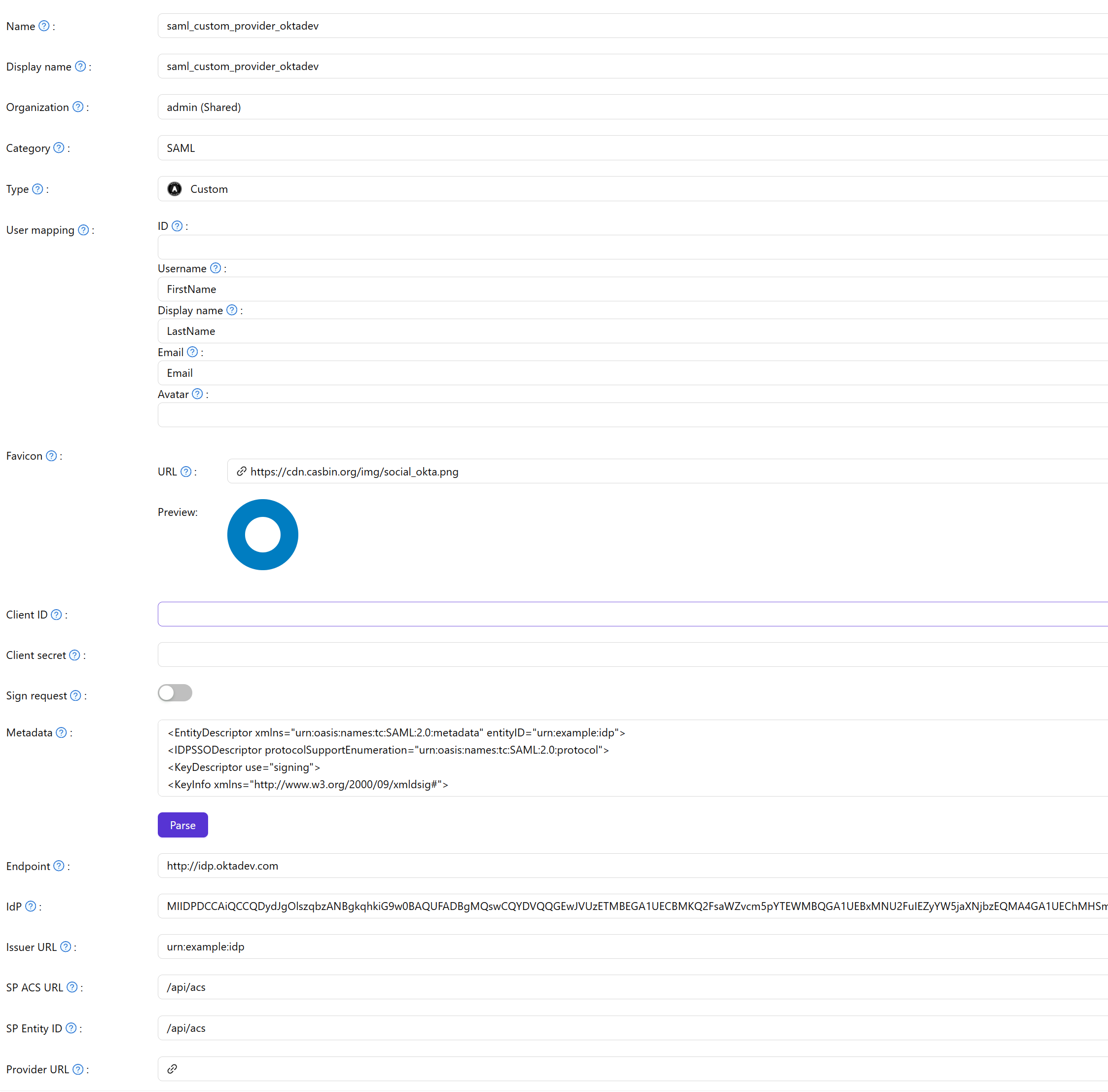
In the Casdoor admin console, go to Identity > Providers and add a provider.
-
Set Category to
SAMLand Type toCustom. -
Set Favicon to the URL of the logo of the IdP.
-
Paste the metadata of the IdP into Metadata and click Parse. Casdoor fills in Endpoint, IdP, Issuer URL, SP ACS URL, and SP Entity ID.
-
Save the provider.
Add the provider to an application
Open the edit page of the application, add the provider on the Providers tab, and save.
