Add Okta as an OAuth provider
This guide explains how to let users sign in to Casdoor with their Okta account.
Learning outcomes
- Create an OpenID Connect (OIDC) app integration in Okta.
- Add Okta as an OAuth provider in Casdoor.
What you need
- An Okta organization. To try it, sign up at Okta Developer.
- Administrator access to the Casdoor admin console
Create an app integration in Okta
-
In the Okta admin console, go to Applications > Applications and click Create App Integration.
-
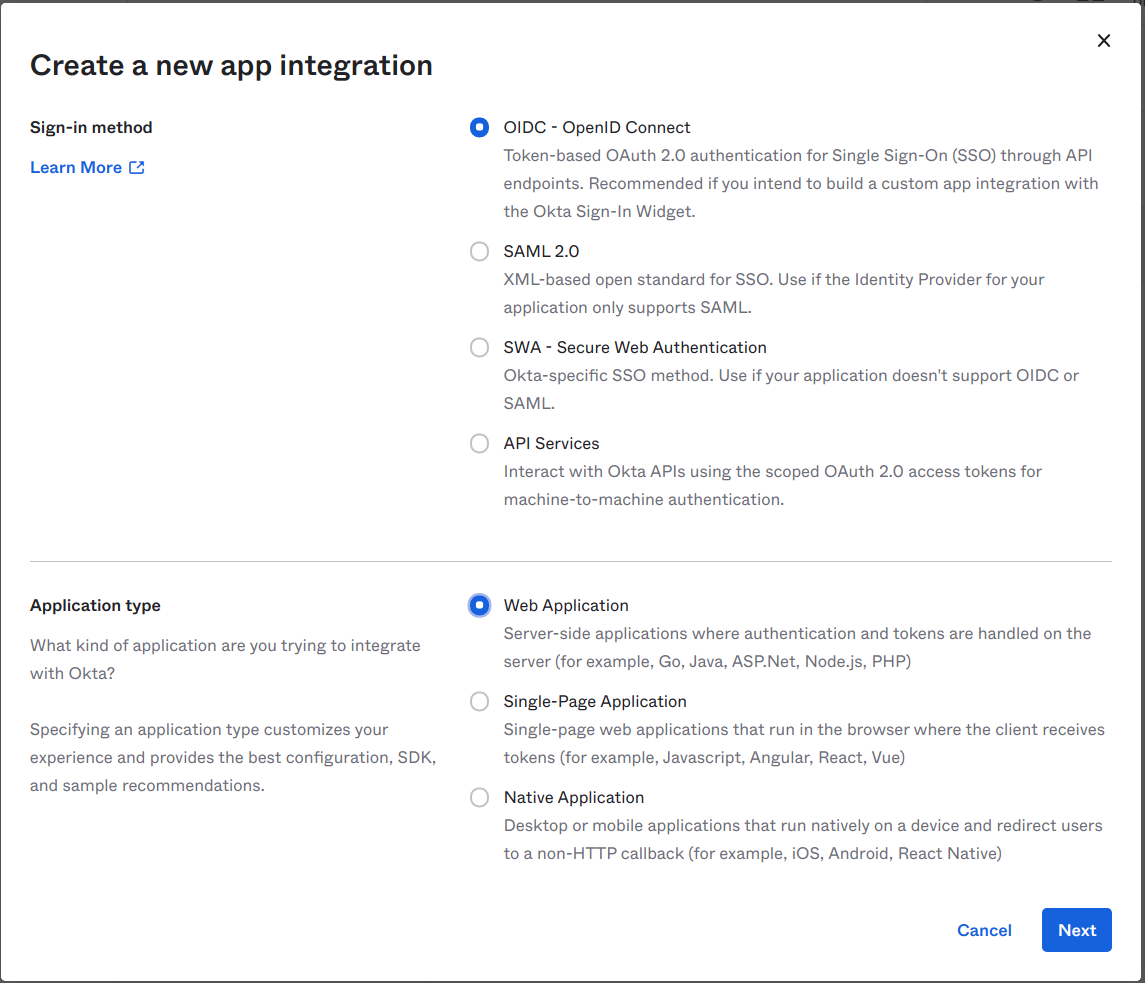
Select OIDC - OpenID Connect and Web Application, and click Next.
-
Set Sign-in redirect URIs to the callback URL of Casdoor, for example
https://door.casdoor.com/callback.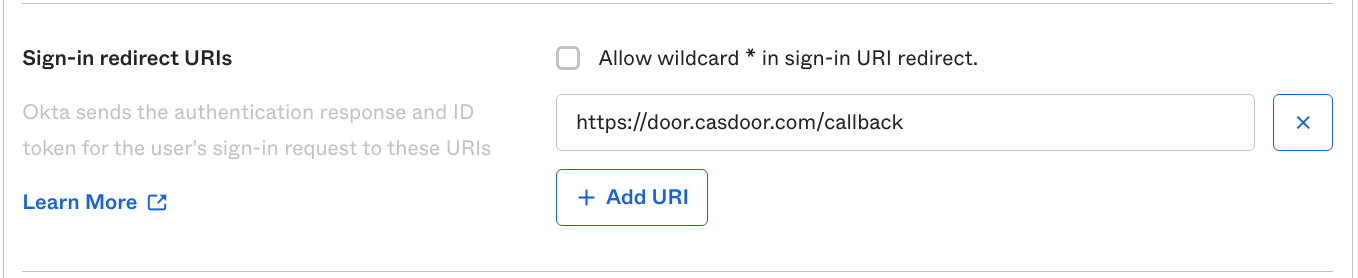
-
Under Assignments, select Controlled access, and click Save.
-
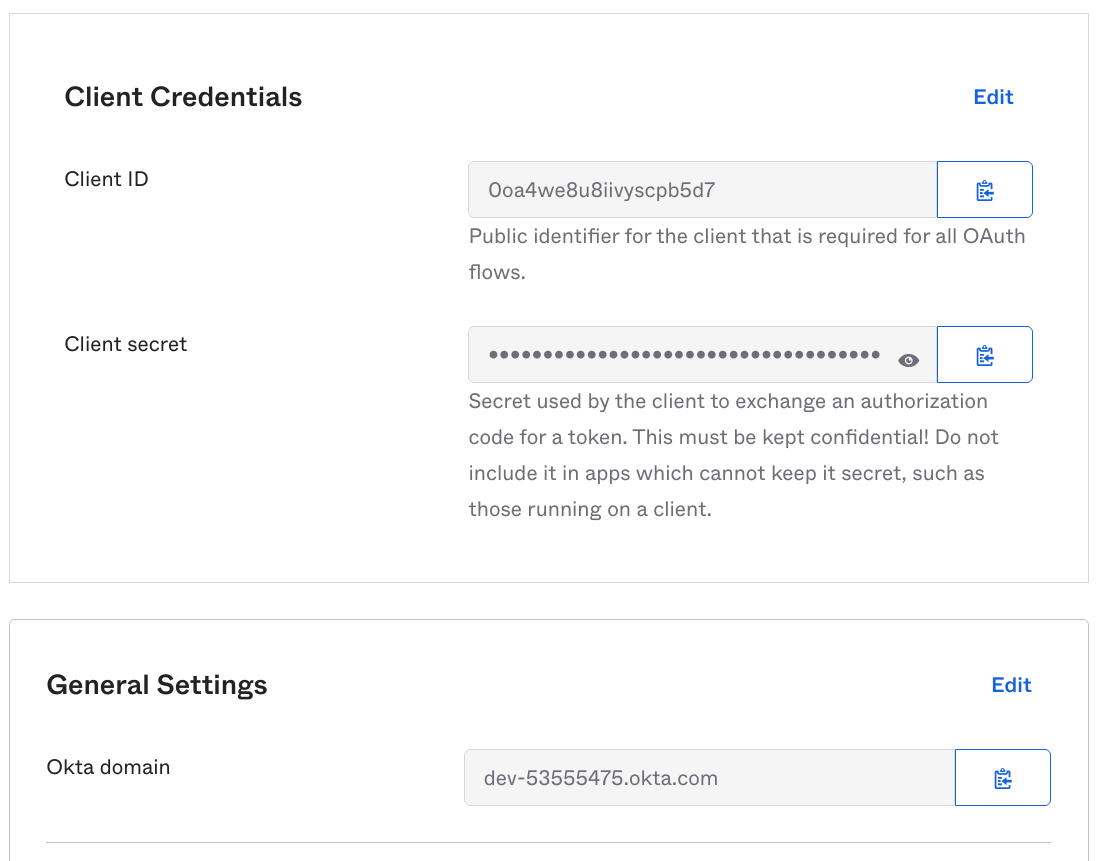
Copy the Client ID, the Client secret, and the Okta domain.
Add the provider in Casdoor
-
In the Casdoor admin console, go to Identity > Providers and add a provider.
-
Set Category to
OAuthand Type toOkta. -
Enter the Client ID and the Client secret.
-
Set Domain to the URL of the authorization server,
https://<okta-domain>/oauth2/default, not the Okta domain alone. See Authorization servers in the Okta documentation.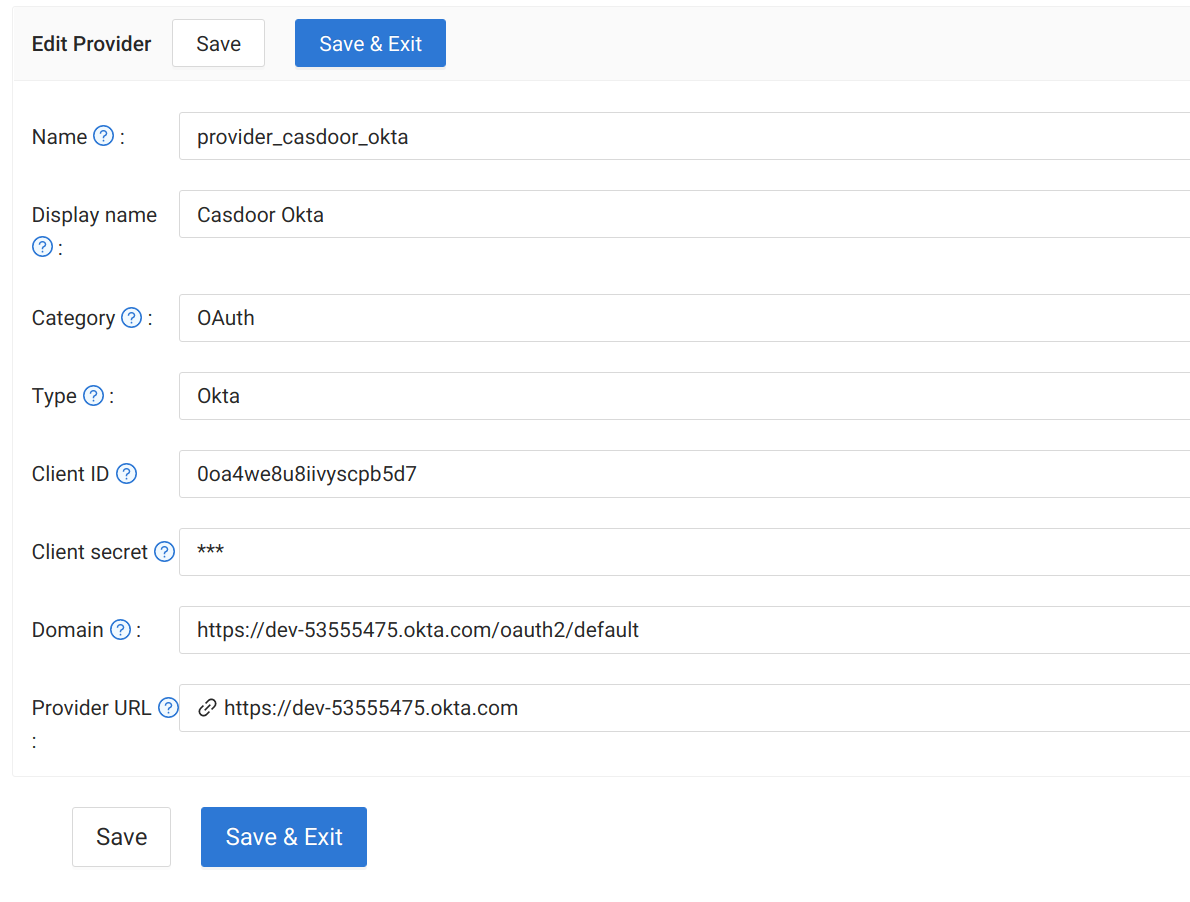
-
Save the provider.
Next steps
Add the provider to an application. See Add providers to an application.