Require multi-factor authentication
This guide explains how to offer multi-factor authentication (MFA) methods to the users of an organization and how to require them.
Learning outcomes
- Add MFA methods to an organization.
- Make a method optional, prompted, or required.
- Let users skip MFA on a trusted device for a period.
What you need
- Administrator access to the organization in the Casdoor admin console
Add MFA methods
-
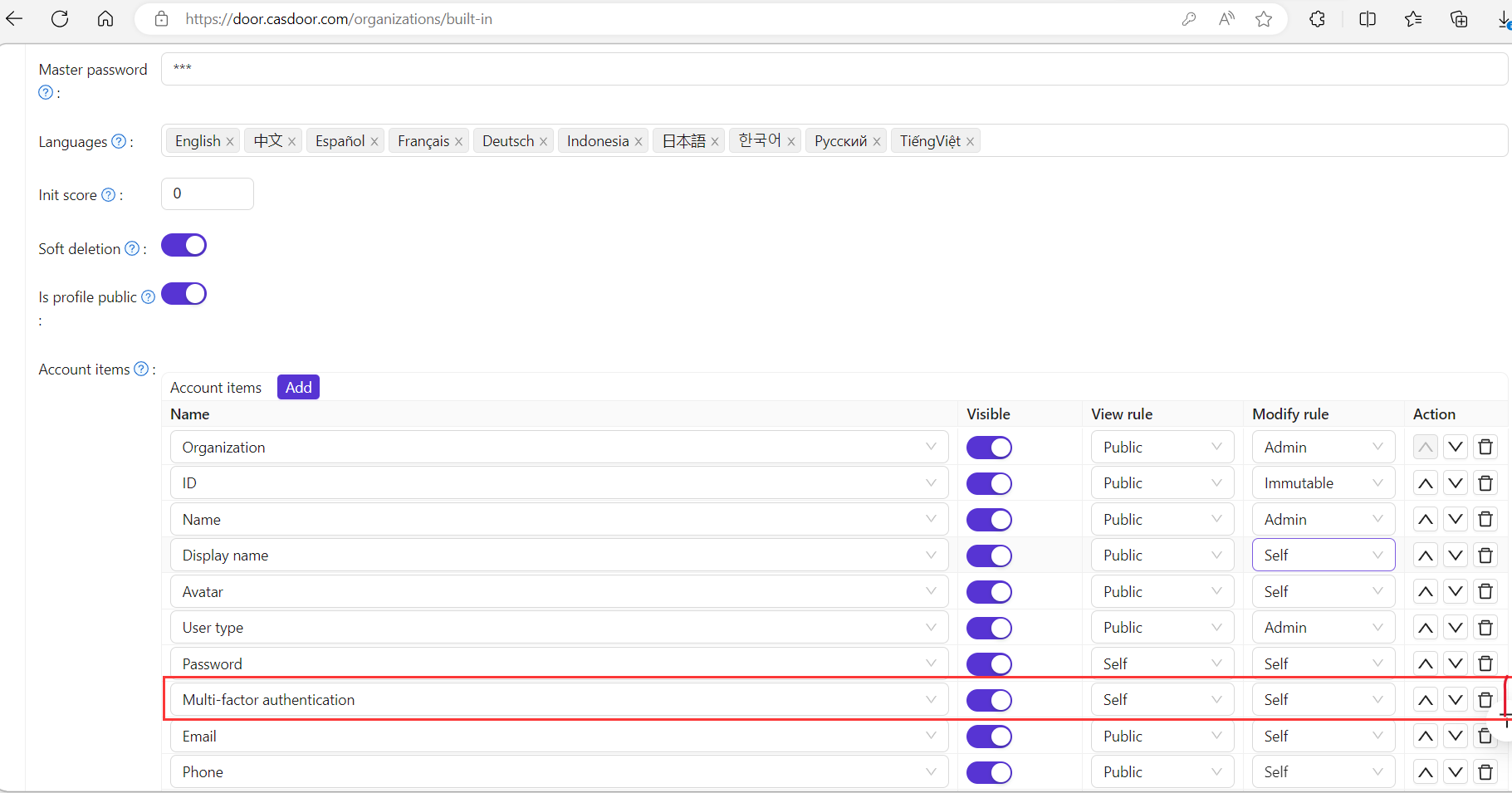
In the Casdoor admin console, open the edit page of the organization.
-
In MFA items, add the MFA methods that the organization offers.
-
Select a rule for each method:
Rule Behavior Optional Users can set up the method or leave it Prompt Casdoor prompts users who haven't set up the method after they sign in Required Users must set up the method before they can complete the sign-in 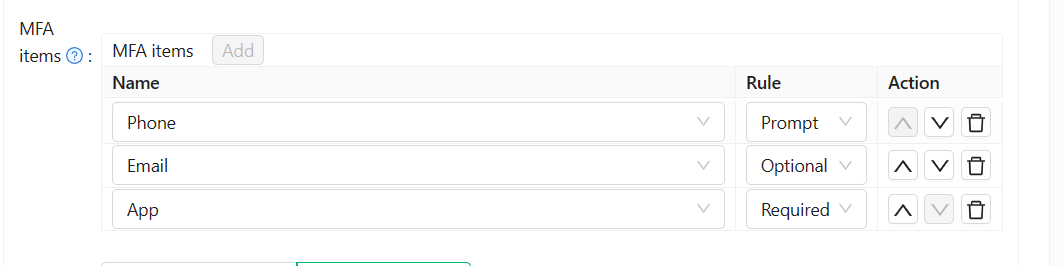
-
Save the organization.
Users then set up and manage their methods on their account page. See Multi-factor authentication.
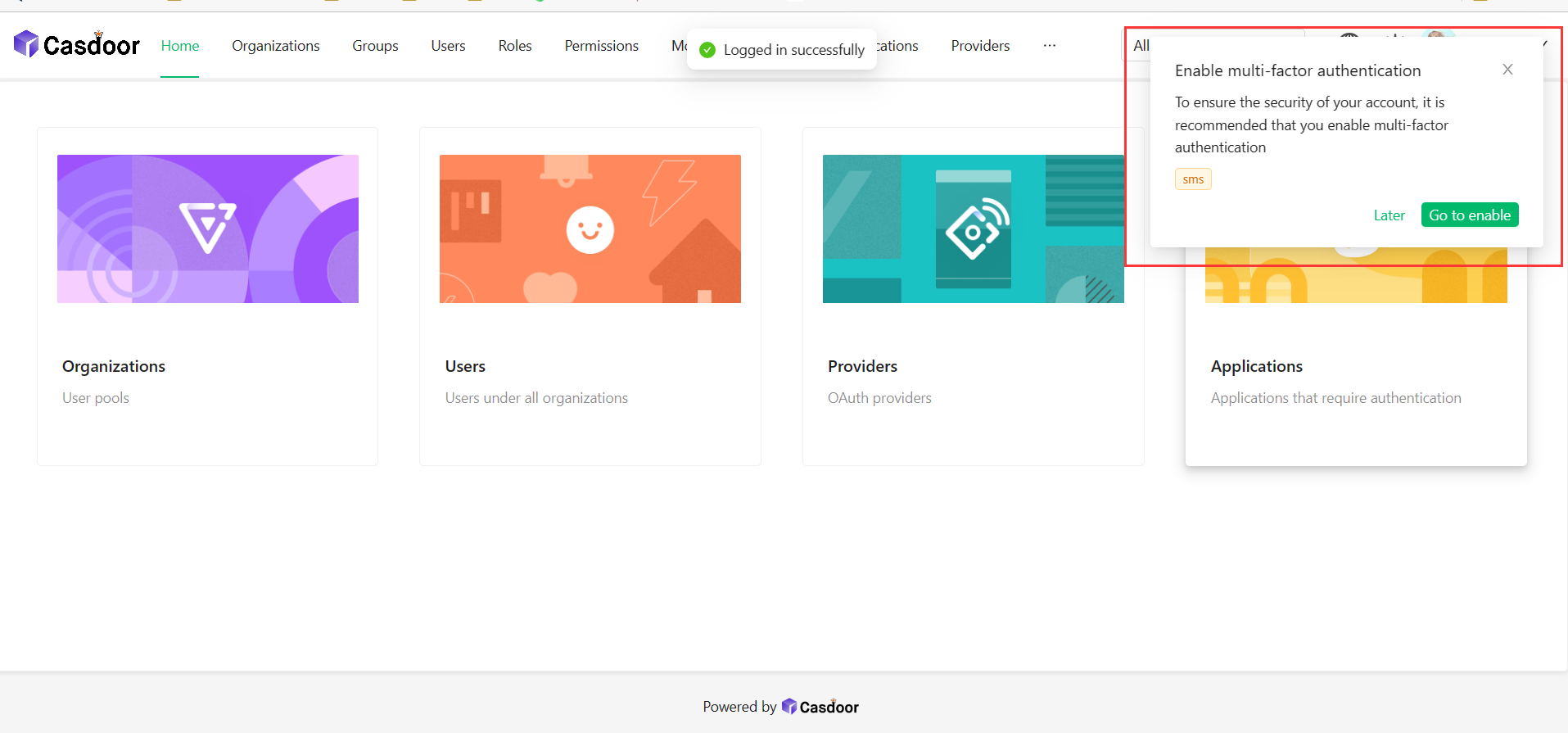
With the Prompt rule, users see the following prompt after sign-in:
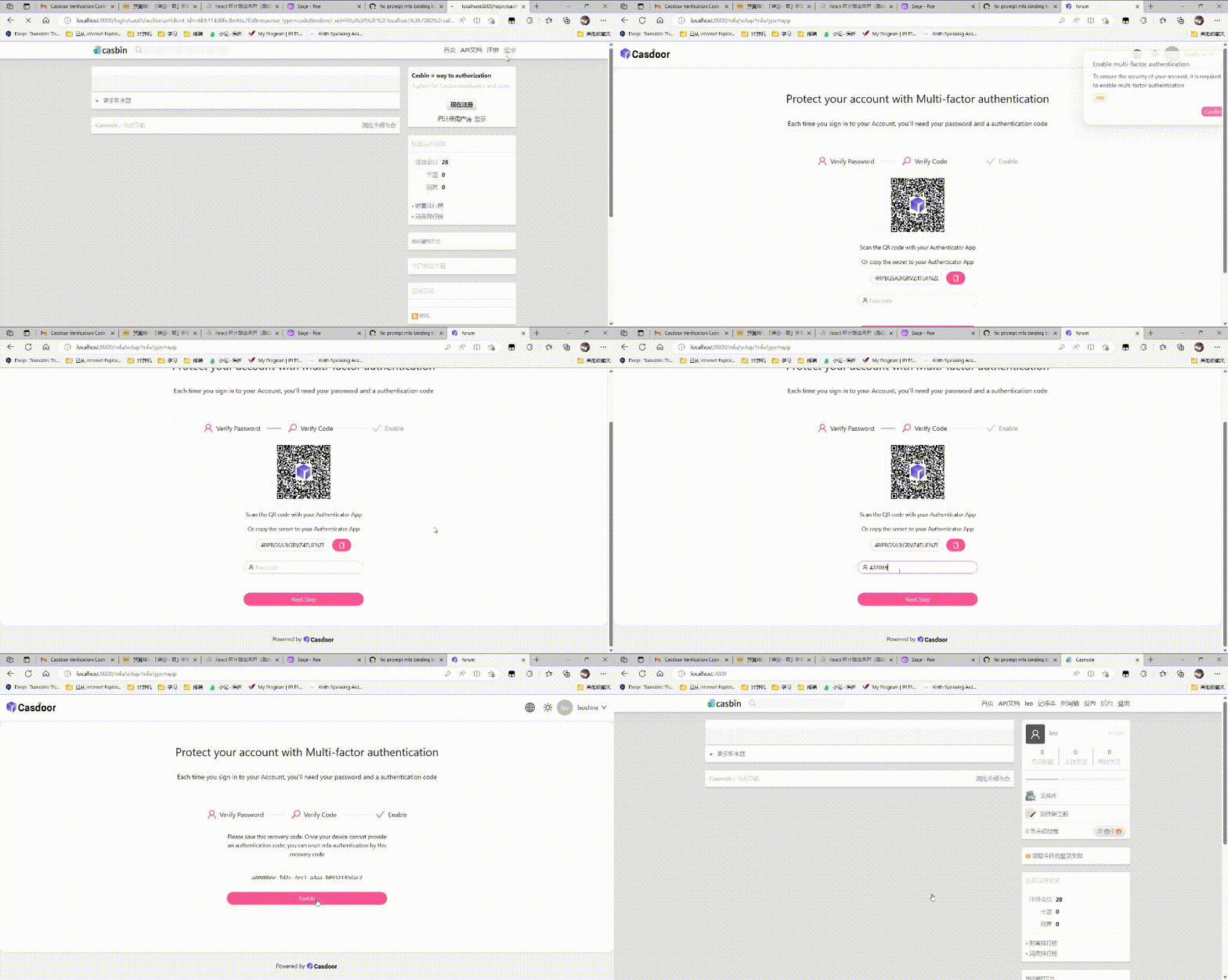
With the Required rule, users go through the setup before the sign-in completes:
Remember MFA on a device
Users can choose to be remembered on a device, so that Casdoor doesn't ask for the second factor again for a period.
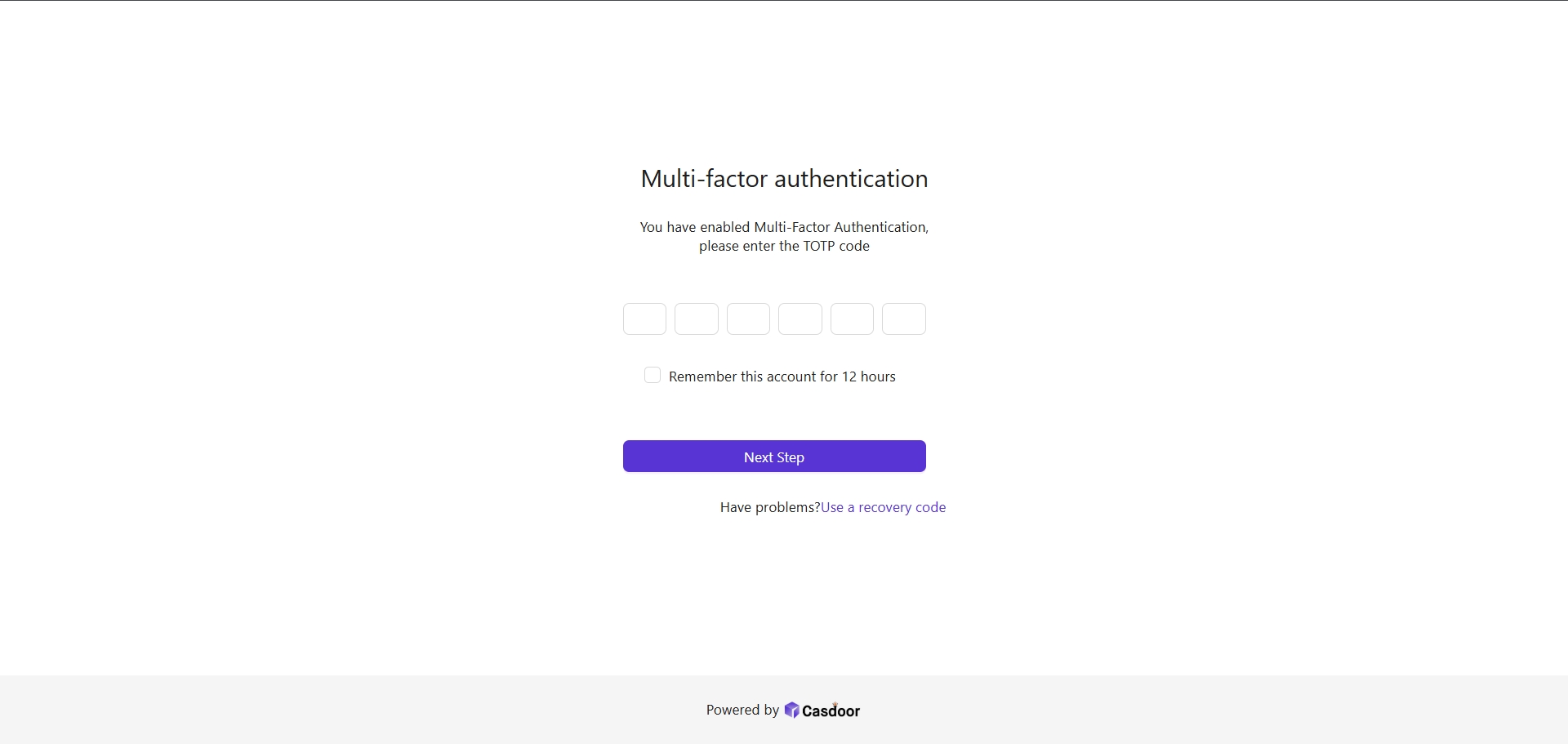
Set the length of the period, for example 12 hours, in MFA remember time on the organization edit page.
